




OfficerUnderwood
Members
-
Joined
Everything posted by OfficerUnderwood
-
Well can I get it somehow?
-
For some reason I cant find this part.. http://www.unifiedsafety.com/store/product688.html Anybody know where it is?
-
I will always remember 9/11 and NEVER forget.. The Brave PAPD & NYPD Officers The Men, Women, & Children The FDNY Firefighters/Medics That Died that day, God Bless America
-
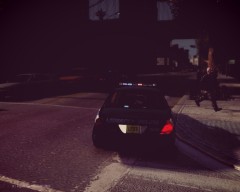 Looks like this game I saw..
 -
Just delete the picture after your done viewing it. Simple.. Both..
-
Its just a Black texture right now, So just temporary. But you dont know whats going on with the wheel?
-
The Pics..
-
Yep that was NOT problem.. I Just need to lower it and I'm done for now with the model, No now its worse.. I will post pics
-
I'm sorry but that's why I came to LCPDFR.com..
-
Today when I wanted to test out my CVPI Model, I found the LF wheel fails.. And the car acts like the wheel isnt even there. NOTE: Rambar is fixed so dont worry about it.
-
How? Do note this is my first model..
-
Rambar missing textures though I have them, Why could this be messing up? The rambar is CVPI - Go Rhino Pushbar - Downloads - GTA Police Mods .
-
For some reason when I try to move one of the lights, They cant be moved.. As you should see in the picture the lights behind the unit, I put my mouse over it and it wont let me click it so that I can move it to where I want it.
-
Well how do I fix it so it can be on this car?
-
Im sorry I dont understand what you mean as this is my first time, What I did was use a wheel from another car then placed it on this car, So I unlinked it from another model then linked it to this model. Would that have to do with anything?
-
What does textures have to do with where the wheel is?
-
Ok im having a problem with this Hubcap wheel. In zmodeler its in the right place, In OpenIV its in the middle of the car. How do I fix this.
-
No but thanks for at least helping.
-
Sorry Original Light, But its like he didn't understand what I said the whole time, but never mind the problem when away. GTA IV...
-
Again did you read what I F***ing said? I was testing it and giving it a try in 640X480 for the love of god!! Just nevermind. I got this new $400 dollar build. http://pcpartpicker.com/user/bigfordman03/saved/2cab
-
Did you read how much fps I would get when playing usually, Just in-case for god sake.. "23-30 FPS"
-
Intel Pentium at 2.40GHZ Dual-Core Intel HD Graphics 4000 I just want to test the idea out of random idea and that,I would get 23-30 but now 15.
-
Ok on GTA IV I choose to run GTA IV on 640X480 then it wasnt as good so I went back to 800X600 and lag, What the heck?!?!??!?!?!? How to fix?
-
Ok I have tried to search this but all I can find is videos and results with the 1GB version, And I want to know if anyone on LCPDFR.com can run it and how much FPS you get. Also can you tell me results with and without ENB?
-

