
spreilly
Members
-
Joined
-
Last visited
Everything posted by spreilly
-
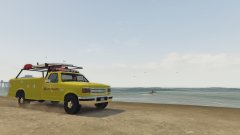 Any plans with this truck? Looks pretty interesting!
 -
Any plans on updating it? Really enjoying the mod so far!
-
So it seems that I have an issue getting sirens on AI cars to stay on. They'll be active for about five seconds, then shut off and back on again. I don't know why it's doing this. I have EUP, RDE, and Albo's callout packs installed. Non-ELS, No visual modifications.
-
 Is there a way to make sure that the vehicles that are spawned are only ones listed in popcycle.ymt? I'm trying a 90's LS, but it fucks it up a bit if there's a cheetah spawned by a callout! @Albo1125
- 1,081 comments
- 166 reviews
-
-
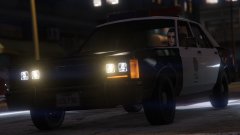 I hate to rehash old business, but any word on that WIP pack? Tryina put together a retro install :P
 -
-
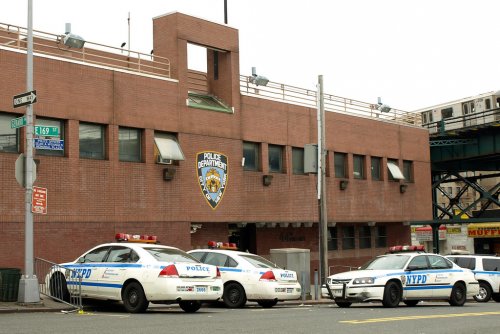 Precinct is spelled wrong.
 -
It's an old livery used on the first HH-65's. And damn, that sucks, but any plans to maybe eventually make something lore-friendly like that? And would it be possible to include a guide to removing at least the HMMWV & Abrams, especially since they replace in-game models?
-
Any option to replace the Apache with a Hunter, M1 Abrams with a Rhino, HMMWV with the Patriot/Crusader, etc. to keep it lore-friendly? Also, would it be possible to throw another livery on the USCG Swift?
-
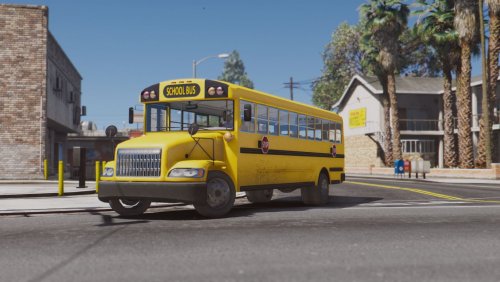 Also Skyline, if it'd be possible to add a front plate to it, that'd be great (as California vehicles are required to have a front plate)
- 10 comments
- 3 reviews
-
Huh, it's always worked with lcpdfr.com in the past. I'm just lazy lol. Thanks Cyan. Lock the thread please.
-
Hey, all, lcpdfr.com does not load when I type it into my browser (Chrome). In order to get on the side, I have to go to lspdfr.com first and then go from there.
-
So it seems that the problem is that whenever mpexecutive or patchday10ng are enabled in dlclist.xml (found in update.rpf) with RDE, I get that error listed above. Please help me, it's been bugging me for a month now!
-
Bump, PLEASE HELP!
-
I've got a huge problem. The launcher doesn't seem to work any more. I installed RDE into the mods folder, but I can't load into the game. It isn't a problem with RPH. If I remove RDE, my game loads fine. This is from the launcher log file.
-
 I reinstalled everything, it seems that it is working better. It might not be this after all.
- 3,646 comments
- 306 reviews
-
It seems that this script isn't working right for me. It is working, but when I have it installed, I can only play for a few minutes before a crash. Removed it, playing for over 30. Anyone know why this is?
- 3,646 comments
- 306 reviews
-
So I get this error every time I try to load GTA V with both OpenIV ASI's installed. Game works fine without it. I have RDE installed in the mods folder.
-
Exactly, but both are installed and both are LSSD.
-
-
For some reason, both sheriff and addsheriff vehicles are LSSD, even though it's installed correctly (they both spawn, just not with the BCSO skins). Help pls
-
Hi all! Running LSPDFR with a few plugins (EUP, Arrest Manager, Traffic Control, and Traffic Policer), can't load into the game. I can start regular GTA V fine, but when I start it with the Rage Plugin Hook application, no luck. Here's the log generated:
-
Works perfectly! One question, though, is there any way to get the Custom Backup menu to spawn with the Right Thumbstick Press on a controller instead of the default backup?
-
I have neither of those scripts. I have this, Traffic Policer, Arrest Manager, Traffic Control, and EUP.