MatthewLamede
Members
-
Joined
-
Last visited
Everything posted by MatthewLamede
-
-
Step one: Photoshop or GIMP Step two: Vehicle texture template Step three: Create your design Step four: Export and replace skin on vehicle using OpenIV Step five: Profit Send me a PM if you need any help.
-
-
 Send me a PM to remind me buddy :) Sadly not. That would be redistributing vehicle models and that's not allowed :)
 -
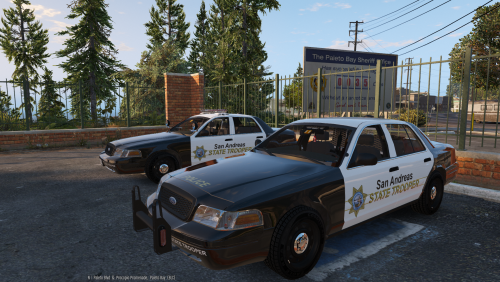
San Andreas State Police Skin Pack By MatthewLamede - DO NOT REUPLOAD THIS FILE ANYWHERE ELSE. - Inspiration from Sastatetrooper State Police Pack - Want to use my Textures on a car? Let me know first! (I'll 95% of the time say YES) - Multiple Liveries - Multiple Plates - Crown Victoria Skin is made for Bxbugz123's 2011 CROWN VICTORIA LASD/LSSD OSS V1.4OSS - Charger Skin is made for martinct's 2011 Dodge Charger PPV 1.1.0 - Impala Skin is made for Bxbugz123's 2014 CHEVROLET IMPALA PPV UM/UC IMPA v1.2V - Savana Skin is made for nicks0112's GMC Savana Police Transport MODEL WIP 1.1.1 - Ambulance Skin is made for nicks0112's UV MAPPED Ambulance 1.5.1 Any questions? Contact me on LCPDFR.com Huge thanks to Dieter9342 for the suggestion! Enjoy!
-
Okay so what you need to do, you need to go in the standard carvarations.meta and vehicle.meta and copy the data for police4 and paste it somewhere, and rename it to policeold1. You'll then need to find the stock policeold1 data lines and remove them. BACK THINGS UP! Hope this helps!
-
Could we have a version of the model for testing purposes? Thanks
-
 This has got to be my favorite script mod. You've just made my experience fun again. Thank you so much. It means a lot to us that you've done this. Can't wait for it to be supported by RPH :)
- 176 comments
- 46 reviews
-
I'm interested. Might take me a while. Send me a PM.
-
No problem. Case closed!
-
I'm having issues opening the files. I've also had this problem but a simple fix was to copy over another vehicles carvariation and rename it to the slot you're having issues with. Hope this helps!
-
If you're replacing the vehicle, usually you need to replace all the textures in both the .ytd files. I think this is your problem here.
-
-
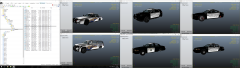
From the album: Textures
Car collection is coming along VERY nicely. -
-
-
-
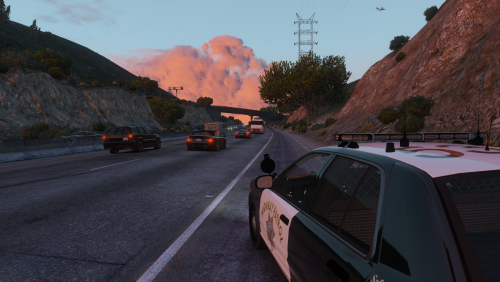 San Andreas / California Highway Patrol Skin By MatthewLamede - DO NOT REUPLOAD THIS FILE ANYWHERE ELSE. - Want to use my Textures on a car? Let me know first! (I'll 95% of the time say YES) - Multiple Liveries - Multiple Plates - Skin is made for Virzza's San Andreas Highway Patrol CVPI 1.5 Any questions? Contact me on LCPDFR.com Enjoy!
 -
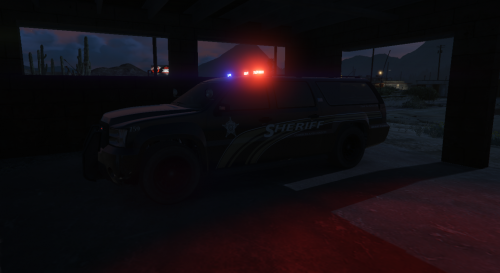 Nice job lad <3
 -
Looks amazing! Can't wait to put some skins on it :D
-
-
-
-
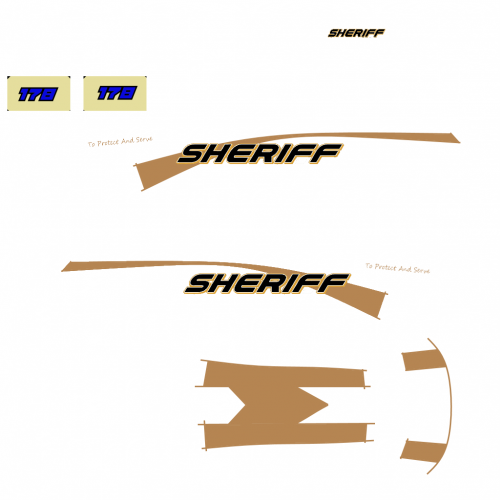 Really basic and cool looking design! I love the unique roof. Could probably use a hint of more detail and different plates. Other than that, really good job!
 -