




Renny
Members
-
Joined
-
Last visited
-
Renny changed their profile photo
-
-
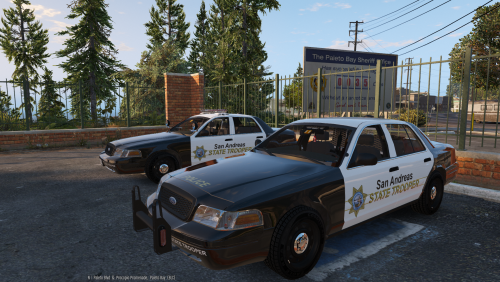 Pumping out the skins and all of them are of high quality as always. Good work Matt!
 -
-
-
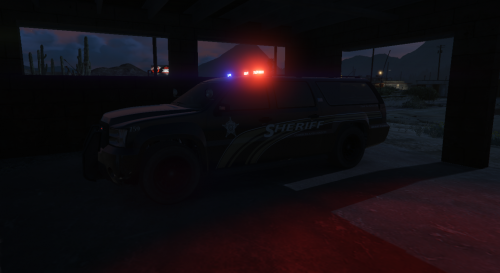 -There is a CV just like this made by myself - DO NOT REUPLOAD THIS FILE ANYWHERE ELSE. - Want to use my Textures on a car? Let me know first! (I'll 95% of the time say YES) - Skin is made for Lt.Caine's Granger Default-Type V1.01
 -
-
-
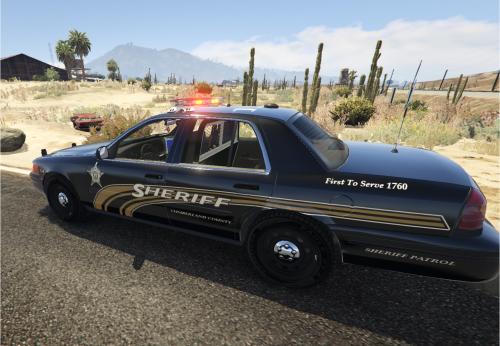 - Hello LCPDFR community, - Today I bring you my first skin ever. - It is based off of the Cumberland county Sheriff crown victoria. - Skin is made for Bxbugs123's 2011 CROWN VICTORIA LASD/LSSD V1.4A - Huge thank you to MatthewLamede for the endless amounts of help and teaching me the rope, you can find him here: http://www.lcpdfr.com/profile/61715-matthewlamede/
- 1 review
-
-

- 1
-
-
-
-
-
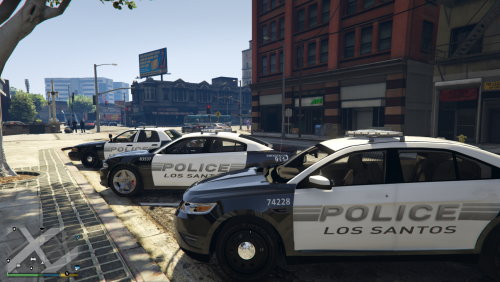 These skins are simplistic and clean, can tell a lot of time and thought have been put into them! Good work Matthew!
- 3 comments
- 4 reviews

