Andrew.
Members
-
Joined
-
Last visited
Everything posted by Andrew.
-
Does anyone else have a problem when replacing a texture, the texture quality diminishes greatly? If you notice, the one on the left is how it looks before i import. The one on the right is after i import it to openiv. It gets really pixelated and when i go IG it looks horrid. (Yes, once i solve this issue the skin will be released.)
-
 I was about to start freaking out, but then i got depressed after realizing this is gta iv
 -
-
Awesome!! ima test this out
-
Well, you do have a point haha but man im sure im not the only one thats missing it! I was browsing through the old site yesterday and it brought back so many good memories
-
As the title says, who else honestly misses LCPDFR's FCRP? That was honestly the best server out there. I havent touched SAMP since it shut down D:
-
Alright, just wondering about this. How difficult would it be to create a mod, in which MUTES the siren for the player so just the lights are flashing when were driving? For example, you would turn on the siren as normal and Press a key such as Numpad / and it would mute the siren so the player cant hear it.
-
 Video?
 -
-
How are you replacing textures in the vehicle.rpf?
-
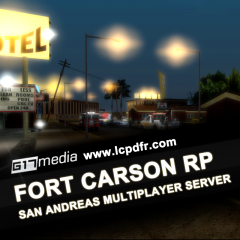 I love how this just appeared in the forum gallery section and got my hopes up...i actually thought it was coming back
 -
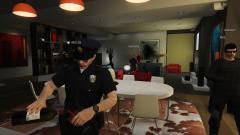 How'd you get the uniform again?
 -
My buddy just beat it and sent me his, its all good now, if a mod can, please lock this,
-
Is anyone done with the game and would kindly send me their game save file? It wont hurt you in anyway, its just that i beat the game about 4-5 times on console and honestly dont feel like beating it on PC. If you anyone wants to share it with me you can find the file here: Go to C:\Users\USERNAME\Documents\Rockstar Games\GTA V\ProfilesIn there you'll see a folder, double click it.In that folder youll see a file called SGTA500XX.What ever slot you saved it in, it'll be there, so if you saved it in slot 3, itll say SGTA50003. If you never saved it and its autosaved, SGTA50015 would be the file you can send me, as its the autosave file. None of your personal information goes with that file.
-
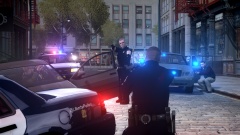 Love it!
 -
-
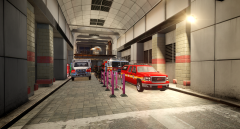 Its at the bottom of the star junction by the taxi depot i believe
 -
-
FDLC Receives new station!
-
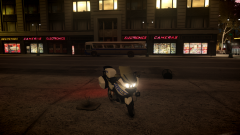 2005-2013 BMW R1200RT-P BMW by VooDoo/Romaine
-
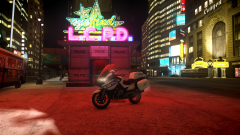 2005-2013 BMW R1200RT-P BMW by VooDoo/Romaine
-
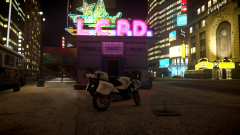 2005-2013 BMW R1200RT-P BMW by VooDoo/Romaine
-
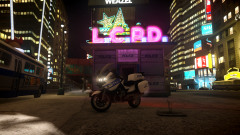 2005-2013 BMW R1200RT-P BMW by VooDoo/Romaine
-
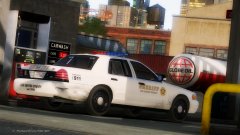
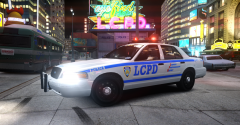 LCPD Showing off their Cruiser
-
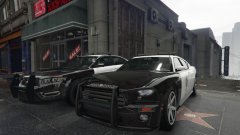
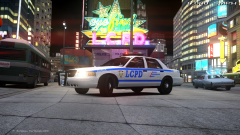 LCPD chilling in Star Junction
-
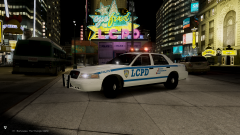 LCPD just chillin in star junction
-
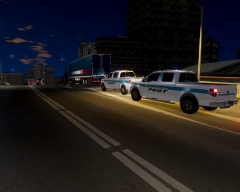 2 FDOT Officers Stop Truck
-
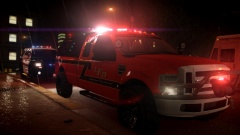
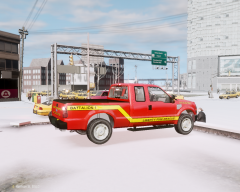 2008 Ford F-250 Liberty Fire Rescue Battalion Chief
-
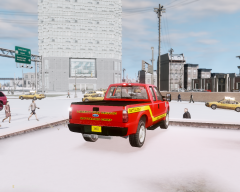 2008 Ford F-250 Liberty Fire Rescue Battalion Chief
-
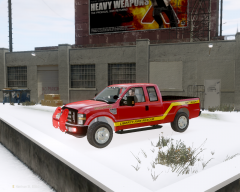 2008 Ford F-250 Liberty Fire Rescue Battalion Chief
-
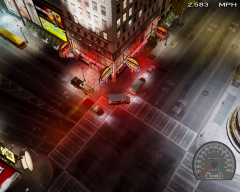 Exhaust Duct Fire
-
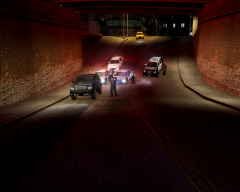 Felony Traffic Stop
-
-
From the album: GTA IV
People that live in Central Algonquin can now feel a little safer thanks to a new fire station opening up. The new station, located at 2315 Star Junction BLV replaces an aging station that served the area and will begin responding to emergency calls immediately after today's ceremony. This station will be fully staffed with an Engine Crew, an EMS Unit along with Battalion 23-1. The new station is an 3,660-square-foot facility with a two bay apparatus garage with attached work and sleeping quarters. The station placement is ment to reduce response time to emergencies in Central Algonquin. For the past decade, Station 43, which is located in Northern Algonquin, have been responding to Fire Calls in Star Junction area. "Response times to that area can take up to 15 minutes all because traffic in this City," States Fire Captain James, "With the opening of the new station, it will reduce stress levels of Station 43 firefighters and also it should reduce response times." We sat down with Fire Chief Andrew and asked him how the new station should help the Citizens of Algonquin feel safe. "During medical emergencies or Fires, where 5 minutes can mean the difference of life and death, the crew from Station 23 should be there within a few minutes from the time of dispatch." Andrew Said. Station 23 already had its first call by the end of the ceremony. Video of the response coming soon. -
-
So yall release this, right after VooDoo and Romaine release theirs? This bike honestly looks completely wrong...
- 43 comments
- 8 reviews
-
-

- 2
-
-
From the album: GTA IV
This is one awesome bike! -
From the album: GTA IV
This is one awesome bike! -
From the album: GTA IV
This is one awesome bike! -
From the album: GTA IV
This is one awesome bike!