


Andrew.
Members
-
Joined
-
Last visited
Everything posted by Andrew.
-
Can you do one for a 2010 Expedition
-
-
Mine just alt tabs
-
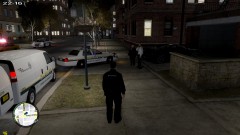 i love this! Where can i find these vehicles at?
 -
-
-
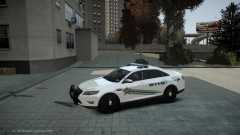 and i love nascar!
 -
You cant do either one of them.
-
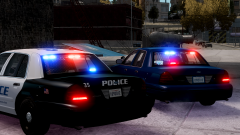 CA (assuming that stands for Cali) are suppose to have atleast 1 steady burn red light facing forward
 -
And i cant edit my comment, but it also needs to be lowered about an inch or 2
- 23 comments
- 12 reviews
-
Looks like the mud flaps are chrome, i really need to find a handling line for it, but other than that, its amazing!
- 23 comments
- 12 reviews
-
-

- 1
-
-
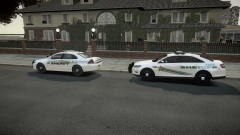 I love the story to the new theme, and i love how the deputy that created it basicly thought of Nascar the whole time xD
 -
Looks dead on! I love their cruisers and see them almost every weekend!
-
In the United States, it was yesterday.
-
Oh lord lol
-
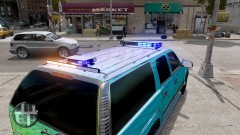 You asked for Opinions so i gave mine.
 -
Quoted from her YouTube Channel. "Hi! I am Avsg1rl, Mom of 2 and I make GTA IV LCPD:FR SP and MP videos, Emergency 4 MP, Euro Truck Simulator 2 videos with my friends @ Code Zero Gaming. My fans are known as #TeamAvs, if you subscribe you too can be a #TeamAvs member!"
-
One was JUST released..and it was a Suburban..and its spelled Chief not Cheif. And now for my opinions. Dont like the All Blue, Maybe if it was all red. And the advisor, would be better in the window.
-
I know of 1. avsg1rl. Mother of 2 (i think, its stated on her youtube channel)
-
To all the mothers on LCPDFR (Which i know there are a few) happy mothers day! Yall are greatly appreciated by myself.
-
Ive been trying everything and i cannot figure out a way to get rid of it
-
That worked!
-
[ SECL ] Type = DRCT DisableAtLstg3 = off ForcePatForLstg = off PatId_Lstg1 = 0 PatId_Lstg2 = 2 PatId_Lstg3 = 3 Thats what it looks like
-
I tried that, nothing changed at all.
-
in the default_config correct?

