Andrew.
Members
-
Joined
-
Last visited
Everything posted by Andrew.
-
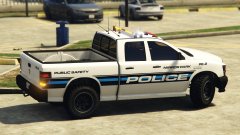 Awesome texture!
 -
After much searching, i cannot seem to find the texture location for the following sign: (The one to the left of the Riot) I know the first one at the gates you cannot edit unless its modeled. Does anyone happen to know where that is located?
-
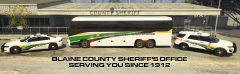
From the album: GTA V Screenshots
Are you ready to make a difference? If the answer is yes, BCSO is looking for you! The Sheriff's Office is looking for candidates to participate in our upcoming Law Enforcement Academy. If you feel you are interested, please email our recruitment team for further information! recruitment@bcso.sa.gov The sheriff's office depicted in this photo is a fictional agency. The email is also fictional and i advise you to NOT email it. Add Tag -
-
Blaine County Sheriff's Office is recruiting!
-
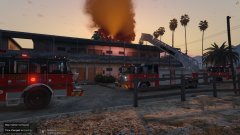 Abandoned Sandy Shores Motel destroyed by fire (Cont.)
-
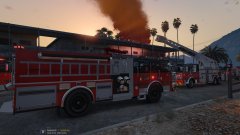 Abandoned Sandy Shores Motel destroyed by fire (Cont.)
-
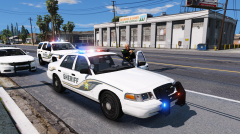 Blaine County Sheriff Deputies on a felony traffic stop
-
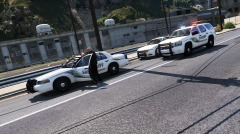 Blaine County Sheriff Deputies on a felony traffic stop.
-
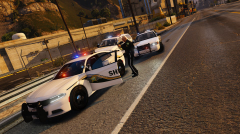 Blaine County Sheriff Deputies on a felony traffic stop.
-
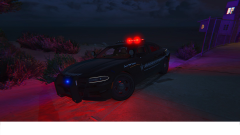 Sittin' pretty in the Chumash City
-
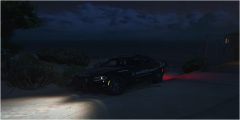 Sittin' pretty in the Chumash City
-
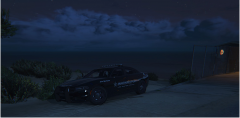 Sittin' pretty in the Chumash City
-
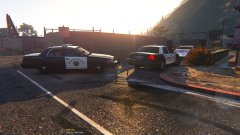 SAHP Assisting Paleto Sheriff on a Traffic Stop
-
-
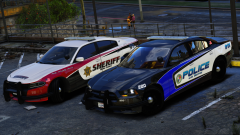 I love the Sheriff Texture!!
 -
From the album: GTA V Screenshots
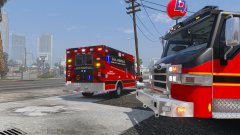
Sandy Shores, S.A. - Columbus Fire Rescue personnel worked tirelessly into the evening after the famous Sandy Shores Abandoned Motel caught fire. On Sunday, August 20th, at 7:30 p.m., Columbus Fire Rescue units were dispatched to a reported commercial structure fire at the abandoned motel located at the corner of Panorama Drive and Algonquin Blvd. The fire started in one of the now run down rooms and quickly spread to the roof. Columbus Fire Rescue's Tower 1 was first on scene and went to work immediately. "When we were driving west bound on Joshua Road, we could see a thick column coming from the building," Said Driver Engineer James Snow. "We advised all incoming units that its going to be a working structure fire and we went to work." Units from Columbus Fire Rescue Station 1, Station 3 and Station 5 responded to the blaze. The damage estimate is at $24,000.00 and one firefighter was treated for heat related sickness. Fire investigators from the San Andreas State Fire Marshal's Office are currently investigating the fire and are so far, labeling it as suspicious in nature. If you have any information on this fire, please contact San Andreas Crime Stoppers at 1-923-NO-CRIME, you may be eligible for up to $1,000 if your tip leads to an arrest. More Information will be released when available. Columbus Fire Rescue is a fictional agency and based off of my imagination. The crime stoppers number is also fictional and i advise you to NOT call it. Ignore the content at bottom of the screen, my photoshop isnt working for some reason.© AndrewL129
-
From the album: GTA V Screenshots
Sandy Shores, S.A. - Columbus Fire Rescue personnel worked tirelessly into the evening after the famous Sandy Shores Abandoned Motel caught fire. On Sunday, August 20th, at 7:30 p.m., Columbus Fire Rescue units were dispatched to a reported commercial structure fire at the abandoned motel located at the corner of Panorama Drive and Algonquin Blvd. The fire started in one of the now run down rooms and quickly spread to the roof. Columbus Fire Rescue's Tower 1 was first on scene and went to work immediately. "When we were driving west bound on Joshua Road, we could see a thick column coming from the building," Said Driver Engineer James Snow. "We advised all incoming units that its going to be a working structure fire and we went to work." Units from Columbus Fire Rescue Station 1, Station 3 and Station 5 responded to the blaze. The damage estimate is at $24,000.00 and one firefighter was treated for heat related sickness. Fire investigators from the San Andreas State Fire Marshal's Office are currently investigating the fire and are so far, labeling it as suspicious in nature. If you have any information on this fire, please contact San Andreas Crime Stoppers at 1-923-NO-CRIME, you may be eligible for up to $1,000 if your tip leads to an arrest. More Information will be released when available. Columbus Fire Rescue is a fictional agency and based off of my imagination. The crime stoppers number is also fictional and i advise you to NOT call it. Ignore the content at bottom of the screen, my photoshop isnt working for some reason.© AndrewL129
-
 Probably by far the best F350 model. Hopefully an ELS version gets released!
- 158 comments
- 54 reviews
-
Now that i check it, its 23,000. Keep it up and keep sharing! Let our voices be heard!
-
Holy Shit, last night it had only 1k supporters. Now it has 7,324 supporters! Keep it up!
-
 Ugh i want this for gta sa xD Both Models look amazing! Great work so far!
 -
Jesus cant wait for this!
-
-
These look absolutely amazing! Good Work!
-
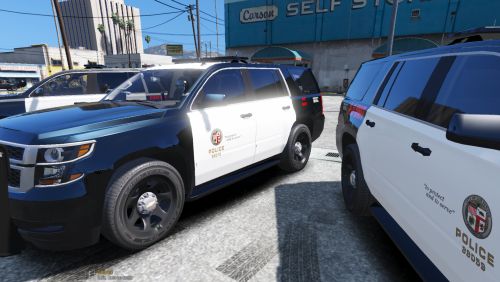 I know what ELS is lol. This texture isnt just compatible with ELS vehicles. Its compatible with any vehicle that uses the same template, ELS or not. So the ELS prefix is useless, just throwing a heads up there.
 -
with these textures I did edit the textures to say Blaine County instead of Los Santos County. The Model textures are custom.
-
How exactly does ELS have anything to do with this file?
-
From the album: GTA V Screenshots
Eh, first time using the editor to take screenshots -
From the album: GTA V Screenshots
Eh, first time using the editor to take screenshots -
From the album: GTA V Screenshots
Eh, first time using the editor to take screenshots -
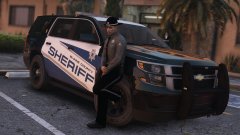 I want the uniform and the vehicle texture D: Looks good Miko!!
 -
 Its an amazing pack except the floating lightbar on the cvpi...that ruins it for me :/
- 85 comments
- 28 reviews
-
-

- 1
-
-
Seriously cant wait!! Looks good!
-
Looks amazing so far! Glad it may be a dev release!
-
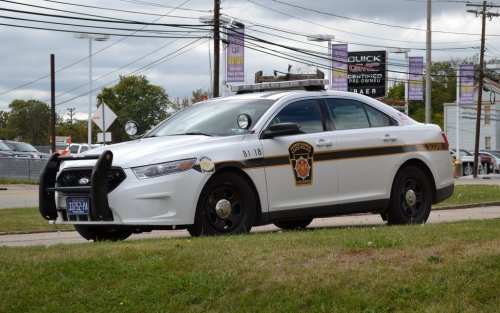 The "yellow" stripes need to be a darker yellow. The license plate is wrong on it also, missing the accreditation logo. They also have front plates for the FPIS.
- 3 comments
- 1 review