Chippy
Members
-
Joined
-
Last visited
Everything posted by Chippy
-
-
-
Welcome! Looking forward to seeing content from you!
-
If not I can always release just an unmarked version, but I really want to make other versions
-
Nothing at all?
-
Okay so, I have the template on in zmod, when I export it and add it to the .wtd it crashes OpenIV and my game. any help?
-
Hmm. Well awesome! It's nice to know they're Christmas trees too!
-
Hmm, I've never seen a Jeep Liberty Police car
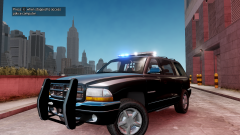 I plan on doing several different versions
From the album: Chippy's WIPs
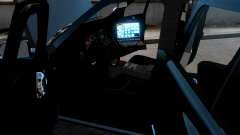
From the album: Chippy's WIPs
I recently got permission to edit a Durango model, from Alan Moore, and I was wondering if someone could make a template of it for skinning. Thanks, Chippy Interesting color choices..
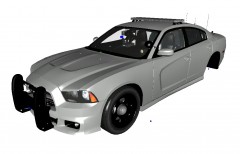 Very nice, +1 for the lightbarI am awaiting the author's reply for permission to edit it.