


249Xeno
Members
-
Joined
-
Last visited
Everything posted by 249Xeno
-
 Yes, you can. You can go into the ".ytd" and remove it out from there. I just don't know what it's called for the file name, I normally look at the image and do it that way. If you are using "Simple Trainer V" you can go in there and disable the antenna. Again, I have not taken any out of the vehicle because it looks amazing as it is.
- 476 comments
- 18 reviews
-
if you are trying to do DLC/Addon. @OfficerArk vehicle is already in DLC/Addons format, so you can just place them in the dlcpacks inside the openiv and then go into dlclists and edit that file. You can just copy one of the lines in there and replace the name. Save it and you're done. If you want to do a replace. You will still need to add the car's folder into the openiv under dlcpack go inside the DLC and extract it from there, along with the files inside the common --->> Data. I am not familiar with the steps on how to get all the light working, because it needs the Carcols file. You can ask one of the people to help you that posted here regarding how to make it work with replacement. If you choose to do a replacement, it will be in patchday**ng which I don't know which folder you uses. I use patchday22ng for my replace.
- 476 comments
- 18 reviews
-
what things are you looking for? if you are referring to this pack. Download it.
- 476 comments
- 18 reviews
-
 okay. I can do it, but I need to know how the feature works. The new feature for traffic break, how does that work? do we stop between the dotted line to stop traffic? or stop in a certain way to prevent all traffic lanes?
- 528 comments
- 42 reviews
-
-
I will go ahead and test it out. Thanks for the time to update it and adding the new feature @timnboys Also, is there any way that you can have a demo for us to see how this new feature works? I have removed my traffic break (Night Yield) from my plugins folder to test out your new feature. So I do not know what will I see with the new feature.
- 528 comments
- 42 reviews
-
you are good bro... i dont mind helping out. You have to go to your Steam if that's where your GTA V game is at. Do a Verify Integrity and it will start updating your GTA V folder. Once that is completed, make sure that all files have been verified and it's around 536 files in total for GTA V. If it's above that, you have an extra somewhere. If your check is at 536, then go ahead and run your game through Steam first and then RPH Launcher. If your game is from Epic or RPH, you to Epic and verify it from there. The same goes with RPH if that is where you got your game from.
- 476 comments
- 18 reviews
-
-

- 1
-
-
-
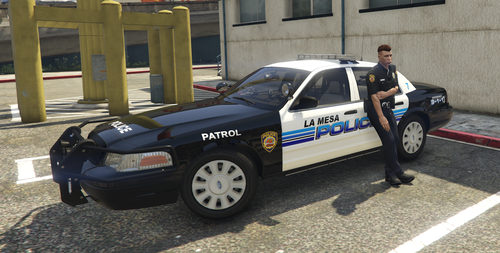 got it! thank you
 -
are you installing all or a specific vehicle? If you are installing the whole vehicle. Make sure that the names in the dlclists and the dlcpacks are the same and if you are doing a specific vehicle out of the entire vehicle. You will have to ensure the folder name is the same as the vehicle file name.
- 476 comments
- 18 reviews
-
how can i get the vehicle? I mean you tell us it is in Allen's Dev discord, but there are no link to his discord
-
what I don't get is this... To Enable the new In Beta Traffic Break System change "false" to "true" inside the ini file that is automatically generated upon the first run of the plugin. How do you set it to false to true? there is only updated stuff in the ini.
- 528 comments
- 42 reviews
-
-
-
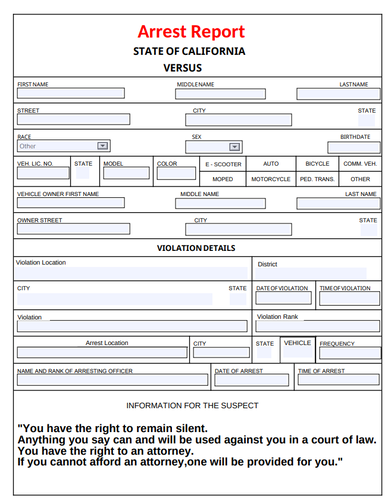 I think this is good arresting info that needed to be filled out before arresting the ped. I do however think that there going to be more with this plugin. I am giving 4/5 for now because it is still in the work I suppose.
- 3 comments
- 1 review
-
You know what makes this better? Is the incident report section. Players can fill that out as they are making a report of what happened that led them to arrest the subject/suspect aka peds. They can post it on their server (discord for RP).
- 3 comments
- 1 review
-
-
-
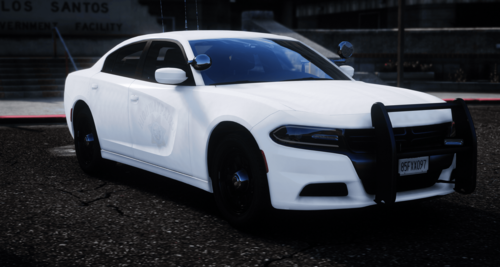 hm.. I never knew or saw that... I was wrong. I apologize.
 -
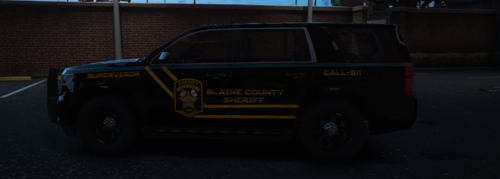 I love the skin... it looks amazing
 -
-
Please rename this to a Fictional Ghost vehicle of CHP. They do not have a Ghost vehicle, but an unmarked Tahoe vehicle.
-
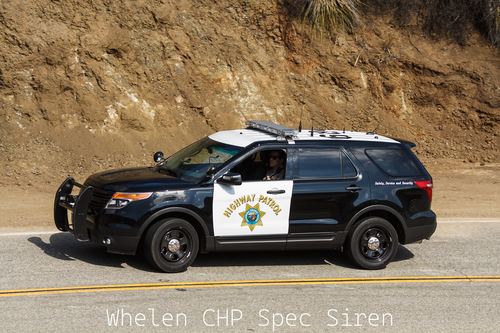 No, it's not a new tone. I live in Cali and hear their sirens so soften that I could still hear it while I sleep.
- 8 comments
- 1 review
-
-

- 1
-
-
 maybe? but for some reason, the minute I installed your callouts. I end up having to pursuits.
- 84 comments
- 9 reviews
-
-

- 1
-
-
Sorry boss man. I mean for this one... "LSPDFR Expanded (Alpha/Preview version)" btw, I love your YouTube!
- 84 comments
- 9 reviews
-
-
- 1
-



