Teekay
Members
-
Joined
-
Last visited
Everything posted by Teekay
-
This is fantastic news! Really exciting to see this come to life again! Cheers man
-
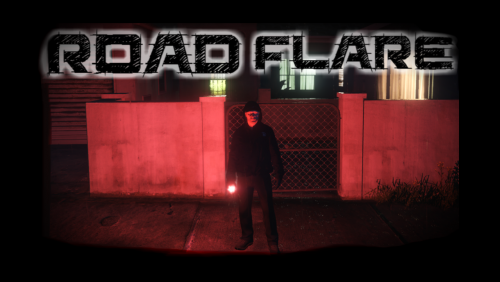 Hey Benzo, did you ever get these road flares to work properly? When they first released I remember using them without any issues, but now I can't see the extended lighting nor have them burn for any longer than about a minute. Cheers.
- 17 comments
- 5 reviews
-
 Same thing happened to me exactly. Once the vic was uninstalled no more error. Great looking pack. Thanks @Torz
- 261 comments
- 37 reviews
-
 Hey @Phaxol what an awesome to-do list. These features sound awesome for future releases. Best of luck updating to 0.4; the game isn’t the same without interaction+
- 1,005 comments
- 68 reviews
-
I tried without better first person mod and still no luck. I can't access backup, police computer with Q, or police menu with M. Computer plus works fine with holding E. Thanks Sam
-
Any idea what would prevent the M key menu, backup menu, or police computer from opening while driving first person? I am using Better vehicle first person mod, but even without I had this issue.
-
Is there a good replacement for Entity Persistence? I see there are some vehicle persistence mods, but it would be nice if other entities didn't disappear. Does LSPDFR Comes Alive work?
-
One "fix" I finally came across is to go to vehicle options in simple trainer and enable default radio station to OFF. Save trainer on the second page of the options section and it should remember your setting.
-
Does anyone know if Sergeant plugin works? Status Menu does not.
-
I see that there is a menu to change station or turn off radio in police car, but is there a way to save that setting? Seems strange to me to have music playing while on patrol and listening to police radio.
-
I see that Search Warrant is already listed as working. Darkmyre believes his current list of mods are compatible, however I just tried Patrol Toolkit and I get a crash. Has anyone else tried this one?
-
Awesome thread, thanks everyone. I just installed the spotlight and it's all good as well 🙂 I also just tried skin control because I didn't like the look of my character created in LSPDFR, and it worked too.
-
0.4 is amazing!! Thanks to the G17 Media team for the tremendous work they've done. I have noticed something that may or may not be happening to anyone else, but when I am driving in first person view (https://www.gta5-mods.com/scripts/better-vehicle-first-person ), I can't open perform any LSPDFR commands like open the menu with M, or use computer with Q. Again, I may have a conflict somewhere but just wondered if anyone else has come across this issue. Thanks! TK
-
Thanks guys. Exciting!
-
-
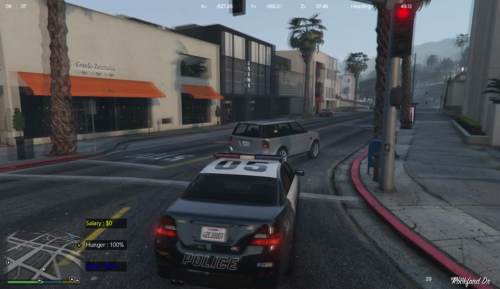 Hey Ashishcw, I have found a couple bugs that I wanted you to know. Firstly, at some point while using the mod, the hunger percentage text disappeared and only the black background box was visible. The salary still displayed fine. The second bug was that my Salary and and Hunger both shot up after eating some fast food to like Hunger - 140% and the Salary - 5500 (salary was at like 400 before this happened). Not sure what happened but wanted to pass it along to you all the same. 🙂
 -
 Looks awesome. Interested to see the Officer version.
 -
Already with the first update, this mod is even better. My character died rather suddenly and at first I had forgotten that I had this mod installed. I guess he got too hungry. lol NOTED... 🙂 Looking forward to the inventory system and such moving forward. This is looking great so far.
-
-
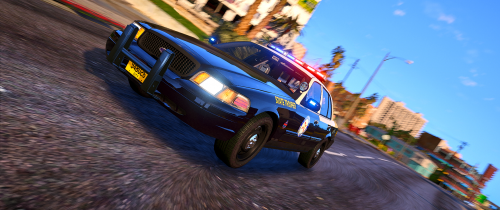 This pack looks awesome @Trooper D.! Unfortunately, I keep getting a "Failed - File Incomplete" status when I try to download. Anyone else having this issue?
- 58 comments
- 8 reviews
-
LOVE the idea of this Ashishcw! Thanks for releasing it. It's another little piece that adds just that bit more realism into the game. I look forward to some animations down the road (and maybe some time passing while we eat). Also, is there anyway for the mod to remember how much money you earned last shift, and also, remember where we placed the Hunger and Salary indications on our screen?
-
 This looks great in game. Thanks FKDZ. It will look even better when 0.4 is released and the officers hold them more naturally.
- 35 comments
- 12 reviews
-
-

- 1
-
-
I have a similar issue, but for me, brake lights work normally until I activate my ELS stage 2 or 3. Then all three brake lights stay on full as if I'm braking, even though I'm not. I can't get my headlights to strobe either. Did you ever find a fix for this?
-
 I'm really enjoying your mod @RCrw notik. Thanks for releasing it. I just wanted to clarify, so you suggest using Clear the Way plugin as well as yours? Secondly, is there a way to have AI traffic actually move around your traffic stop instead of stopping even though there is tons of space to get around? Frustrating it is 🙂
- 366 comments
- 32 reviews
-
So I really love the idea of using the Elgato stream deck to control lights, sirens, etc, but I wanted to try and make my own DIY version using a cheaper usb keypad. I found a program called HID Macros which looks like it should work well, but for some reason I cannot get any of the ELS keys to be remapped to my keypad. Has anyone tried to do this? Any ideas as to why the ELS keys are not working specifically? Other mods are sort of hit and miss whether they work or not after using HID Macros.