



.png.21c42c10539be5c9a4695b9f1f08fd95.png)
cherryaerie
Members
-
Joined
Everything posted by cherryaerie
-
Make sure you have the latest GTAV version and RagePluginHook (LSPDFR) version.
-
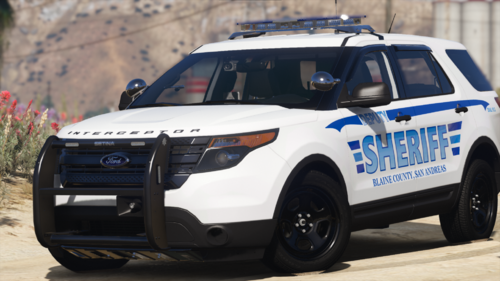 If you liked this one, I would suggest looking at his LSPD Harley Davidson Electraglide.
 -
Ok, to be sure, lets make sure we install other required files. Install everything again below and let me know what happens; RageNativeUI Heap Limit Adjuster Game Config
-
NVE removes some crucial files that fix memory errors when you install it, which you are getting. Reinstall Packfile Limit Adjuster to the main game directory, which NVE likely removed. For clarification purposes, it's intended to do so. You just need to reinstall this is all.
-
You can do one of two things. Either replace the gauntlet with another vehicle, for example, a hellcat, or remove/replace the entry with the update. For replacing the car, rename the car files you want to replace to polgauntlet and place it in the same location you install the rest of your police vehicles. Do not remove tags such as _hi or +hi as that can mess with the model and texture files of the car. If you just want to remove it as its entirety without seeing it as a different vehicle as I mentioned above, follow the below instructions; Go to the path Grand Theft Auto V\lspdfr\data and locate agency.xml Open via a notepad or XML code reader. If you need it, I would recommend Kate XML Editor. (I personally use this) Search for "polgauntlet" via CTRL+F Either replace this with another vehicle slot (Ex: police2, sheriff2) or remove the entirety of the entry line. Line will look something like this: <Vehicle is_dlc="true" use_modkit_liveries="true" livery_multi="4,16,19">polgauntlet</Vehicle> Since this forum became a little more popular than I really anticipated, those who come here in the future looking to remove the new Police Crown Victora released with the chop shop DLC, the same method applies, except it is named "police5", so search for that instead.
-
Please provide screenshots of your main directory folder.
-
I am going to assume you mean yes, please launch the game and see if it works.
-
Could you provide your ELS.log and the name of the slot you are experiencing issues with please?
-
Have you updated them? They need to be the latest version for the new game update. If you have done so, try loading into game again.
-
Add your Grand Theft Auto V folder and RagePluginHook.exe as an exception to your antivirus. See how to do this on Windows Defender. If this does not work, please try launching the game without RagePluginHook launched.
-
You need to update ScriptHookV and ScriptHookVDotNet.
-
Have you installed the ELS file to ELS/pack_default ?
-
No, unfortunately, it doesn't work with the game version, so regardless of what trainer you attempt to use, you won't be able to get it to work. Edit: I should clarify this means adding the terrain, not the weather. The weather will work as far as I know and have attempted. If you are able to successfully get snow on the ground, it will only last about 10 minutes before it bugs out and returns to normal terrain.
-
Ensure you have the latest version of ScriptHookV and have your ELS files located in ELS/pack_default as well.
-
Update/Install RageNativeUI to the main game directory.
-
Could you provide your RagePluginHook.log from the main directory? That log is entirely unreadable.
-
Yes, thats what he intended it as.
-
Please provide the following logs, which can all be found in the main game directory; RagePluginHook.log ELS.log ScriptHookV.log
-
Temporarily remove Prowler Radar from Grand Theft Auto V\plugins\LSPDFR and try again. If this does not work, please provide a new log.
-
Please send your RagePluginHook.log from your main directory so we can further help you 🙂
-
If you aren't quoting my replies, I typically don't see that you have replied to me. I simply don't get notified, which is why I have it in my signature to do so. I only now just saw this via the forum main page feed. Some callouts only have Blaine County spawns, and others only have Los Santos County spawns. It all depends on how close you are to the area, and what the available callouts you have are. As mentioned already, you can force callouts going into the menu. For spawning in the county, it's just going to spawn you are a random police station. I would recommend teleporting to a certain police station via a trainer if you would like to start at a specific location.
-
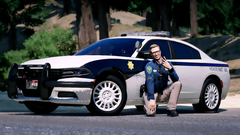 I think you're missing an R there on your charger 🙃
 -
Install IPT.common/reinstall Callout Interface.
-
Your issue is completely unrelated to the original posters' issue, so please make a new thread so we can avoid confusion between your issue and the OP's issue 🙂 This is an issue regarding the site itself. The only workaround to my knowledge is using a VPN or an adblocker.
-
Can you provide your RagePluginHook.log that is found in your main directory so we can look at the error better?
.thumb.png.2dde6de0042b025b695ed82f6d2c1e50.png)

