



.png.21c42c10539be5c9a4695b9f1f08fd95.png)
cherryaerie
Members
-
Joined
Everything posted by cherryaerie
-
It's very much possible there is something inside the archive that is corrupted or straight wrong. Is this a custom DLC pack you're using, or one that you downloaded? What is inside that RPF archive?
-
if you believe you installed a mod that broke it, you can rename your mods folder to _mods and see if the game loads. If it loads, there is your indication that there is something wrong with your mods folder. If you are having the issue with just LSPDFR installed, make sure you install it via the manual installation and make sure since you have a new install to complete the first few missions. If it crashes with LSPDFR, send over your RagePluginHook.log from your main game directory.
-
You are on an extremely outdated version of RageNativeUI. Get the latest one here.
-
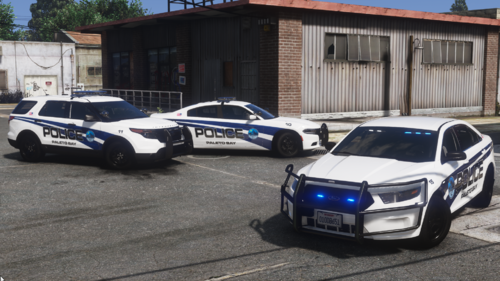 Since been fixed, carvariations IDs were incorrect, thanks for bringing that to my attention. Amazing looking liveries regardless!
 -
How minimal are you talking about exactly? If you're talking really minimal, then I would suggest taking a look at this charger.
-
Right click on the GTAV folder and click properties and find the permissions tab. From there click the button that says full control to give your user profile all permissions, and save.
-
mods\update\x64\dlcpacks\mpchristmas2017\dlc.rpf\common\data
-
I am not 100% sure this will solve your issue as this portion, as far as I know, fixes a conflict between the ELS asi and reshade, though I am not sure what the issue was between the two. Anyways, in the main game directory, find the file named dxgi.dll and rename it to d3d12.dll
-
The newest version can be found here. If you have updated it, please provide your RagePluginHook.log in a reply, this is found in the main game directory.
-
SSLA works alongside ELS just fine. There was likely another mod conflicting or they were running the game in compatibility mode, which crashes SSLA.
-
When you click on RagePluginHook to launch LSPDFR, hold down the left shift key for 5-10 seconds. This will open a settings menu. From there, set the plugin threshold timeout to: 60000 From there, save and launch the game.
-
The only one I know of is a CZ-USA 75 SP-01 that I... at least think is similar. I am no weapons expert by any means 🙂
-
Like stated in this forum for removing the Police Gauntlet Hellfire (refer to the solution), you can do so by removing the lines of police5 and polguantlet in GTAV/lspdfr/data/agency.xml Please ask questions about it here if you do have any, I've linked the forum as there is other information that could be useful that I didn't post.
-
I do apologize, I appeared to have missed this in my notifications at some point when I read them. Install the following; Modified Game Config Packfile Limit Adjuster Heap Limit Adjuster
-
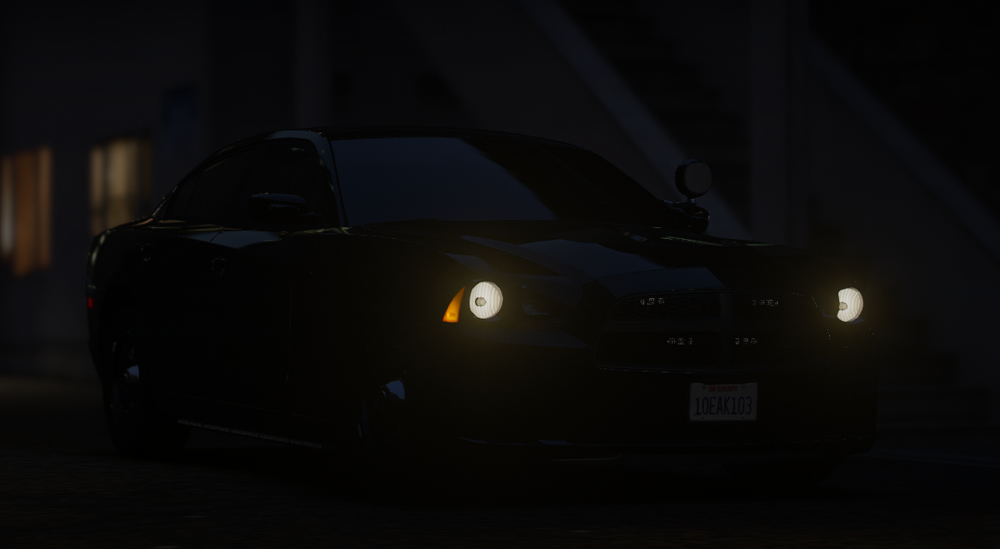
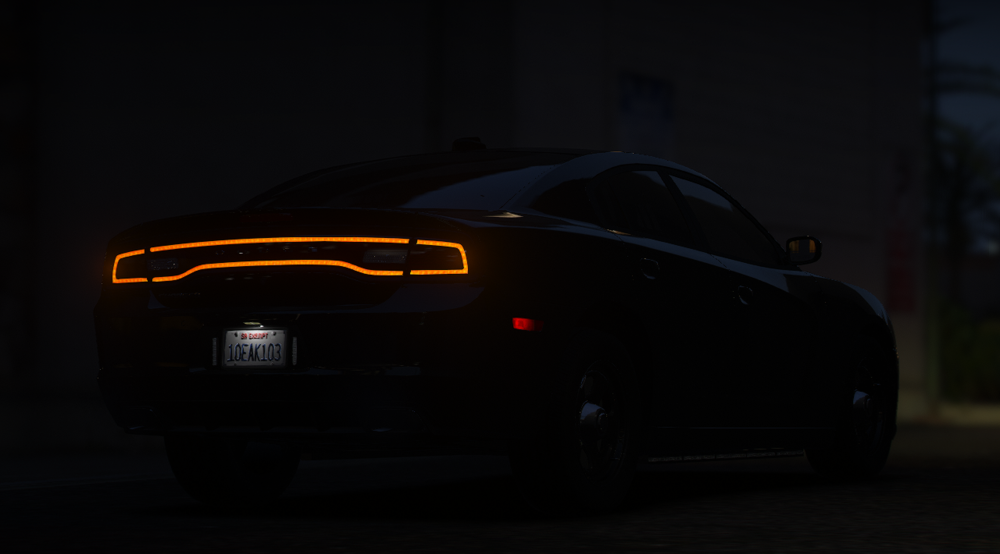
You might say I am a "simp" for the 2014 charger 🙃
-
This is the forums for LSPDFR, FiveM is completely different. I would suggest asking on the CFX.re support forums.
-
police5 (Stanier Le Cruiser) polgauntlet (Bravo Gauntlet Interceptor) Both are located at update\x64\dlcpacks\mp2023_02\dlc.rpf\x64\levels\gta5\vehicles\mp2023_02.rpf\
-
The vehicle is missing a flag. Find the vehicles.meta within the addon and find the slot. Find the <flags> argument and add the following; FLAG_LAW_ENFORCEMENT FLAG_EMERGENCY_SERVICE
-
With the newest update, a lot of people seemed to have issues with their mods folder. Since renaming your mods folder allowed the game to launch, give the following steps a try. In mods/update, delete update2.rpf and try loading the game. If this works, there is no need to proceed to the next step. Open the main directory and locate the update folder. Open this and copy the update.rpf located inside (not the 2nd one if it is there). Visit mods/update again and paste that copied update.rpf into that folder and try loading the game again.
-
Try changing this to true instead, and see if this works. Typically the error is a random one. Are there anything else attempting to manage the suspect when prisoner transport attempts to take over?
-
Are your plugins in your plugins folder? All your plugins that RPH will be loading should either be in plugins or plugins/lspdfr, depending on what the installation says. This also goes for LSPD First Response.dll Please screenshot your plugins folder, as well as the main directory.
-
Please send your RagePluginHook.log from the main directory in a reply and quote me so I can further help you 🙂
-
I haven't experienced this issue until recently today. It might be because of the number of times I have edited a post/the number of hyperlinks I have added, but I am getting, at least an identical error that I was having before, despite not having added anything yet. I have only recently seen this happen as of recent with this support forum post (just now had no issues adding that one). I also am getting double prompts when editing a link. (Text/Link box)
-
Uh... this is new... so a "few" things. In this log, you were fine. There was an issue regarding a vehicle that you had installed that the game did not like. In your new log, you aren't able to get into the game with any plugins loaded. Noticeably, you can reinstall Automatic Siren Cutout if you please, as typically there is no issue with it. In other regards, please remove; FelonyStop, NAudio.dll (LosSantosRed), Autopanic, KTFDO, Also install Damage Tracking Framework and Spotlight. Move RageNativeUI.dll, Common.dll, and Newtonsoft.Json.dll from GTAV/plugins to the main directory. Reinstall Tags Callouts and update Riskier Traffic Stops and Hypers Callouts. After you have done so, please verify the integrity of your game files via Steam. Once completed, try launching the game without RPH/LSPDFR. If this fails, rename the mods folder to _mods and try loading the game. Once done, please provide a screenshot of your main game directory and your plugins folder. Also, please quote me when you reply as I am sure there are plugins I am still missing. Youtube
-
Please provide a new log so I can ensure a new issue has not popped up.
.thumb.png.2dde6de0042b025b695ed82f6d2c1e50.png)




