


.png.52200072d4f7f7f19052e7ce58a60a31.png)
InnermostZero
Members
-
Joined
-
Last visited
Everything posted by InnermostZero
-
I personally am surprised some photos got to be published/aired .Some are very gruesome and some pictures of people without inhuman limbs ,ie I saw one man missing two legs and maybe the fact of it being breaking news they mightn't of been as considerate but just wanted to get the news ,or images out soon as possible.
-
My heart goes out to the victims and their families..This is an absolutely disgusting act of terror and I hope If the suspect(s) don't kill themselve(s) before they are arrested and charged, the amount of serious anger by the public and disciplinary action taken by the Bureau along with the sentence will just about kill them mentally.Surely Justice will be done as this uncovers itself. '' R I P '' I have every hope in the agencies that are taking lead in hunting down who are responsible.
-
I appreciate it.ThanksVery nice .Would you have a link to the engine sound ,I lost it?Rainmeter Is quite hard to do ,especially the toolbars / taskbars .I'll hopefully get mine up whenever I figure it out.Personally, The top one I think it's more of a wallpaper image. I'll hopefully be posting my Desktop soon,need to get my set-up organized.Thanks a Million for the response guys. Okay so I need to edit the display -Height and Width ,ForceAntialiasing to false and AntialiasingQuality between (0) - (4) [what's the scale on the 0 - 4 ,like I know you said it ''scales the internal super-sample render'' but what exactly should I put ? 4 or 0 etc. Thanks for the help once again.Hi Guys, I was just Installing Nutts ENB- ''Nutt Tweaked ENB_ ICE v2'' and now I'm having visual game difficulty. and as I installed it and continued to start my game while the GTA IV ,Rockstar credits at the start were showing it would start where my screen was completely off center .For example In this case it's like the game has zoomed in and now my whole screen Is focused on the top right of the original game .This condition Is hard to explain and that's why I've enclosed screenshots of what I see.I followed the''Read Me'' as much as I could but seeing that I've installed other ENB's I doubt that's where I'm going wrong. FYI: This DOES NOT revert to the old way after the credits ,it starts the while game as per usual,no immediate crashes.Any help/advice would be appreciated ,maybe even by Nutt himself. Screens: ' alt='' class='ipsImage' > ' alt='' class='ipsImage' > ' alt='' class='ipsImage' > Thank You , Innermost Zero.Okay ,Apologies and thanks.Hi Guys, I was just Installing Nutts ENB- ''Nutt Tweaked ENB_ ICE v2'' and now I'm having visual game difficulty. and as I installed it and continued to start my game while the GTA IV ,Rockstar credits at the start were showing it would start where my screen was completely off center .For example In this case it's like the game has zoomed in and now my whole screen Is focused on the top right of the original game .This condition Is hard to explain and that's why I've enclosed screenshots of what I see.I followed the''Read Me'' as much as I could but seeing that I've installed other ENB's I doubt that's where I'm going wrong. FYI: This DOES NOT revert to the old way after the credits ,it starts the while game as per usual,no immediate crashes.Any help/advice would be appreciated ,maybe even by Nutt himself. Screens: http://i.imgur.com/geLFwrm.jpg http://i.imgur.com/1rqst3f.jpg http://i.imgur.com/b58e7O9.jpg Thank You , Innermost Zero.
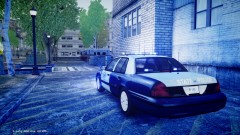 I've grown to like this vehicle!I wasn't bumping anything. I was trying to help out by trying to give some valid, helpful information for his game to look better. Yes ,exactly thanks for clearing that up.What every single other member said!.Great work and it's nice to see improvements being made constantly.Ye I used Real Time Cycle 4 then I got an ENB In my game .ENB's are regarded as better than time cycles though from what I heard.The are just better quality and if you'r game could run Real Time Cycle (Low end ENB) it might be able to run an ENB .I recommend trying an ENB to see the difference.Do you have a link to the slick-top 06/08' dodge charger in the 19th picture with the stealth skin please?
- 19 comments
- 6 reviews
Thanks Carry and Deputy !Okay ,Could you tell me any good ones ,other than fonia5 and DK50 (not sure of names) ,maybe ones in your videos or that comes with ENB's?Okay I have researched and tried a lot to preventing texture loss.The following is what I suggest MSI Afterburner -Turning Fan Speed up. ( http://event.msi.com/vga/afterburner/download.htm ) Commandline text (Multiple) Cutting down on mods I DO need a few more if possible ,maybe the best commandline.txt to put in just for not loosing textures or anything else like programs. Thanks I would love a few opinions not just to help me ,but so others can look at this.Does this include Road textures?Well Done Guys!!
.thumb.png.ecf43c03aae99a7abd3f5a0d930d62f9.png)
