
JM Modifications
Members
-
Joined
-
Last visited
Everything posted by JM Modifications
-
 yes. Haze is helping me with the broken callouts so people can get off my fucking ass about them being broken. Right now, it's just the dialogue callouts. No time frame when it'll be back.
- 352 comments
- 25 reviews
-
Sorry about that. I was so tired last night and was talking to Haze about something urgent. Re-uploading now. Uploaded wrong file. Thanks @Capitan for the report
- 352 comments
- 25 reviews
-
-

- 1
-
-
DM me on Discord and explain that better to me and show me how it should've been coded cause I am so confused right now. Discord: jonjongamesyt
- 352 comments
- 25 reviews
-
The end callout button works fine at my end. and it's highly suggested by Benzo Effect. Fixed
- 352 comments
- 25 reviews
-
-
-
-
I'm in the process of changing that. So the outcome will be different in 3.10.0.4 which is still being tested by my playtesters.
- 352 comments
- 25 reviews
-
 You need to include the rage nativeui thats in the file into main gta directory
- 444 comments
- 16 reviews
-
-

- 1
-
-
 Did u replace the audio files correctly? It works fine on my end.
 -
-
 Will this ever get an update?
 -
Most common one is Shots Fired, Gang Shootout, Officer Down, etc.
-
This audio is for when you get a call for shots fired. This just replaces the default vanilla CRIMES audio. I dont know what you’re talking about. It just replaces the vanilla CRIMES audio. If a callout pack uses any if the crime audio, itll trigger that sound.
-
what are you talking about?
-
-
No callout have these. You simply replaces the CRIMES audio in your LSPDFR/audio/scanner directory
-
Join discord and put it in suggestions Drag and drop all the files in the download into main gta directory
- 444 comments
- 16 reviews
-
-
-
-
I just realized it, yes, you need STP installed otherwise you'll have issues. I redone the version checker for my callout plugin.
- 352 comments
- 25 reviews
-
No, like SuperPyroManiac said on SuperCallouts, you have to hit the END key on your keyboard to end the call, or hit G on your keyboard if you have STP installed then hit request end callout. The 2 choices for the Dead Body callout is either call EMS ans see they can revive the ped or call the ped DOA then call the coroner to pick up the ped. I coded it to where you can hit the "END" key at anytime to end the callout.
- 352 comments
- 25 reviews
-
 JM Callouts Remastered shouldn't be conflicting with SuperPyroManiac's plugins/callouts, it works fine with them installed.
- 1,018 comments
- 63 reviews
-
-
- 1
-
-
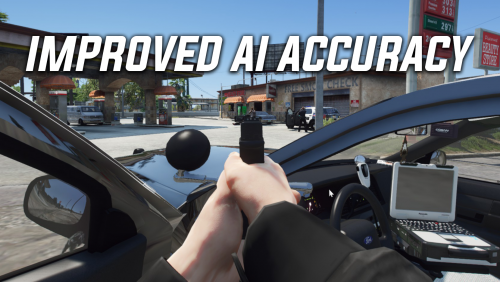
 Use this: https://www.lcpdfr.com/downloads/gta5mods/datafile/39315-improved-ai-accuracy/
- 629 comments
- 56 reviews