McAwesome6934
Members
-
Joined
-
Last visited
Everything posted by McAwesome6934
-
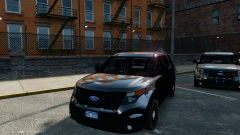 Yes I did, looked amatour, easy to clean up too. Look in the glove compartment to see what I did.. :P
 -
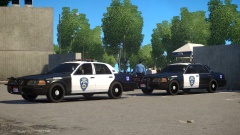 I like the single door better! I also like this, I like how the roof is black, and the badge - But they are both sexxy a'f!
 -
-
-
Bruh these are perfect! (: Oh yeah.. dont tell Kevin but
-
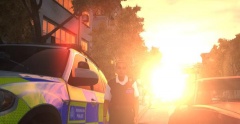 This line has been used multiple times.. Looks more like a tac nuke than a sun (; That girl needs some damn sun glasses too, she's gonna be blind by the end of shift(:
 -
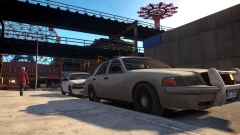 Which department is just now cycling in vics? Shoot I guess New Liberty is doing more budget cuts.. Hahah (: Looks good man, can't wait to see it w/the decals!
 -
Simple clean B/W, my favorite type of skin(s). This looks perfect, no criticism here, can't wait to use these badass skins. Thanks for releasing these (and your other) skins! 5/5
- 10 comments
- 2 reviews
-
-

- 1
-
-
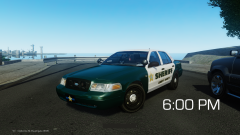 Not sure which is more sexxxy.. the car, or the ENB, or maybe the car is so sexxxy because of the enb, no wait maybe the enb looks sexxxy because of the car. I am confused?!? ... I think I was gonna say nice car! or maybe I was gonna say nice enb! Oh wait I can just say great pic :P
 -
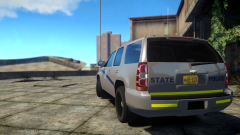 I should be a detective for lcpdfr.com :P
 -
Not released, I think they will be released w/Ironic's car(s) (: But that is just a premonition.
-
Just looked at the rest of the gallery (: ... Hahahahahah
-
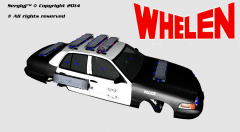
Oh wow, I love that skin! Simple, not too simple though! Please make a pack! (:
-
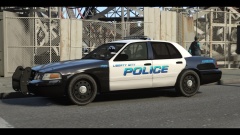 Sexxy! Love me some B&W's! Pack release?
 -
Very nice pack Jugs, love to see modelers improve, and boy oh boy have you done that. These look great, however I do not drive SUV's nor do I drive cars with HG2 runners. However those are just personal preferences, and the execution on these is great. I could definitely see the appeal to others, and I like the setups (minus the runners) a lot. Only suggestion would be to put some '
- 4 comments
- 1 review
-
Looks perfect man, 5/5 for me. Also love mn cars! Keep em' coming!
-
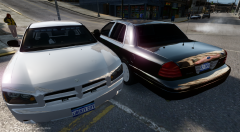 Holy Perfect!
 -
-
You spent $350 on something you can't convert.. Wish I could help you man, but you should probably ask this question before purchasing these things.
-
-
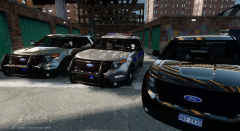 I prefer not to self-incriminate myself, so I won't comment on that (:
 -
I had my fun with it, you can have it now(:
-
Dibs on touching them before Kevin does!
-
I thought the first skin was the best skin made! But these, oh baby, these are amazing! No rating necessary, these are flawless and going in my game now(:
- 20 comments
- 7 reviews
-