



Dejverino
Members
-
Joined
-
Last visited
Reputation Activity
-
 EUP Menu is a carefully-built menu for the popular Emergency Uniforms Pack modification.
EUP Menu allows you to easily apply EUP clothing to your MP peds. It also includes a character creator exactly like GTA Online's character creation system. You can edit, save and even share your favourite characters. Making your own awesome police officer has never been easier.
Don't like the predefined clothing options? The wardrobe feature has got your back. You can create and save your own outfits with ease.
Sunny day? Why not put on some shades.
Hate your face? A mask solves everything.
Sarge not giving you that promotion? Screw the system. Stick that patch on and promote yourself.
Want to relive Die Hard? Throw on a vest and a helmet. It's time to kill some terrorists.
What happened to the Accessories menu?:
As EUP grew, the Accessories menu became more and more outdated, and wasn't able to fully encapsulate all EUP has to offer. It will be completely revamped and brought back in a future menu update.
Requirements:
1) RAGE Plugin Hook 0.37+
2) RAGENativeUI 1.8.1+
3) EUP Law & Order 8.3
4) (Optional but highly recommended) EUP Serve & Rescue 1.5
Installation:
1) Place RAGENativeUI.dll into your root GTAV folder (if you don't already have it).
2) Extract the contents of Plugins in the archive into your GTAV Plugins folder.
3) Open the RPH console in-game (default F4) and type "LoadPlugin EUPMenu.dll" (without quotations).
Note: If you are upgrading from a previous version of EUP, please make sure to delete presetoutfits.ini in the Plugins/EUP folder before running the menu. This will allow it to generate the latest presetoutfits.ini file. Your custom outfits may need some adjusting for EUP 8.3, but your saved characters will work fine.
Credits:
- @AlexBraun for the EUP character creation system
- @alexguirre for RAGENativeUI and contributing code related to fetching all loaded RPF archives
Want to see the full FAQ? Have a question? Need help?
https://discord.gg/aTQfepT
Join our EUP Discord above and take a look at #faq channel. If it doesn't have the answer you're looking for, you can ask for help in the #eup-support channel.
-
 Dejverino reacted to G17 Media for a file, LSPD First ResponseIf you are installing LSPDFR 0.4 for the first time, we strongly recommend that you do so on a clean copy of Grand Theft Auto V without any other mods or plugins.
LSPDFR 0.4 brings sweeping changes which have been implemented over a number of years and is the latest major version of LSPDFR, released in December 2018. LSPDFR turns the world of GTA V upside down, giving you the power to enforce the law as you see fit.
Please see the following resources for more information about LSPDFR and its features:
LSPDFR 0.4 Page: https://www.lcpdfr.com/lspdfr
LSPDFR 0.4 Wiki: https://www.lcpdfr.com/wiki/lspdfr/04
LSPDFR 0.4 Getting Started: https://www.lcpdfr.com/wiki/lspdfr/04/getting-started/
Installation Guides: https://www.lcpdfr.com/lspdfr/how-to-install/
Part of the First Response Mods family.
-
Dejverino reacted to Yasd for a file, MCCalloutsEarly access is available on Ko-Fi
support on multiplayer ped and vehicle customization in DefaultRegions.xml
+ a lot of realistic AI-Voices in dialogue based callouts!
adds 19 new callouts with multiple variations & locations
a Donator+ role at the discord server (add your discord name to your Kofi account)
19 extra callouts only in the Kofi beta version:
Spoiler
This is MCCallouts:
31 different exiting callouts!
Available in 🇺🇸 🇩🇪 🇫🇷 🇨🇿 🇷🇺 🇹🇭 🇯🇵 🇮🇹 🇵🇱 🇪🇸 🇻🇳 🇨🇳 🇧🇷 🇮🇩 & many more to follow!
Comes with its own Menu!
Different outcomes & multiple locations!
Compatible with PolicingRedefined, StopThePed & UltimateBackup!
You want to be a part of MCCallouts?
Do you have questions or have found a bug?
You’ll also find support there.
Feel free to join our new discord server:
https://discord.gg/utNranQJSr
It is required to install Enable All Interiors Mod:
https://de.gta5-mods.com/scripts/enable-all-interiors-wip
Spoiler
The MCMenu comes with a lot of useful features. Equip a rifle, gear & heal up or request a specific callout!
MCCallouts supports English 🇺🇸, German 🇩🇪, French 🇫🇷, Czech 🇨🇿, Russian 🇷🇺, Thai 🇹🇭, Japanese 🇯🇵, Italian 🇮🇹, Polish 🇵🇱, Spanish 🇪🇸, Vietnamese 🇻🇳, Chinese 🇨🇳, Portuguese 🇧🇷 & Indonesian 🇮🇩
at this time, configurable in the .ini.
You want to help translating?
You can either do that on https://github.com/yasd2/MCCallouts-Translations or on my discord server linked at the top.
Open the downloaded MCCallouts folder, then drag-&-drop all files in the main gta folder.
Spoiler
© 2025 MCCallouts by Yasd. All rights reserved. Do not modify or share it without my consent.
-
Dejverino reacted to Gelse16 for a file, Skip Intro & Legal Messages (Fixed)asi file that puts you directly into the loading screen of the game. no intro, no ads, no legal warnings etc.
since this is a simple asi script your main gta.exe will not be modified. also there's no need to change any .rpf file. which prevents crashes or online issues. BEWARE this script was made for singleplay story mode ONLY! yes, you can use it along with lspdfr to get on duty faster 🙂
IMPORTANT NOTE:
this asi script was made by grasmanek94 (from gta5-mods.com). also one line was changed by tgetetetevzx (from gta5-mods.com). so all credits go to them! i just put together one and one. all information at the original thread:
https://www.gta5-mods.com/scripts/skip-intro-legal-messages-mod#description_tab
Requirements;
dinput8.dll (comes along with ScripthookV)
Install:
put this file in your main GTA5 directory.
since i got a lot of mails asking for the reworked asi already including the changed line i decided to upload this file now. so all you have to do is put it in your main gta5 directory and thats it. in case it doens't work i can't help. but there should be no reason for that.
ALL CREDITS GO TO THE AUTHOR grasmanek94 AND FOR CHANGING LINE tgetetetevzx !!! THX GUYS FOR SAVING TIME OF OUR LIFES!!! 🙂
-
Dejverino reacted to AstroBurgers for a file, Riskier Traffic StopsWhat does RTS Do?
Riskier Traffic Stops (RTS) Is designed to bring more variety to your basic and mundane traffic stops.
Current Outcomes
The current included outcomes are as follows:
Get Out and Shoot - The suspect(s) get out and open fire on you and other officers
Flee - The suspect(s) flee from the traffic stop either in their vehicle or on foot
Yell - The suspect gets out of their vehicle and yells at you (3 Possible Sub-Outcomes)
Ramming - The suspect reverses into your vehicle before fleeing from the traffic stop
Shoot and Flee - The suspect(s) open fire on you from their vehicle and then flee from the traffic stop
Spit - The suspect spits at you from their vehicle
Get Out RO (Random Outcome) - The suspect exits the vehicle, and reaches. They might pull a:
Gun
Knife
Phone
Each has 2-3 sub-variations
Configurable in-game via the F4 menu -> RtsOpenConfigMenu.
Requirements
A legally obtained version of Grand Theft Auto 5
Rage Plugin Hook
LSPDFR
CommonDataFramework (CDF) — Included in Download
Fully compatible with ImmersiveAmbientEvents and RansomAmbience!
Need Help? Feedback? Join the discord
Source Code
(just jokes lol)
-
Dejverino reacted to TheMaybeast for a file, Dynamic Lighting SystemDynamic Lighting System v2.0.0
Discord Server for pre-release versions, bug reporting, and other ways to talk with people interested in DLS!
GitHub Repository for access to DLS's source code.
Youtube Playlist to check some stuff that was done with DLS.
Welcome to Dynamic Lighting System, a full-fledged light control system that allows for in-depth control of the vehicle's lighting system.
REQUIREMENTS
RagePluginHook version .78+ (Recommended) SirenSetting Limit Adjuster
OVERVIEW OF FEATURES
Multiple custom stages for non-ELS vehicles without taking up the vehicle's extras; Fully setup and customizable siren control with configurable and add-on sirens; Ability to create numerous additional features like SCAN, Blackout, Steady Burn...; Easy to set up for new vehicles (without changes to the model itself or the default .meta files); A lot more...
DO YOU HAVE PROBLEMS WITH DLS?
Read all documentation included with DLS and verify any custom XMLs you made to make sure you haven't made a mistake while editing/creating configurations. If still giving errors, post it there or on my Discord Server or as an issue on the GitHub repository.
DLS IS OPEN-SOURCE!
DLS is and will always be an open-source project and nothing around it will be behind a paywall. If you're someone with C# experience or programming experience in general and feel like contributing to DLS the help would be surely appreciated.
IMPORTANT INFORMATION
DLS is not compatible with ELS as of release and there are no plans to support them. All vehicle configuration is set up in an external .xml file and allows for vehicle developers to still share the vehicle as functional non-ELS vehicles with all regular features. DLS is still in active development and future features are already planned. Do not post questions as Reviews as I'll not be able to answer it properly that way.
CREDITS
@PNWParksFan, w.. [w/#7263] and @Lieutenant Dan for helping immensely in the development process. @cp702 for developing the amazing SirenSetting Limit Adjuster which will enable plenty of different carcols for numerous vehicles in GTA V. AlexanderLB for designing a siren controller that inspired the one used in DLS. -
Dejverino reacted to EmergencyDistributors for a file, Fire Rescue Replacement Pack (Los Santos County & Blaine County)Enjoy Pack Includes: 21-22 Ford F450 Ambulance 2017 Pierce Enforcer Features: Scene Lighting Handling Included Templates Included Metas Included Whelen Lighting System Motorola Radio Special Features: Multi-Stage Pattern Lighting That Changes With Each Siren Stages (Additional ELS file is included that keeps the same pattern) Coming Soon: - Updated Personal Handling Lines To Match The Vehicle Speed And Handling - Reported Minor Fixes Will Be Gone Contains my SUPERFIX file which fixes any issue you ever had (flipping, disappearing car, handling, audio sound, etc) with the slot/car you are trying to use. That way you can use anybody car from here on out as long as it fits in that slot. People has contacted me so many times how to fix this and that even with other Devs cars. So I created the SUPERFIX to fix the slot completely so you can use anybody car in the future without issues. ***READ ALL READ ME FILES*** ***BACK UP YOUR FILES I AM NOT RESPONSIBLE FOR YOUR GAME ISSUES*** ***ALL FILES NEEDED ARE INCLUDED*** Custom Models And Exclusives !!! Yes We Are Taking Custom Orders !!! Website: https://www.emergencydistributorsfleet.com/ Discord: https://discord.gg/ZGxjWc6kyB Patreon: https://www.patreon.com/emergencydistributors New Blaine County Fire Rescue Packs New Los Santos County Medical Packs New Sheriff Packs New Special Division Packs New Police Packs New Park Ranger Packs New Unmarked Vehicles Plus More !!!!!!!!!!!! *** Blue Files Can Be Provided Upon Request *** *** Can Be Used In FiveM ***
-
Dejverino reacted to opus49 for a file, Callout InterfaceCallout Interface
A new way to interact with callouts.
Features:
RAGENativeUI menu front-end to start a callout Force a random callout via keybind Advanced MDT with multiple status buttons and tabs Callouts can be sent to the MDT while you're on another callout A fully functioning ALPR system with advanced camera layouts External license plate display
Support:
Discord Server | https://discord.gg/AuJCUag
Developer API | https://github.com/Immersive-Plugins-Team/CalloutInterfaceAPI
Recommended Callout Packs:
686 Callouts | link
Chaos Callouts | link
Super Callouts | link
New in Version 1.4.1
-
Dejverino reacted to opus49 for a file, GrammarPoliceWelcome to Grammar Police! This plugin began as a replacement for VocalDispatch but has grown into much more!
Speech Recognition
Issue commands to the dispatcher using your microphone Includes a "hold to talk" feature that simulates a real radio Supports StopThePed and UltimateBackup out of the box Contains multiple sets of "10 codes" or customize yourself Request backup, run plate checks, accept callouts and more!
Non-Verbal Interactions
Use an on-screen radio to interact with the dispatcher Also includes a Officer Plugin Status style menu system Both systems are fully customizable!
Language Support
English French German Spanish
Technical Support
Discord Server: https://discord.gg/AuJCUag Unofficial LSPDFR Support Server: https://discord.gg/mJMKAd5
Tutorial Videos
Installation and Configuration: https://www.youtube.com/watch?v=dogzftjB3ZE Creating/Modifying XML Files: https://www.youtube.com/watch?v=H1_wwvzK9hc -
 Dejverino reacted to Will for a file, Stow That WeaponStow That Weapon - Version 3.1.2
The Details
Bring immersion to your GTA V / LSPDFR experience with Stow That Weapon, a highly customizable RPH plugin that visually stores your long guns and shotguns on your character when they're not in use. Weapons are attached realistically to your player, complete with attachments, tint, and fully adjustable positioning to suit your preference. With full AI support, the same realistic stowing behavior can be applied to NPCs as well - making patrols and scenes feel even more authentic.
The Features
Automatic Weapon Stowing: Once you switch away from an accepted weapon, it's automatically placed on your character until needed again.
Customizable Weapon Positions: Fine-tune weapon placement with adjustable offsets and rotation to achieve the perfect fit on your character.
Customizable Weapon List: Define exactly which weapons should be stowed via configuration settings.
Live In-Game Settings Menu: Use the built-in menu (default key F5) to tweak most settings on the fly, including positioning offsets and rotation.
Attachment Support: Stowed weapons display their attachments and accessories, with optional support for addon components.
AI Support: Enable weapon stowing for AI peds, with separate customizable settings, including only enabling support for cops or all peds.
Quick Remove Key: A configurable hotkey lets you instantly remove the stowed weapon if needed.
Additional Customization: Don't like the stowed weapon clipping through your vehicle? Choose to hide it while driving. Don't like how the game activates the flashlight on your stowed weapon while using the flashlight on your equipped weapon? Disable the flashlight from showing. Want the AI to show a stowed weapon even if they haven't equipped it? Enable best weapon to show whatever their best accepted weapon is in their inventory.
Installation
Installation is as simple as dragging the contents of the zip file to your GTA V folder.
BackWeapon.dll and BackWeapon.pdb will end up in the plugins folder and RAGENativeUI.dll is in the main directory.
Please note if you already have RAGENativeUI installed, it is recommended to keep whichever is newer.
Load with RPH.
Notes and Resources
GTA V NOTE: Sometimes the GTA V folder gets set as read-only. This may prevent the plugin from writing to the ini file which would likely result in a crash. Please ensure your GTA V folder is not set to read-only before using this plugin.
MENU NOTE: Almost all settings can be changed by the menu except the accepted weapons and addon components lists, which must be manually edited within the BackWeapon.ini file. The ini file can be reloaded via the Reload ini File menu option. The only setting that requires the plugin to be reloaded is EnableAI. Changing this in game will not have an effect until the plugin is reloaded.
INI NOTE: The .ini file is not provided with the download and is instead generated if it does not exist on first load of the plugin. If it does exist, the plugin will check for missing values and add them.
ADDON COMPONENTS NOTE: AddonComponents in the ini file is to be used if you have any addon weapon components (all default weapon components are already accounted for), so that they show up on the stowed weapon. You add them using the name (i.e., COMPONENT_AT_AR_FLSH) and separate multiple values with a comma.
LIST OF DEFAULT WEAPON IDs: https://wiki.rage.mp/index.php?title=Weapons
KEYS REFERENCE: https://docs.microsoft.com/en-us/dotnet/api/system.windows.forms.keys?view=netframework-4.8
DEFAULT INI VALUES AND EXPLANATION:
[Main] HideWhileInVehicle = true "If true, the weapon will be invisible while the player is in a vehicle." DisableFlashlight = false "If true, the weapon will not show the flashlight component on the back of both the player and AI." AcceptedWeapons = weapon_smg, weapon_pumpshotgun, weapon_pumpshotgun_mk2, weapon_carbinerifle, weapon_carbinerifle_mk2, weapon_specialcarbine, weapon_specialcarbine_mk2 "List of weapons that will show on the player's back." OffsetPosition = 0.0,-0.17,-0.02 "Position of the weapon relative to the player's Spine3 bone." Rotation = 0.0,165,0.0 "Rotation of the weapon for the player." [AI] EnableAI = true "If true, enables support for the AI." EnableBestWeapon = true "If true, the best weapon in the ped's inventory will show on their back if they have not yet equipped an accepted weapon." CopsOnly = true "If true, will only show weapons on the back of cops. Otherwise, will work on all peds in the game." HideWhileInVehicle = true "If true, the weapon will be invisible while the ped is in a vehicle." AcceptedWeapons = weapon_smg, weapon_pumpshotgun, weapon_pumpshotgun_mk2, weapon_carbinerifle, weapon_carbinerifle_mk2, weapon_specialcarbine, weapon_specialcarbine_mk2 "List of weapons that will show on the peds' backs." OffsetPosition = 0.0,-0.17,-0.02 "Position of the weapon relative to the ped's Spine3 bone." Rotation = 0.0,165,0.0 "Rotation of the weapon for AI." [Advanced] AddonComponents = None "Here you can add any addon weapon components you have installed so that they will show up on the stowed weapon. You need to use the name of component, ie COMPONENT_AT_AR_FLSH. Multiple entries should be separated by a comma." [Keybindings] DeleteWeaponKey = Decimal "The key for deleting the weapon off the player's back." MenuKey = F5 "The key for opening the menu added with version 3.0.0" GunDown = Down "Keys for moving the weapon when customizing position" GunUp = Up GunLeft = Left GunRight = Right GunRollLeft = NumPad4 GunRollRight = NumPad6 GunForward = NumPad8 GunBackward = NumPad2 GunYawLeft = NumPad7 GunYawRight = NumPad9 GunPitchLeft = NumPad1 GunPitchRight = NumPad3 -
Dejverino reacted to againstallodds for a file, Kuchera CalloutsKuchera Callouts v2.0.2.1 by againstallodds
General
Kuchera Callouts is designed to be a highly replayable LSPDFR callout pack, allowing players to build upon the provided scenarios and use other modifications to further enhance scenes, investigations, and day-to-day police work. This callout pack offers a range of high-intensity calls that will have players seeking cover, as well as regular day-to-day calls that a typical police officer might encounter. Some callouts might seem high-intensity upon response, only for players to later discover that the suspects have already fled the scene. Customization options are available, letting players edit the included .ini file to modify police vehicle models, peds, and callout activation.
Two Versions
Base - No other mods or callouts required, perfect for a more vanilla experience. Callout Interface [new] - You will need to download and install callout interface first, in order for this callout pack to work.
Join Discord
Please feel free to join to make suggestions, share screenshots, reports bugs, or play games. I will also be releasing versions of this mod on the discord for beta testing before releasing the final product here.
Key Features
Replay Factor - This callout pack has a vast number of coordinates and potential outcomes to ensure replayability. Every situation can end differently; even when you believe a situation is resolved, the suspect might surprise you. Enhanced Interactions [new] - Instead of having players repeatedly press the 'Y' button to progress through a memorized chat dialog, I've incorporated a range of randomized one-liners that suspects might say upon your arrival. These give hints on how to navigate each situation. While your imagination will guide your investigations, I recommend using this callout pack alongside other LSPDFR mods like Stop The Ped and Ultimate Backup. Although they're not mandatory, they enhance the experience. Note: This pack doesn't spoon-feed you with dialogues on how to manage situations - that's up to you. For instance, if you see someone walking away from an accident scene, it's intentional. Suspect and Vehicle Items - Specific callouts may have items added to the suspect or vehicle inventory to guide your police action (e.g., burglary tools for silent alarms, drug paraphernalia for drug related calls, fake police badges for police impersonation calls). Always be alert; some suspects might carry weapons, like knives or broken bottles Realistic Calls - I have included a number of more "realistic" day to day calls that a police officer may respond to. Note, these calls can still lead to some hectic situations. Location Based Calls - You will only receive calls that are designated for your style of patrol. (patrolling the county will get you county calls, patrolling the city will get you city calls, etc). In addition, a number of the callouts will take you down into parking garages, alleyways, and nooks that you never knew existed in GTA. Search Areas - Some callouts will utilize a search area instead of a blip to have you do some real police work and investigate an area for the reported crime. False Alarms - There is a small chance that the call you are headed to is an ambush or false alarm or anything in-between. Customization - This callout pack also comes with a .ini that you can edit to add your own city and county specific peds and vehicles along with the ability to disable callouts if you do not want them to dispatch. Scene Observations [updated] - Certain callouts include a scene observation notification that can assist you in building a case against a suspect and establishing probable cause.
Callouts Included
50+ Callouts
Traffic Accident [updated] - [Infinite Locations] - Multi vehicle accident with possible injuries and violent outcomes. Investigate the scene to find the cause of the accident and clear the road to reopen the roadway. Vehicle In Ditch - [140 Possible Locations] - Respond to the scene and assist the driver with medical aid if needed, clear the vehicle from the ditch. Vehicle On Train Tracks- [30 Possible Locations] - Respond to the scene and remove the vehicle from the train tracks before a train arrives. Abandoned Vehicle - [170 Possible Locations] - Reports of a vehicle abandoned on the shoulder, clear the vehicle and remove it from the side of the road. Foot Chase - [Infinite Locations] - Officers involved in foot chase require immediate assistance. Animal Struck [updated] - [Infinite Locations] - Vehicle struck animal in roadway, investigate the cause of the accident and reopen the roadway. Active Shooter - [63 Possible Locations] - Reports of an active shooter, respond to the scene and neutralize the threat. There is a possibility you arrive and there is nothing going on, the call was a false alarm. Backup Required - [259 Possible Locations] - Officer out with a suspect requires backup. Animal In Roadway - [Infinite Locations] - Respond to the scene and use your siren and lights to remove the animal from the road. Disabled Vehicle - [Infinite Locations] - Reports of a disabled vehicle in the road, assist in clearing it and reopening the roadway. Disorderly Conduct - [Infinite Locations] - Respond to the scene and investigate. Possible fighting, drunk behavior, persons carrying weapons, ambush, or nothing at all. High Speed Chase - [Infinite Locations] - Assist officers in high speed chase of suspects fleeing in vehicle. Object In Road - [Infinite Locations] - Reports of object in the road causing a hazard, respond and remove the object from the road. Person With Gun / Knife - [Infinite Locations] - Respond to the scene and resolve the issue. Police Impersonator - [Infinite Locations] - Respond to the scene and search for the police impersonator, conduct a traffic stop and investigate the allegations. Security Assistance [updated] - [111 Possible Locations] - Security Officer requesting assistance. Respond and investigate. Silent Alarm - [309 Possible Locations] - Alarm tripped, respond to the scene and assist. This callout has a chance of being a false alarm. Solicitation [updated] - [140 Possible Locations] - Reports of solicitor on side of the road. Investigate the report and remove them if needed. Stolen Motorcycle / Bicycle - [Infinite Locations] - Respond to the scene and make contact with the suspect, investigate if the vehicle is stolen and act accordingly. Suspect With Warrant [updated] - [Infinite Locations] - Respond to the scene and search for the subject, make contact and act accordingly. Traffic Stop Backup - [343 Possible Locations] - Officer conducting traffic stop requesting backup. Trailer Chase - [Infinite Locations] - Semi truck on the run with a trailer attached. Trailer Chase Small - [Infinite Locations] - Pickup truck on the run with a trailer attached. Transit Assistance [updated] - [55 Possible Locations] - Public bus driver requesting assistance with unruly passenger. Unknown Trouble - [Infinite Locations] - 911 hangup, respond to the scene and investigate. It could be anything from an ambush to a false alarm. Vehicle BOLO - [Infinite Locations] - Reports of stolen vehicle, suspect with warrant, or possibly a false alarm. Conduct a traffic stop on the reported vehicle. Air Assist - [Infinite Locations] - An air unit is tracking a vehicle and has requested for it to be pulled over. Officer Down - [Infinite Locations] - Officer has been shot and needs immediate assistance. Street Fight - [Infinite Locations] - Reports of active street fight, respond and put an end to the fight. Mutual Aid Pursuit - [Infinite Locations] - A neighboring agency is requesting assistance with a pursuit entering your jurisdiction. (If you are city patrol, county units will be requesting assistance. If you are in the county, city units will be requesting assistance. Fire Assist [new]- [160 Possible Locations] - Assist FD on a medical emergency call at a residence. Investigate the cause of the medical emergency. Department Operation [new]- [60 Possible Locations] - Respond to the scene and enforce a county mandate. Close down the beach, close down the state park, tackle illegal fishing, crack down on gang activity, or simply enforce motorists riding without a helmet. Bar Fight [new]- [40 Possible Locations] - Respond to the scene and investigate the cause of the fight. Domestic [new]- [400 Possible Locations] - Respond to the scene and investigate the cause of the domestic. Escaped Fugitives [new]- [Infinite Locations] - Escaped fugitives have stolen a D.O.C. vehicle and are on the run. Medical Escort [new]- [Infinite Locations] - Escort the ambulance to the hospital, code 3. Priority Escort [new]- [Infinite Locations] - Escort the evidence vehicle to the destination. Follow the regular flow of traffic and watch for an ambush. Gun Store Robbery [new]- [11 Locations] - Ammu-nation is being robbed, respond and bring order to chaos. PCP Overdose [new] - [Infinite Locations] - Respond to the scene and apprehend the suspect. Be careful as suspects on PCP can often have super human strength. Pedestrian Hit [new] - [Infinite Locations] - Pedestrian hit by vehicle, investigate the cause of the accident and render aid. Pet Trapped [new] - [180 Locations] - Pet trapped in a hot vehicle, respond code 3 and assist. Road Rage [new] - [Infinite Locations] - Road rage incident, 911 caller reports active fight. Road Rage 2 [new] - [Infinite Locations] - 911 caller reports road rage involving two vehicles chasing each other. Respond and assist. Shooting Pursuit [new] - [Infinite Locations] - Vehicle pursuit involving shots fired on officers. Shoplifting [new] - [160 Locations] - Security officer reports a possible shoplifter. Shoplifting 2 [new] - [160 Locations] - Security officer reports a possible shoplifter. Shoplifter last seen leaving on foot. (This callout will only update the suspects location once) Stolen Money Truck [new] - [Infinite Locations] - Stolen money truck stolen from San Andreas Bank, respond and bring order to chaos. Suspicious Vehicle [new] - [200 Locations] - Suspicious vehicle reported parked near callers house, investigate the call. Traffic Break [new] - [8 Locations] - Traffic break requested, respond and assist. Traffic Control [new] - [25 Locations] - Traffic alert reported in the middle of the road, respond and assist.
Recommended Mods
Stop The Ped - Aids in handling calls involving animals or peds that require taxi's. Scene Manager - Aids in general scene management and immersion.
Known Bugs
Please reports any and all bugs to my discord server as I am far more active on there.
Callout Showcase
If you are a YouTube content creator and would like to showcase the mod, I will be rotating links to videos below every 2 weeks or so. Please message me your videos in discord. I am also looking to include the communities screenshots as well, so please if you take some cool screenshots, send them to me!
Credits
LSPDFR Team - for creating this great mod LSPDFR Mod Devs - for sharing tutorials and taking part in helping each other in the LSPDFR discord. Probably the best and most helpful mod community out there. Charlie686 - for help with some animations sEbi3 - for open source Version Checker. -
Dejverino reacted to GreenySoka for a file, YourShiftInstallation
Just take the 'plugins' folder and drag them to:
> SteamLibrary\steamapps\common\Grand Theft Auto V\
In the YourShift.ini file you can customize the plugin according to your needs.
What does YourShift do?
YourShift shows you regularly how long you have been on duty, when you can take lunch break and when your shift is over.
By default, a shift lasts 24h (-> 48 minutes in real).
If you want to change the duration of your shift consider:
- 2 seconds in real time, is 1 minute in the game
- 2 minutes in real time is one hour in the game
- 1 day in game is 48 minutes in real time
As soon as you go on duty with your character, the timer will start. In the ini file you can define how often you want to be shown
how long your shift will last.
If you have any concerns or problems with the plugin, let me know!
Contact me:
Discord: @greenysoka
❗ I stopped developing lspdfr plugins.
I don't know if and when there will be another update for this plugin.
anyway...
THANKS FOR 2900+ DOWNLOADS 💚
-
Dejverino reacted to Lennyy for a file, TrunkControlTrunkControl is a RPH plugin which let's you open your trunk via one simple button click. It’s mainly for RP purposes although some sort of menu functionality will be added in the future.
How to install TrunkControl
Download the .rar and extract it via WinRAR or 7-Zip. Drag and drop the Plugins folder into your GTA-V main directory. Drag and drop the RageNativeUI.dll into your GTA-V main directory.
How to load TrunkControl
There are two ways of how you can load the plugin:
Use "LoadPlugin TrunkControl" in the RPH console. Load the plugin on startup (RPH settings)
Requirements
A legal copy of Grand Theft Auto V. RagePluginHook 1.90 or higher which you can download here (You most likely already have it as it's a prerequisite for LSPDFR). RageNativeUI 1.9.1 (included in this download).
Features
TrunkControl let's you open your latest vehicles trunk with one click (default T).
You have to be within range of your trunk to be able to open it.
The key is fully customisable and also supports controllers. RageNativeUI menu to retrieve additional equipment (default F5). Integrated version checker which always tells you if you are on the latest version or if you need to update the plugin. You can still play on an outdated version though I wouldn't recommend it (Massive thanks to @sEbi3 for open sourcing UnitedCallouts). [NEW] Integrated dependency checker which tells you if you are running the latest required version of RAGENativeUI. Thanks to @Rich for helping with that. [NEW] Enhanced logging to pinpoint issues more precisely. [NEW] Edit the range your trunk is detected by the plugin.
How to customise the key
You can simply change the key to open your trunk via the plugins .ini file (Plugins/TrunkControl/TrunkControl.ini). After changing the key (or button), you don't need to reload the entire plugin to use the new key. Entering the command "ReloadTrunkControlConfig" in the RagePluginHook reloads the config file.
Future development
With gaining more and more knowledge about RAGE's API and C# I will always give my best to implement more features and update the plugin. If you have any sort of suggestion, idea or improvement that helps the plugin and user experience please let me know via the comment section or send a DM my way.
Visual Installation Guides
Some awesome people have decided to create installation tutorials for my plugin. You can find a an up-to-date one below.
Support
If you encounter any issue with my plugin, post a comment further down below or send me a direct message.
-
Dejverino reacted to DPZ for a file, Roleplay+ Animation Menu(Previously using ScriptHookVDotNet, NOW USES RAGE Plugin Hook!)
Roleplay+ is an animation menu featuring 60+ animations that you can easily key bind. I wanted to make a menu that features animations you can walk around while using.
Features:
Smoking animations Drinking animations Cop animations Arm animations Lean & Sit animations Exercise animations Dance animations Various object animations Walk Style animations Gestures animations Attach Submenu
Keybind System:
Press Shift + Enter on the animation you want to keybind, then press any key you want to assign. It will automatically save to the ini. To delete a keybind, press Shift + Enter, then press Spacebar. You can change the Menu key and the Stop Animation key inside the menu.
Does Shift+Enter minimize your game?
You can change the Shift modifier in the menu or ini file (InMenuChangeKeybindModifier=ShiftKey)
Installation:
Put Roleplay+.dll and Roleplay+.ini in the plugins folder, NOT plugins/lspdfr folder, just plugins!! Load the plugin through RagePluginHook, two ways to do this are: Open the RPH Console in game with F4 and type "LoadPlugin Roleplay+.dll" OR you can open your RPH settings and have Roleplay+ load when you launch the game.
Default Keybinds:
Open Menu: F6 Stop Animation: X
Requirements:
RagePluginHook RageNativeUI
Here is a helpful installation/showcase video:
3/22/2024 Minor Fixes
NEW Update v1.2
Update v1.1
-
Some traffic stops or callouts can get complicated... You search a suspect, they have 3 different kinds of powder, you search another, they have 4 bags of pills... It can be easy to lose track! Time to take some notes with the NOTEPAD!
Features:
Take notes with an on-screen notepad 3 different styles including Clipboard, Notepad and Tablet Customize the font, color and positioning of the notes and page title Animations for the Clipboard, Notepad and Tablet depending on which style you have selected
Default Keybinds:
Open Menu: F12 Open Notepad: N You can change these keys inside the menu or the ini file, there's also options for modifiers!
Notepad Controls:
Enter key to type a note Arrow key left and right to change pages Arrow key up and down to select a note Delete key to delete a note
Installation:
Notepad.dll, Notepad.ini and the Notepad folder all go into plugins/LSPDFR Go on duty to load the plugin
Requirements:
Rage Plugin Hook RageNativeUI
Known Issues:
Certain hotkeys from other plugins may trigger when typing notes. From my experience, menus like Stop The Ped will not open, but things like Grammar Police radio or Roleplay+ animations will trigger if you hit any hotkey while taking notes. I'm trying to figure out a way to avoid this for a future update.
Showcase/Installation video made by Geoffrey_Gamer:
-
Dejverino reacted to YobB1n for a file, Yobbin CalloutsYobbin Callouts
By YobB1n | Version 1.7.1 | Released April 9, 2024
Join My Discord Server for Updates and Early Releases,
and find more of my Mods at my Website.
Introduction
YobbinCallouts is now Open-Source! Check it out here!
Thank you for downloading my callouts! I hope you enjoy them and have fun! YobbinCallouts are designed to be as realistic and engaging as possible, with many different possibilities for each callout. Feedback is always appreciated!
Requirements
LSPDFR 0.4.9 (Or Newer, if applicable)
Most Recent Version of RagePluginHook
Most Recent, Legal Copy of GTAV (Steam, Epic, or Retail All Work)
CalloutInterfaceAPI.dll file (included)
Integrations
StopThePed (Improves Traffic Control & Arrests, Tow Truck Service)
Callout Interface (Realistic interface for receiving information in real-time)
Installation Instructions
Unzip the file. Copy ALL of the Contents of the “Grand Theft Auto V” folder into your MAIN “Grand Theft Auto V” or “GTAV” Directory, which contains “GTAV.exe” in it.
Callouts
How to Use
Bug Reporting and Requests
Please report all bugs or issues so that I can work on them. Please Do NOT report bugs in the review of the plugin. Instead, please leave a message on my discord server in the bug reports channel, or a comment on the plugin page of LSPDFR with a concise description of the problem and a solution if you have one. If you have any improvements for existing callouts, or suggestions for future callouts, please also leave a message on my discord or a comment.
Support
For the best support, please either use the support channel on my server, or the official RagePluginHook Discord Server.
Support the Effort 🙂
If you enjoy the callouts please share them with your friends and leave a positive review, and report bugs so the experience can be better for everyone. Also, it would mean a lot if you consider supporting me on PayPal, https://bit.ly/3iBmnsn.
Credits
Thank You to everyone who has helped with these callouts. A special thank you to:
Rohit - has been a huge help and now a contributor to this plugin!
Echo - coding help and forcing me to be less lazy 🙂
Palfy205 (really helped me out with the callouts)
Craftycram (testing and coding advice)
Marsacom (testing and screenshots/thumbnail)
DAG403 (beta testing this most recent release)
And everyone on the LSPDFR dev discord server who has helped me out with all my silly questions, including PNWParksFan and Vincent.
Once again, thank you for downloading and have fun! Take care 🙂 Thanks to Benzo for making this awesome video!
Please do not redistribute or reupload any of my plugins to other sites. Thank You!
-
Dejverino reacted to Tom3k. for a file, EUPFR Policing Redefined ConfigurationsDiscord Server
The official Tom's Designs Discord Server is the best way to stay up to date with news and updates.
If you want to be part of the community, need support, have suggestions or need to report a bug - click here!
Join us today and elevate your visual experience!
Features
These configurations will allow you to move to the new version of San Andreas as a first responder when using the Policing Redefined plugin. A multitude of jurisdictions, units and uniform presets that are as close as possible to the appearance of a California agency are waiting for you. Boring, repetitive basic PEDs or incorrect jurisdictions will no longer be a problem!
Two versions are available. The decision you choose is yours!
lore addon vehicles - already configured add-on vehicles ready to play. Of course, everything is lore friendly. REQUIRES installation of additional add-ons!
default vehicles - set basic vehicles for each unit. It does not require installing any additional add-ons. It is recommended to configure your own configuration to suit your needs. If you don't know how to do it, you can find a configuration editing guide on my Discord Server.
Included Units
Local Units (LSPD, LSSD, BCSO, RHPD, DPPD, LSPA, LSIAP, SASPA, SASP, SASP Lifeguard, USAF Security, NOOSE Police)
State Police Units (SAHP, NYSP)
Female Local Units (LSPD, LSSD, BCSO, RHPD, DPPD, LSPA, LSIAP, SASPA, SASP, SASP Lifeguard, USAF Security, NOOSE Police)
Female State Police Units (SAHP, NYSP)
Local K-9 Units (LSPD, LSSD, BCSO, RHPD, DPPD, LSPA, LSIAP, SASPA, SASP, USAF Security)
State K-9 Police Units (SAHP, NYSP)
Air Support Units (LSPD, LSSD, BCSO, NOOSE SEP, NYSP, Air Ambulance (SAR))
SWAT Units (LSPD, LSSD, BCSO, RHPD, DPPD, FIB SWAT, NYSP)
Investigation Divisions (LSPD, LSSD, BCSO, RHPD, DPPD)
State Police inspectors (SAHP)
Local Transport Units (LSPD, LSSD, BCSO, RHPD, DPPD, LSPA, LSIAP, SASPA, NYSP)
Medical Services (LSFD, LSCoFD, BCFD, MRSA, Lifeguard, Central Los Santos Medical Center, Mount Zohan Medical Center, Phillbox Hill Medical Center, Sandy Shores Medical Center, St. Fiacre Hospital, The Bay Care Center)
Fire Services (LSFD, LSCoFD, BCFD)
Federal Agents (FIB, DOA, U.S. Marshal)
Bureau of Land Management
National Oceanic and Atmospheric Administration
National Parks Service
Medical Examiners
Requirements
EUP Ultimate Backup Configurations require EUP 9.10 (9.7, 9.8, 9.9).
You can only get these versions on EUP's Patreon.
The list of required scripts and add-ons can be found in the Requirements.txt file in the zip archive.
How to install
Drag and drop files into: plugins\LSPDFR\Policing Redefined/Backup
-
Dejverino reacted to Sergeant Nighthawk for a file, Axon Signal (Bodycam and Dashcam Plugin)READ THE FOLLOWING BELOW BEFORE PROCEEDING TO DOWNLOAD
(NEW) DECEMBER 16, 2024 (Grand Theft Auto V Update v3411) Update
Rockstar Games has released an update for Grand Theft Auto V (build 3411.0). While no issues or any incompatibilities are expected, I have NOT tested this plugin with the new update yet. This section will be updated as soon as I get a chance to test the new plugin with the new update and if any reports from users come in. No guarantees that the plugin will work flawlessly with the new update just yet.
✅: Compatible
❌: Not compatible
🔎: Currently testing
Compatibility status: ✅
NOTE # 1: I am NOT affiliated with Axon Enterprise, Inc. or TASER International, Inc.
NOTE #2: Please READ EVERYTHING outlined in the description below, the included README file and the INI file, it will save you time before reporting a bug or asking a question that's already been answered. Reported bugs and issues are outlined in the description below.
NOTE #3: Exercise caution to anyone blindly telling you (especially on Discord) to remove callout X or plugin Y or to disable antivirus without a proper reason why, there's a 99% chance they don't know what they are doing. If you are having a specific issue with my plugin, please do NOT seek support from third-party discord servers as they will not be of any useful assistance and I will NEVER have any clue that you're having an issue to begin with.
NOTE #4: While I appreciate suggestions and feedback, I will not accept all of them especially if it is not grounded in realism. Understand that I try to do research on this project with the limited available material online, if you have any credible sources as to the operations of these things, please provide them alongside your suggestions.
NOTE #5: Keep this in mind before using any kind of colorful language to describe any frustrations you may have with this plugin, and this can apply to any developer here on this website: I am alone, I do this in my free time voluntarily, Maintaining and updating a plugin can be stressful
NOTE #6: This plugin does not record any videos. This plugin only simulates the operation of an Axon Body and Axon Fleet with Axon Signal functionality. Any inquiries about this on Discord or the comments section below will be disregarded or closed as this has been addressed multiple times previously.
FEATURE UPDATE v1.2
COORDINATED UNIVERSAL TIME FORMAT (UTC)
(shoutout to jmwfilms/their video editor for stealing this, nothing serious, just absolutely hilarious the number of people who steal this GIF)
Want to use the legacy overlay format from older generation body-worn cameras? You can configure the body camera and dash cam overlay to display the time in UTC format as well as selecting a desired offset from your local time of choice.
DASHCAM PANORAMIC LETTERBOX (includes 4:3 aspect ratio letterbox for interior camera)
courtesy of Ohio State Highway Patrol, reference photo for comparison
Get more immersed into an already unique patrol perspective. Starting with the AXON FLEET 3 generation of dashcams, depending on an agency's configuration on video resolution and aspect ratio, panoramic aspect ratios were introduced to compensate for the wide field-of-view on the newest generation dashcam.
BODY CAMERA ACTIVATION ANIMATION
New animation when activating or deactivating the body camera.
THE AXON FLEET DASHCAM UPDATE
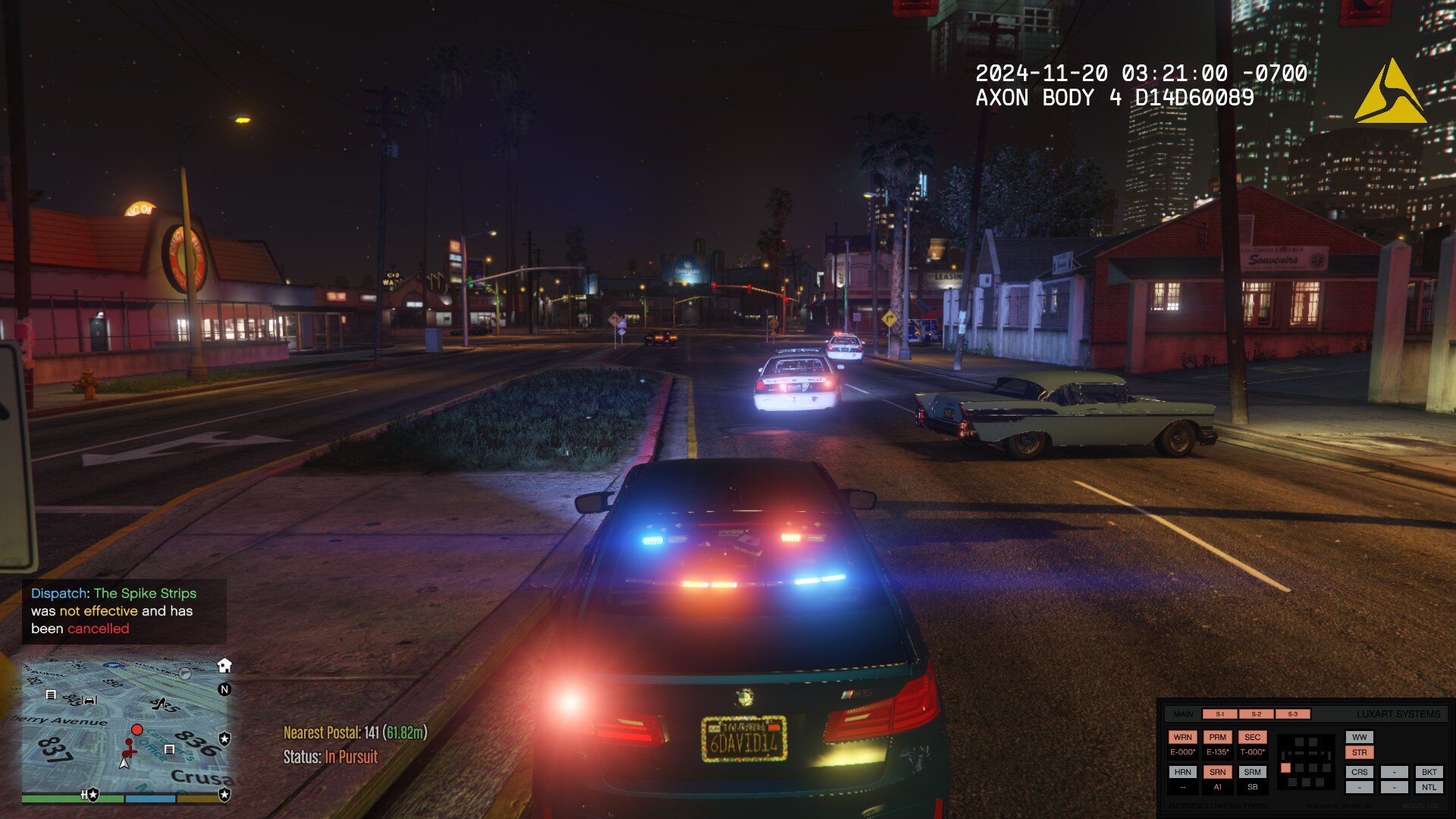
Get a unique perspective of your patrols with the new Axon Fleet Dashcam System, featuring both a front and interior camera, whether you want to keep an eye on the action upfront or keep an eye on the cuffed offender behind your back.
REAL-TIME DASHCAM OFFSET, POSITION, and FOV EDITOR (type AxonSignalOffsetMenu in the RAGE console to access this menu)
REAL-TIME OVERLAY EDITOR (type AxonSignalOverlayConfigMenu in the RAGE console to access this menu)
BODY CAMERA TIMESTAMP OVERLAY *(requires font installation, font included)
Axon Signal is a standalone RagePluginHook plugin that simulates the operation of an Axon body worn camera and in-car dash camera. Alongside that is the ability for the body camera to automatically start recording if you unholster your weapon (list of weapons that will trigger the body camera can be defined in the AxonSignal.ini file) or activate your emergency lights (stage 3 ELS lighting or activating lights on a NON-ELS vehicle).
The following parameters can be changed in the plugin's ini file:
The key to start/stop the recording of the body camera. If the body camera will start recording if you unholster your weapon List of weapons that will trigger the body camera recording function (WEAPON_PISTOL, WEAPON_STUNGUN, etc.) If the body camera will start recording if you activate your emergency lights (supports both ELS and NON-ELS vehicles, must be a valid police vehicle) If the plugin will display notifications on the bottom-left of your screen regarding the operation and activity of the plugin The amount of time in seconds between reminder beeps on the body camera (Default: 120 seconds) Body camera timestamp overlay parameters such as the model number, serial number, UTC offset, and if visible in third person or not Rockstar Editor integration (disabled by default, keep in mind of the following limitations) Recording time: this is dependent on the number of entities around you and how many polygons those entities have (e.g. if you and 20 backup officers are in a shootout with 20 gang members with 10 addon cars exploding in the background, you will not have a lot of recording time) Addendum to the above, recordings are in clips, assuming you run out of recording time, rockstar editor will record another seperate clip, they may not be fused together perfectly, and this will be more apparent the shorter your recording time Rockstar editor usage is restricted in some areas (e.g. Fort Zancudo and the surrounding area, due to GTA Online protections) Your own storage space and hardware Speed threshold parameter to trigger the Axon Signal Vehicle while emergency lights are activated Delay between the trigger and the activation of the body camera Body camera overlay real-time editor to customize text and logo size, spacing, and position (accessible by RAGE console command AxonSignalOverlayConfigMenu) Several dashcam parameters, whether it is accessible on foot, overlay, toggling the dashcam effect, the serial of both the dashcam and the interior camera, and the dashcam model that appears on the timestamp, offset, position, and FOV (configurable in the real-time editor accessible by RAGE console command AxonSignalOffsetMenu) Hide minimap when viewing dashcam (enabling letterboxing of either the dashcam or interior camera will hide the minimap, regardless of the setting) Whether dashcam or bodycam overlay displays local time with offset or UTC time Enable or disable bodycam animations Enable or disable body camera button sounds Enable or disable dashcam or interior camera letterboxing NEW Enable or disable overlay help messages
You may also change the supplied body camera sounds and logo inside the provided AxonSignalSound folder, provided the filenames match and file size is within a reasonable level.
REQUIREMENTS
A legal copy of Grand Theft Auto V An up-to-date version of RagePluginHook RAGENativeUI (minimum v.1.9.2)
INSTALLATION
1. Unzip the files using WinZip, WinRAR, 7-zip, or any other archive utility.
2. Drag the files inside the AxonSignal/Grand Theft Auto V/Plugins/ folder to the Grand Theft Auto V/Plugins folder and replace when prompted.
- FOR ADVANCED USERS: If you're upgrading from an older version, check to make sure all new assets, files and parameters in
the ini are included so you don't have to replace files such as the ini and reconfigure settings, otherwise just replace everything.
3. Read the README.text and configure the AxonSignal.ini settings to your preferences before seeking support or complaining of a
missing feature (SERIOUSLY), I have put my best effort in including all details.
4. You can load the plugin in two different ways:
- When in-game and RPH is running, open the console pressing F4 and type "LoadPlugin AxonSignal.dll" without the quotes
OR
- Go the Grand Theft Auto V root folder and edit your startup.rphs file and add AxonSignal.dll
5. RECOMMENDED BUT OPTIONAL: Install the font included in the zip file by simply double clicking it. This will make your bodycam overlay look closer to the real thing.
USER OPERATION
DOUBLE PRESS your assigned keybinding (Default: O key) to start the recording operation of the bodycam.
While the recording is in progress, a reminder tone will play at a specified interval (Default: 120 seconds).
The recording operation of the bodycam can also automatically start by either unholstering any of your selected weapons or activating emergency lights. (parameters customizable in the .ini file)
To stop the recording operation, regardless of how the body camera started recording, HOLD DOWN your assigned keybinding for approximately 3 seconds until a prolonged tone sounds signifying that the recording operation of the body camera has stopped.
If you want to toggle the plugin functionality, type 'AxonSignalToggleSystems' in the RAGE console.
To customize the size and position of the text and logo of the overlay, type 'AxonSignalOverlayConfigMenu' in the RAGE console.
To access the dash camera and interior camera, simply cycle through your player views (Default: V key). To view the interior camera, press your look back key (Default: C key) while in dashcam view
The dash camera and interior camera are accessible regardless if you are in a police vehicle or on foot (configurable in the INI).
To customize the positioning, direction, and offset of these cameras, type 'AxonSignalOffsetMenu' in the RAGE console.
AXON SIGNAL OVERLAY STUCK ON SCREEN?
Type 'AxonSignalResetScreen' to clear any stubborn elements that may be stuck on screen.
These plugins may potentially conflict or cause side effects with Axon Signal:
Automatic Siren Cutout by Rich*
You may still use these plugins, however, it is highly recommended to disable or alter some of the parameters of the plugin.
Automatic Siren Cutout cycles through ELS Stage lighting to turn off the siren upon getting out of the car which may cause an inadvertent activation of the body camera.
*this can be mitigated by utilizing the new speed threshold feature to prevent inadvertent body camera activation while getting out of the car (assuming the car is not moving at speed while getting out)
KNOWN AND REPORTED ISSUES
While browsing through the LSPDFR garage vehicle selection menu, switching vehicles will cause the camera angle set by LSPDFR when viewing vehicles to be reset, allowing camera mouse movement while in the garage which is not intended. Root cause unknown and currently under investigation. Fairly difficult to reproduce. This is a minor bug since it is neither game-breaking nor causing major issues or side effects. No emergency patch release needed. (thanks to @unitedOrange66 for reporting, thanks to @Godalph Games for testing) On rare instances, hiding the minimap when switching to dashcam view may fail or minimap may render on screen anytime while in dashcam view even if enabled, attempting to investigate and reproduce the bug. Minor bug, no emergency patch release needed. (thanks to @Godalph Games for reporting) Emergency lights or other bright light sources in-game can cause the screen to significantly darken, or in the case of rapidly flashing emergency lights: "flickering occurs". Cause and frequency of occurrence unknown. Investigating. Some graphics mods (reportedly NaturalVision Evolved or NVE) can cause the dashcam effect even if enabled not to render. It is suspected that some graphics mods disable some or all timecycle effects. Considering an alternate solution of rendering a transparent image file on screen instead to replace dashcam effect. Not tested as I personally do not use or have NaturalVision Evolved.
FIXED ISSUES
If you are having issues with this plugin specifically, please do NOT seek support in your usual LSPDFR support Discord servers as they do not know anything and will not be able to effectively help you. I highly encourage you to join my Discord below or post your issue in the comments section. I need feedback and bug reports to continually improve this plugin.
If you need support, you may do so in the comments or join my Discord: https://discord.gg/e2qX6aW. Please do NOT seek for support in the reviews or give it a 1-star rating simply because something doesn't work.
Feedback is also appreciated as to what I can do to improve this plugin. This initial version of this plugin, as hinted by the build number, was programmed in the span of only 2 days. There may be issues or bugs that I may not be aware of although I can assure you this plugin has been tested fairly thoroughly.
INSTALLATION AND SHOWCASE VIDEO BY @Gameboyeg, @OfficerBenzo, and yours truly. THANK YOU!
-
Dejverino reacted to Charlie686 for a file, 686 Callouts11/01/26 - 686 Callouts has updated to introduce Custom Pursuits!
You can now create your own pursuit callouts (customising pursuit speeds, vehicles, weapons & more). Read the Custom Pursuit section of the file description for more information.
686 Callouts v2.1.2.0
Designed with stability, replayability, and configurability in mind.
686 Callouts is compatible with Stop The Ped, Callout Interface & ExternalPoliceComputer.
Join 10,000+ people in LSPDFR-TS, the home of 686 Callouts.
Receive support, provide suggestions & use our automatic log reader.
686 Callouts with AI Voices & 8 exclusive callouts (including SWAT RAID) is now available on Ko-Fi for £2.99!
Standout Features
23 Callouts.
Offensive Weapon Reported | You are given a precise description of the suspect, and you need to track them down.
Photography of a Police Station | Inspired by the videos online.
Large Vehicle Pursuit | For those who prefer pursuits that don't exceed 100 MPH.
Stolen Pedal Bike | A stolen bike has been spotted, and you need to apprehend the rider.
Vehicle on Sidewalk | You need to get the sidewalk cleared, but maybe this isn't just an innocent mistake.
Disorientated Individual | Camera operators have raised concerns over an individual.
Suspected Stalker | First, establish the situation with the victim, then speak to the suspect.
Stolen Item | After conversing with the victim, you'll be given access to a GPS tracker to track down the suspect.
Fare Dodger | Station staff have contacted you about a fare dodger, you need to question them.
Vehicle Fire | You've received a call from an informant, and need to prevent someone innocent coming in harms way.
Kidnapping | A taxi slant at a Kidnapping call. With 4 outcomes, it will keep you on your toes.
Solicitation | Inspired by Assorted Callouts, there are 5 outcomes where you might need to go incognito.
Subway Disturbance | A witness reports some concerning information, keep the subway violence-free!
Car Bomb | Defuse the bomb & hope that it doesn't attempt an explosive getaway.
Protest | Face off an angry crowd of both protestors & members of the public.
Aircraft In Distress | An aircraft needs to make an emergency landing - meet it at the runway. With 8 outcomes, who knows why?
Alleyway Robbery | Inspired by More Robberies, this is a simple callout taking advantage of hidden locations across Los Santos.
High Risk Escort | Inspired by Protection Squad, lead a convoy between Mission Row and Bolingbroke Penitentiary.
Attempted Break-In | A difficult callout - locate the suspicious items around a property to see if you can crack the case.
Terrorist Attack | Experience a shootout like never before! Can you stop the danger to the public before they're all dead?
Lane Closure | Close a lane of traffic to allow the mechanic to attempt repairing a vehicle.
VIP Evacuation | Attackers have taken a VIP hostage! Infiltrate the area and lead an extraction.
Area Surveillance | Head to an area and provide a police presence. Keep an eye on your surroundings!
Translation System.
686 Callouts features the most in-depth and advanced translation system found in any callout pack, ever. Play 686 Callouts in any of the included 17 languages, to experience callouts in the most immersive way for you. Everything can be translated - even the notifications when a call becomes available.
Languages include 🇬🇧 🇯🇵🇷🇺🇵🇱🇪🇸🇩🇪🇹🇷🇨🇿🇸🇰🇨🇳 and more!
Outcomes.
686 Callouts tries to achieve a level of replayability not found elsewhere. Most callouts don't just feature 1/2 outcomes, but 5 or 6. There's a real sense that no callout is the same, and you have to approach each call with a level of uncertainty.
Career Statistics.
Featuring an in-built statistics system, 686 Callouts will hold you accountable with an accurate reflection of your actions as an officer.
Naturally, configurability for this can be found in your included .ini file.
Custom Pursuits V2 (NEW)
Within 686 Callouts, you can create your own pursuit callout and create an unlimited number of pursuits, with the ability to share your pursuit files with your friends and customise them with options such as:
Minimum & maximum speeds
Pursuit difficulty
Vehicle & Ped models
Weapon probabilities & models
And so much more....
Get started at Plugins/LSPDFR/686Callouts/Data/Pursuits.
Crash Prevention.
686 Callouts includes extensive crash prevention. Inevitably, you may run into a problem. To provide the stability needed for a smooth patrol, there are several systems in place to ensure 686 Callouts runs without causing any issues.
What to expect in the future
I am actively working on the early access version of 686 Callouts, which brings new callouts, new mechanisms & AI Voices for my members. It is available here.
FAQ & more details
How do I install 686 Callouts?
Drag & drop the 'Plugins' folder, the 'lspdfr' folder and the 'CalloutInterfaceAPI' file into your GTAV folder.
Someone told me to remove 686 Callouts, should I?
No. Do not fall victim to poor advice. Get in touch with me directly.
What configurability is offered?
A lot. Just check the .ini file!
Can I translate your plugin?
Yes - please contribute via the GitHub repository.
686 Callouts is great, but don't take my word for it -- take theirs!
Officer Benzo.
Double Doppler.
Geoffery_Gamer.
SSTGaming.
SteveTheGamer55.
unitedOrange66.
___
© 2021 Charlie686.
686 Callouts is copyrighted; you may not modify or redistribute it in any capacity without my express approval.
-
Dejverino reacted to Faya for a file, Restrain The DeceasedRestrain The Deceased for Grand Theft Auto V
Copyright © 2025 Faya. All rights reserved.
Discord Server / Installation / Progress Board
When Law Enforcement Officers or military personnel kill suspects, they often handcuff the person for safety reasons when the suspect's death isn't confirmed yet; the suspect might be unconscious or pretending to be. You may restrain dead people you or someone else killed. If you don't want to do so, you can hide the restrain prompt and continue handling the scene.
TL;DR: Why bother to restrain someone dead?: In-game, a person lying on the ground is considered dead, however not in real life, the person could be unconscious or pretending to be dead. Law Enforcement does this all the time.
Hold T or DPad Right to restrain the ped.
Press H to ignore the ped, meaning the prompt will be removed for that certain person.
Features
- Restrain any dead ped
- Controller support
- Ignore ped feature
- Hide the restrain prompt
Inspired by a feature from Ready Or Not.
A preview of the plugin:
The prompt: (Low FPS is due to GIF format)
------------- 🔗Join the server --------------
Asking for support in a review is not allowed. Please message me here instead.
-
Dejverino reacted to Faya for a file, Immersive EffectsImmersive Effects by Faya
Discord Server (Fixed link) / Installation / Progress Board (Revamped)
Personally, this is my best and favorite plugin. If you fire your weapon, there will be a small camera shake each time you fire, simulating a recoil effect. A heartbeat will play when you're in a firefight, aiming at an armed person, if you've been injured, or even when you're being chased by a dog. The camera shake is also used for other features, such as a big car collision, loss of health, and more. Below is a list showing all features. If there is a feature you do not want, each one can be disabled individually in the settings.
Click here to watch a preview of some of the v1.3.0 features.
⚠️ The changelog is pretty big. I recommend you read it.
Visual Effect Triggers
- Firefight
- Vehicle Collisions
- Loss of health
- Reloading
- High-speed emergency braking
- Handbrake
- Jumping
- Falling
Audio Effect Triggers (So far, only hearbeat effect)
- Firefight
- Aiming at an armed person
- Hand-to-hand combat
- Severe injury
Menu
- Camera shake intensity setting
- Weapon recoil intensity setting
- Audio effect toggling
- Save, revert, and reset feature
Use X + 3 to open the menu, where you can change the intensity of the camera shakes or disable any audio effects.
-
Dejverino reacted to timnboys for a file, ClearTheWayVThis is a simple script that is based on ragehook to make cars move over when only having your emergency lights running not your siren
no keys because it works as a standalone script what I basically mean is it doesn't need any user interaction it does everything by itself
I am trying to enhance the "default" without script behavior so the pullover behavior or "move over" behavior is improved because to be honest when I play the game every time I get to a crowded area in gta v I keep crashing into people because they don't move over correctly.
So I guess the gist of what I am trying to say is be respectful, don't say the obvious everyone knows this works without a script by default in gta v.
Also just wanted to say if you appreciate & like my work please consider giving me a donation as every bit helps considering how that makes me & my work feel appreciated and encourages me to continue making great scripts like this.
Please Follow community guidelines when posting, as in be respectful don't use rude language,etc.
Support - what to do if you encounter a bug or have problems:
Please leave a comment (not a review). Include your RAGEPluginHook.log file, located in your Grand Theft Auto V folder in a spoiler so it doesn't make the page too long for people not interested on reading the log. Also, please provide an accurate description of what happened. This allows me to help you as fast as possible without having to ask you for this information I need to help you, as if I don't get this information I cannot help you because I will not know what is causing the problem and will result in delayed resolution of the problem due to asking you for the needed information before proceeding.... please as said above provide this information with your initial comment (not a review) to allow the most quick resolution of the problem as possible. Leaving a review for support issues is against community guidelines, and will not even be answered at all, will be reported instantly instead.
README/Install Instructions:
extract the dll file from the zip file using 7-zip or winrar or whatever and then copy the dll file to your plugins folder to here C:\Program Files (x86)\Steam\steamapps\general\Grand Theft Auto V\plugins and that is where you place the dll file to make this script work If you have your game on any other drive replace the C:\ part with your drive you have the game on. User Submitted Videos:
FirstThirtyMinutes:
If any of you post a video review/or use my script in your video's please notify me about it and I will feature your videos here like I did for firstthirtyminutes.
Please do not re-upload, reverse engineer, modify, redistribute, or in any other way violate the copyright of this modification. DMCA Takedown Requests & actions will be taken if this is violated.
Do you have questions? Or do you need help with the script? Please make a comment, not a review for support and your question/support issue will be handled as soon as possible.
Important Notice regarding Obfuscation Used to Protect Copyright
Due to using Max Obfuscation Settings inside the .Net Framework Obfuscator that is used to protect copyrighted logic & such inside the software/plugin, it is likely a antivirus might see the obfuscation and several other obfuscation settings like anti-tamper/anti debug/etc that are used to further protect and prevent copyright infringement of the software/plugin as a False Positive.
To Date as of 8/23/2023 there has only been one lesser known antivirus named "Ikarus" that has even thought this plugin is a virus/trojan which it is not and is only due to the extreme protection settings set in the .Net Framework Obfuscator used to protect the software/plugin that causes this.
-
Dejverino reacted to SuperPyroManiac for a file, SuperEventsAny Issues, suggestions, or want to chat?
Join my Discord server!
Click Me!
SuperEvents is a plugin for LSPDFR to add more ambient events. Currently adds 8 new events with plans for many more!
Not only that, it has a fully fledged API that allows people to add their own events, just as easy as making a callout pack! (https://github.com/SuperPyroManiac/ExampleEvents)
With SuperEvents I aim to add more unique ambient events to LSPDFR with a uniform feel. I add both realistic and crazy new ones that will be played randomly. You are also able to disable and enable any features you choose. I recommend pairing this plugin with my other plugin Deadly Weapons and SuperCallouts to completely change how the game feels.
Car Accident
Car Fire
Fight
Open Carry
Officer Under Fire
Injured Person
Reckless Driver
Suspicious Vehicle
Wild Animal
Many more events planned! Want to add your own? Check out the API guide!
https://github.com/SuperPyroManiac/ExampleEvents
Any Issues, suggestions, or want to chat?
Join my Discord server!
Click Me!
If you make Event Packs of your own, you may NOT include SuperEvents in the download, rather send them here to download it!
Policing Redefined is recommended for this plugin!
Superior StopThePed and UltimateBackup replacement.
-
Dejverino reacted to SuperPyroManiac for a file, Deadly WeaponsAny Issues, suggestions, or want to chat?
Join my Discord server!
Click Me!
Deadly Weapons is a plugin for LSPDFR to add a more dangerous feel to guns. GTA makes people sponges for gameplay, but LSPDFR aims for a more realistic approach.
With deadly weapons I increase damage taken by weapons for both the player and AI. Damage varies between limbs and whether the ped is wearing armor or not. It also introduces new auto panic button behavior for when the player fires their weapons.
Reduce AI's aimbot with this mod:
DamageTrackingFramework by @Vari
Any Issues, suggestions, or want to chat?
Join my Discord server!
Click Me!
-
SimpleHUD is script modification for your game displaying player's current location, as well as a compass and the time.
Features
Postal System Speed Limit Advisory Signs Time County Cardinal Direction Customize Menu Custom INI Road Name Integration with Future Mods 👀
Requirements
ScriptHookV
To install this script, place the provided .asi and .ini files inside your main Grand Theft Auto V game directory.
Drive where GTA V is installed → Programs (x86) / SteamLibrary → Steam → steamapps → common → Grand Theft Auto V
If you need support, please join our discord server and create a ticket eventually someone will get to you!
Discord Server: Venoxity Network [www.discord.com]
Installation Video: BlueLine Vibes [www.youtube.com]
I would be happy to receive feedback. If there are any Bugs, please let me know!
