gnat326
Members
-
Joined
-
Last visited
Everything posted by gnat326
-
While I can't speak for either one personally, and I cant for the Radeon at all, I've heard nothing but good things about the GTX 550.
-
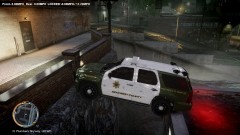 Um... I don't think you're ment to park there... lmao
 -
Oooooo It could have been the ENB. I've read that it can fry certain cards. What graphics card do you have?
-
There are a handful of them. It's sad, yet funny lol.
-
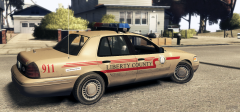 Please tell me that the lightbar will work as red-red. That would be sooo perfect lol. Either way, can't wait!
 -
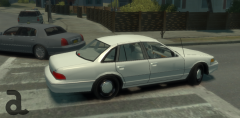 Sweet.
 -
Not sure... The sides don't exactly match... Oh well, could be wrong. Anyway, for GTA 4, the link that Kevin gave is probably the best you're gonna get, unless someone makes this bar specifically. Should just be able to change the light/glass colors to what you want with the texture files (not sure about the half-and-half front lights, but worth a shot).
-
You sure that's a Freedom? It doesn't look like an LED lightbar.
-
No Tom, even if I had 9000 points I would not care. I don't live my life looking for the approval of others. Sorry.
-
I just don't understand why people feel that a number makes them feel good. If you did something nice, good, etc., then you should already know that. You don't need a number to tell you what you did.
-
Yet more evidence that the whole rep system is a bad idea. How many more of these threads are we going to see I wonder? In the meantime, calm down. It's just a number that doesn't mean anything. You guys realize that, right?
-
Go into ELS.ini and disable ELS for non-ELS vehicles. Then use 'G' for lights and siren, or '/' (numpad / ) for lights without sirens.
-
The point is kind of moot... There is really no way to prove it one way or the other.
- 16 comments
- 14 reviews
-
-

- 1
-
-
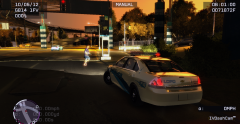 Well yeah, but which one? lol
 -
Best thing would probably be to leave it on all night and let it de-frag.
-
lol Don't you hate when that happens? Also, what car is that?
-
Yeah disk defrags can take a while, especially if you've never done one before.
-
Um. What? Can you elaborate a bit on that statement?
-
-
Found the picture being used as the reference ;P http://image.motortrend.com/f/38768115+w786+ar1/2012-Chevrolet-Caprice-PPV-wheels.jpg
-
I would try what MoonShine and Asuna suggested. What Eagle suggested would not affect internet/network speed.
-
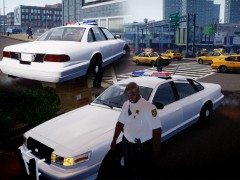 I must say... That car cleans up nice with a bit of work.
 -
Re-download it. I got more files when I downloaded it.
-
I just have to put this in... The statement "4GB of RAM isn't that much" is incorrect. It is still able to run all of your stuff. Memory sticks aren't very expensive, but if it works, I wouldn't worry about it. Also, as to the two core vs. quad core, keep in mind the cost difference. The cheapest Intel Core i3 that I found from a quick Amazon search, a two core processor, is $99. The cheapest Intel Core i5 (also from a quick Amazon search), a quad core processor, is $187, double the cost of the two core. Now, a half way decent graphics card will likely run you about $100. It's been awhile since I last had to look at them, so I'm afraid I can't provide more information than that. A great website for looking at and getting PC parts is newegg.com. They usually have some pretty good prices. You can also try amazon.com.
-
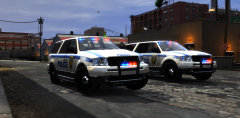 Since I just found it on Youtube, yes lol.