


Slimory
Members
-
Joined
-
Last visited
Everything posted by Slimory
-
Must be an aquired taste, cause i'm a pretty big Whelen fan i'd rock that shit on my whip (gangsta slang for car)
-
I was over at GPM and found a CVPI with a Whelen Fastrax, first i've ever even heard of it, would love to see it in IV, thought i'd share a video of it :) http://www.youtube.com/watch?v=LzhuCh56HbA
-
I think it will, the framerate may not be very good, but it'll run.
-
wow some bizarre stories lol i read one today about a woman in philadelphia that gave "22 year old Just Street" a penis enlargement needle, poor bastard died the next day and she was doing procedures out of her apartment lol
-
Arial Black would be your best bet.
-
-
I didn't even notice the video lol are you SURE being a Police Officer is what you want to do? jk bro! i really wish my computer could handle this, it might though, do you think this would handle it: AMD Phenom X2 555 3.20GHZ AMD Sapphire Radeon HD 6790 6GB RAM Would handle this? if it does, when it's done, you think you could send me a download?
-
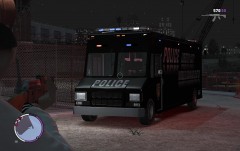 Looking good!
 -
This whole thing with the GMC Savanna being released as PPV just started and it's probably going to be awhile before an unlocked one is released i'm afraid.
-
? i'm confused, that IS his FairFax County Police CVPI, with the texture on it, if this is the car, should put a bit more of a description like Tomar Lightbar etc etc.
- 3 comments
- 2 reviews
-
You don't need to go much over your budget, i spent (after upgrades) and a year after having it built custom, which i HIGHLY recommend you do, it's worth almost $1000.00, before upgrades, i spent $672.92 according to my receipt. I can run GTAIV on high setting's, IV is the only reason i got the computer lol so i knew what i was looking for.
-
Who did you ask? EVI aka TheThinBlueLine?
-
-
guessing it died lol
-
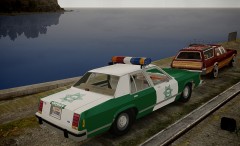 Is there an ELS version of this?
 -
Didn't want to cause an uproar here, glad i was loud and clear..
-
Your just too old school for us jk
-
I called it before, and somehow i'm 99.99% of the time wrong.. maybe i should think about leaving the mod scene..
-
Check your inbox..
-
I had some issues with it, sounds like a muffled fart :dry: but hey, who am i to judge, i've never made an audio file for IV cause they are so damn tricky!
-
I was in elementary when it happened, got to watch it live on the news, i tell ya, the immaturity of fellow classmates.. I do think the government was involved with it, especially since crooked Bush was in presidancy, everyone knows how much he loves war and killing people, just like his dad.. my opinion on the subject aside, i'm not going to drive myself crazy about 9/11 about who flew planes into the World Trade Center, cause it's in the past, and today is about remembering those who died, may they find peace on this sad day R.I.P
-
I like it, only thing is, when will a marked version be released without a rambar?
- 13 comments
- 6 reviews
-
I know there are more options in ELS V6, it's been awhile since i've used it, so i can't remember which ones are the back, if they are seperate at all.
-
I'm gonna +1 you cause of the crazy decsription, although, a video would be nice :)
-
L,L,R,R is LEFT,LEFT,RIGHT,RIGHT, the number's are what colour the lights themselves will be, those can be found closer to the bottom.


