


Slimory
Members
-
Joined
-
Last visited
Everything posted by Slimory
-
Some town's in Canada they don't even bother with City Police, so they give the RCMP they're policing contract, example my hometown of Portage La Prairie, Manitoba doesn't have City Police, they have RCMP.
-
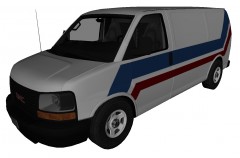 is this model WIP? i'm confused +1 for the link Sgt. Kanyo, but i already knew about that one:)
 -
Something like this: Just a Toronto Police Uniform?, all you have to do is put a red stripe on the pant's and an arm patch on the shirt (i'm not a moddler) so textures will have to do, if you want i can start on them tomorrow.
-
I have his GMC Yukon (Undercover) IF and ONLY IF he gives the okay.
-
It is a Whelen Liberty, VERY common type of lighting in the U.S as well as canada, i don't really follow European styled vehicles though, don't get me wrong, i like the new Impala's, however, when i'm in pursuit, i'm not going to worry about how good i look driving my cruiser, though alot of cop's drive with the 1 arm on the steering wheel looking all bad ass (lol) I like the Ford Crown Victoria P71 Police Interceptor, Charger, should not have 4 door's, that is a SIN to put 4 doors on a classic... also why does every town in the U.S have their own Police Department?
-
Can you provide a better pic?
-
:O i love you
-
Anyone? for the van i want to know what those light's are that above the windshield.
-
If GPM and LCPDFR have so much beef, then why bother each other? it may be the Canadian in me saying this but, can't everyone just get along?
-
Hater's on the ford eh?
-
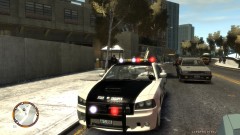 Sure look's like it from the front.
 -
Taurus would be alot nicer :D
-
I've never seen a non ELS 2012 Charger until now
-
poor bastards driving impalas
-
KevinDV's Caprice was put on the backburner for now he said, (pretty sure it was him), i snagged a copy of the Caprice James2012 did, don't really understand why people hate on him so bad, as for the Taurus model's, the only ones i have is one Whelen Liberty and 3 Slicktop, anyone know of anymore?
-
blurry? I think EVI has all 3 that your looking for.
-
No problem, check your inbox
-
Give me 5 minutes, i'll send the GMC Yukon with the template and model, don't think it comes with 4 slots though
-
I'm sure bumping your old thread would be better then making a thread for every release you make
-
Why not have your own release thread instead of making an ass load of thread's? would make more sense, just a tip bro
-
Wrong section dude. Damn sexy ENB, almost looks like stock graphics, but with bloomy lights and vehicle grain.
-
ELS will only work ELS enabled car's, meaning the slot you imported for the ELS enabled car/truck is the one ELS will work on, otherwise if you try to use ELS with the stock vehicles, the lightbar will just flicker and completely disappear when you turn it off.
-
That would make sense, i'm sure novice modeler's often rush to get the product finished, i'm still not sure about polygon counts and textures, and i would rather use zmodeler because i have the "basic knowledge of it.
-
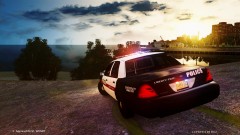 So does this work well with ELS? i can't really tell with this shot.
 -
Hmmm I don't even know anyone who plays Driver San Fransisco, and i kinda figured he might have been blowing smoke, oh well. So what your saying is the best way to start off is to model part's while i have an existing modeling to fit the equipment on? BTW glad they picked you for the Community Team!

