DeluxeBrian
Members
-
Joined
-
Last visited
Everything posted by DeluxeBrian
-
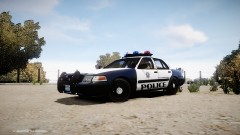
From the album: DeluxeBrian's Screenshots
-
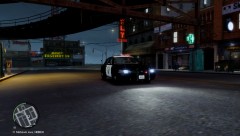 What ENB are you using?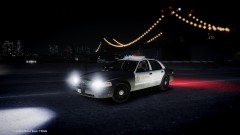
From the album: DeluxeBrian's Screenshots
Make sure you're pressing Alt+M and your keys are disabled in the trainer. (Options>Menu 2>Enable/Disable Keys)You can always edit "car.defaultlight.emissive.on" in your visualsettings file to a higher number.Taken from police scanner. 4:55 "suspicious male five minutes before this started black male with backpack was denied access by security pulled up his hoodie and walked away five minutes later event happened last saw him five minutes after event at boylson and fairmont" 4:54: "his son has medical issues and he cannot locate his son, his son is sending him these pictures on his phone" 4:54 "put that out to all channels in the city about unattended bags and suspicious items" 4:54 "need supervisor to come to copley mall witness says his son saw people running into a building he has video footage. " 4:50 "all units be on look out for yellow pensky truck, fbi requesting we stop and fio the driver, attempted to gain access claiming he had medical supplies"I downgraded to 1.0.4.0 but I'm not able to use the latest version of LCPDFR. Which version should I use?Love it!Make sure you installed it into your main directory and the ENB is compatible with the patch you're using.Edit your "ENGINE" in your enbseries.ini to this: [ENGINE] ForceDisplaySize=false ForceAntialiasing=false ForceDisplayRefreshRate=false ForceAnisotropicFiltering=true MaxAnisotropy=16 AntialiasingQuality=-1 DisplayRefreshRateHz=60 DisplayWidth=1920 DisplayHeight=1080 ReflectionsForceHighPrecision=true ReflectionsExtremePrecision=true AntialiasingUpScale=1.0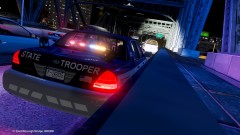 Thanks (:1) Open SparkIV 2) Find pc>audio>Sfx 3) Double click resident.rpf, click RESIDENT 4) Import HORNS.ivaud 5) Save
From the album: DeluxeBrian's Screenshots
In your visualsettings, edit "car.defaultlight.emissive.on" to a number like 400.You can download that CVPI and use the skin hereThere are plenty of cars in the downloads section.Option 2.Does anyone know what ENB Buggs uses? It doesn't look like Game4. http://www.youtube.com/watch?v=XvGwN3Q2ftAI'll need this by 2:30pm please. Thanks!I've been looking all over for it. A link to it or name is extremely appreciated! Will give +1 rep. Thank you! http://www.youtube.com/watch?v=MVEFiofg56MIn Simple Native Trainer, you can change your player model. http://www.gta4-mods.com/script/simple-trainer-version-65-f2115You can link your LCPDFR account when you install it.