DeluxeBrian
Members
-
Joined
-
Last visited
Everything posted by DeluxeBrian
-
-
I use the Whelen Alpha
-
+1 for xaPKPax! The LCPDFR legend!
-
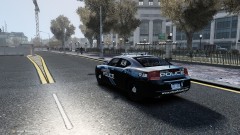 Nutt ENB with Game4Video visualsettings.
 -
They look good! I would add a utility belt.
-
From the album: DeluxeBrian's Screenshots
https://www.youtube.com/watch?v=jN26Q_gF1sY&list=UUM2hagHF9W81L403UoS-RKQ&index=1 -
In SparkIV, edit all police_signs to the one you want to use or try this
-
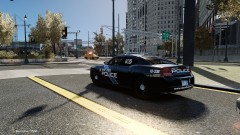
From the album: DeluxeBrian's Screenshots
Like and Subscribe for more! Thanks! -
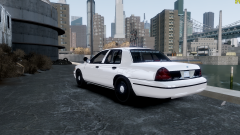
This is the Crown Vic model:
-
It works for me in full screen. Press your record hotkey once. You'll know you started recording when the game freezes for a split second and you begin to experience a bit of lag.
-
It's this one I believe: http://gtapolicemods.com/downloads.php?do=file&id=52
-
Thanks, just install Nutt first, and then replace the visualsettings from Game4Video.
- 14 comments
- 12 reviews
-
It was a pain in the ass for me to install, took 5 hours, and I had to re install it again.
-
 Very sexy! :)
 -
-
From the album: DeluxeBrian's Screenshots
-
Whelen Alpha Siren https://www.youtube.com/watch?v=v-UalcrHtHY Installation 1) Open SparkIV 2) Find pc>audio>Sfx 3) Double click resident.rpf, click RESIDENT 4) Import HORNS.ivaud
- 14 comments
- 12 reviews
-
Make sure you and your friends are using the same mods. The Loading Screen could be a connection problem to the host of the game, try letting the host leave, or start a new game. And make sure that Join In Progress IS allowed.
-
They go into your scripts folder.
-
Is the car ELS enabled?
-
Edit the flash delay speed to 5, that's perfect for me.
-
http://www.gta4-mods.com/script/first-person-107-compatible-f9171
-
Thank you! Will do!
-
Hey guys, I just uploaded my Vermont State Police video. Let me know what you think, I personally love the blue lights! Thanks for watching! http://www.youtube.com/watch?v=I8ViGDxF_Ck
-
 Looks sexy as hell, can't wait to use it!