




Fartknockr
Members
-
Joined
-
Last visited
Everything posted by Fartknockr
-
![[REL] Raydian Vehicle Pack](//s3-gallery.int-cdn.lcpdfrusercontent.com/gallery/album_378/sml_gallery_472_378_72543.jpg)
From the album: Fartknockr(FacePalm Studios)
Released on a few sites. Possibly soon to LCPDFR -
From the album: Fartknockr(FacePalm Studios)
-
 Exactly said by GreenAid. I'm not kidding. My folder of skins is just around 34GB. Before my laptop crashed, it was around 65-70GB.
 -
From the album: Fartknockr(FacePalm Studios)
Title says it all. I'm still debating on which skin to release with though. I've made hundreds and hundreds of skins but can't find a good one to go with the lightbar. -
 Colors on the skin are off and possibly the font............ Other than that. Good Job
 -
 Nice Job! How many polys are there all together?
 -
Looks like shit........ Seems like the Dodge Charger Design Team was inspired from all the shitty mods done by the noobs.
-
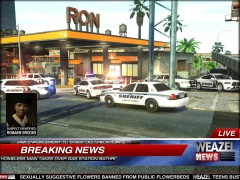
From the album: Fartknockr(FacePalm Studios)
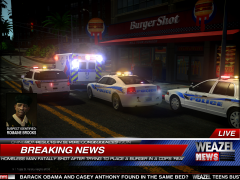
God Damn Romaine........ Note: I completely re-did the News Layover in Photoshop. -
You can get the F-150 from Driver: SF and convert it yourself or ask a fellow modder who has one, to let you have it. The Silverado, only 3 people have that truck unlocked that was done by BxBugs: Bugs, myself, and one other person. He will not give it out either........... The truck can be found on TurboSquid, Humster, or from another game and that you can convert over as well.
-
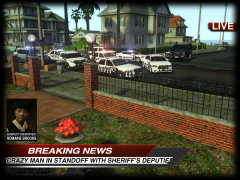
From the album: Fartknockr(FacePalm Studios)
Trololololol -
5 :) I'm a developer but not an LCPDFR one.
-
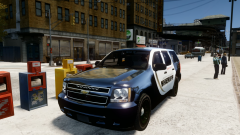 Well, even on the K-9 Tahoe, that's my skin :p ....... Some people need to specify more when they talk about my skins. I have so many out there to so many people. Looks good to me. I'd release it.
 -
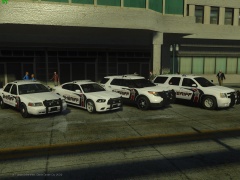 It is a little low in the picture. I will take a closer look at it. It ended up being the handling line that I was using. If you use the stock handling line, it is perfectly fine.
 -
From the album: Fartknockr(FacePalm Studios)
Pffft...... -
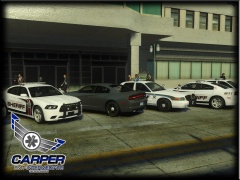
From the album: Fartknockr(FacePalm Studios)
-
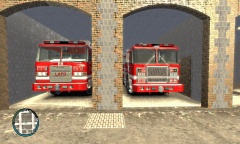 New Lightbar? WTF? Someone is dense? .......... I hope you realize that is a Whelen 9000 that has been stretched to hell and beyond to be put on that truck. That isn't new nor realistic. Besides the lightbar, the model does look good. Excellent job on that.
 -
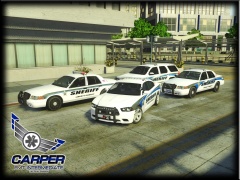
From the album: Fartknockr(FacePalm Studios)
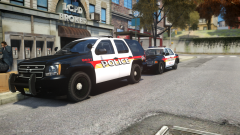
Pack features KevinDV's Brand New Whelen Liberty SX on all newer vehicles as well as an older CVPI with a modified Whelen Edge. -
 Bitch, you better do it!! Thing is drop dead sexy
 -
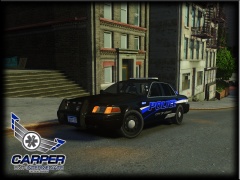
From the album: Fartknockr(FacePalm Studios)
Vehicle was updated to the DSF CV by CJ, who did an amazing job on the base model. Vehicle only for DL on GPM and CZGA -
Did you move the wheel's collision when moving the wheel? As well as resetting the parent to the wheel? That does it sometimes too.
-
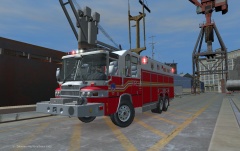 Beautiful ;)
 -
Technically, anyone is legally able to have this mod in their possession. You DO NOT own the rights to this model. You CAN NOT copyright. Pierce owns the copyright to the model and everything, as well as where the model came from. You are creating a copy of their product, which if they wanted to, file a lawsuit against your asses for it but they don't because it is for gaming purposes and glad to see people using their product. When you try to copyright the model, that is when shit hits a fan...... and not just a small house hold fan, I mean a jet engine. Even if someone did purchase a model from you, you can not say what they can and can't do with it. They bought it from you, which dictates they can do whatever the fuck they want with it. Think of buying a car in real life, you can modify the body, wheels, grill, interior, engine, and etc and the company can't do a damn single thing. You can give the car to someone and they can't do a damn single thing. You seriously are a dense fuck if you think you can control who gets the model and copyright too. Other than that, Beautiful Model Killer! Keep showing off the goodies ;)
-
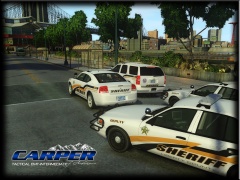 Florence County, NC
 -
From the album: Fartknockr(FacePalm Studios)
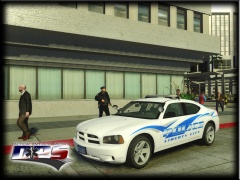
Finally did the CV -
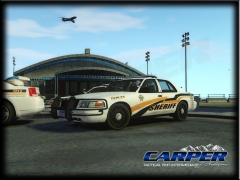
From the album: Fartknockr(FacePalm Studios)
Finally did the CV

![[REL] Raydian Vehicle Pack](http://s3-gallery.int-cdn.lcpdfrusercontent.com/gallery/album_378/sml_gallery_472_378_72543.jpg)

