




Fartknockr
Members
-
Joined
-
Last visited
Everything posted by Fartknockr
-
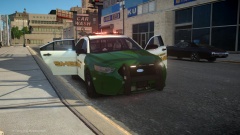 AH HELL NAW!!!! :) ........ Shit, I just exploded in my pants :/
 -
![[REL] 2012 Tahoe PPV and 2010 Charger FCSO/LCSO](//s3-gallery.int-cdn.lcpdfrusercontent.com/gallery/album_378/sml_gallery_472_378_270913.jpg)
From the album: Fartknockr(FacePalm Studios)
Only available on one site! Check around for it! -
Files from BxBugs were taken down for reason said and other reasons that I will not discuss. They will soon re-appear. When exactly? I don't have a clue but he is expected to publicize his mods sooner or later. Source: Good Friends with Bugs and Director of Moderation on GPM
-
![[REL] 2010 Charger v3.2I](//s3-gallery.int-cdn.lcpdfrusercontent.com/gallery/album_378/sml_gallery_472_378_957707.jpg)
From the album: Fartknockr(FacePalm Studios)
Vehicle has been released. Search around on other sites and you'll find it. -
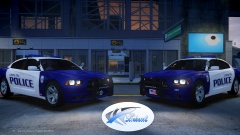 Oh yeah bitches
 -
![[WIP] 2014 Dodge Charger PPV LCPD V2.0](//s3-gallery.int-cdn.lcpdfrusercontent.com/gallery/album_722/sml_gallery_3386_722_489336.jpg) #FAP FAP FAP FAP FAP FAP FAP FAP FAP
#FAP FAP FAP FAP FAP FAP FAP FAP FAP -
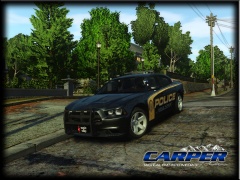
From the album: Fartknockr(FacePalm Studios)
Finally gotten to the point of re-doing the alloys. Poly count is half as much as it used to be with higher quality textures. -
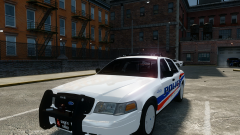 Actually, it is. The way it is designed from how I put it together, is that the ALPR uses a texture/s (named ALPR). With that, all you have to do is make the texture completely transparent over the ALPR part in the .wtd and *BOOM*, they are gone. I took EVI's Valor, mapped it with dual color technology then put KevinDV's ALPR unit on it and reshaped it to Valor as if it was real life. I renamed the texture to ALPR because it's very simple to find.
 -
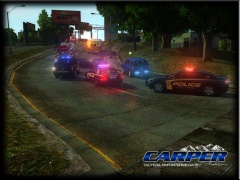
From the album: Fartknockr(FacePalm Studios)
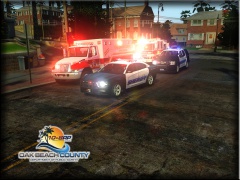
Oak Beach County's Finest's Deputies Playing With Wake Forest PD Vehicles -
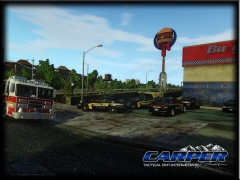
From the album: Fartknockr(FacePalm Studios)
......... And the department's wonder why they've seen an increase in new size duty belts, uniforms, and more. -
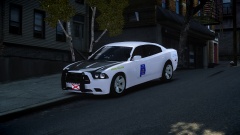 Mhhmmmmmm......... Sex!
 -
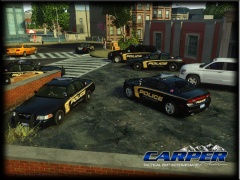
From the album: Fartknockr(FacePalm Studios)
Not too bad ...... The 2015 Tahoe really makes the whole pack sexy. Pack to NOT be released. -
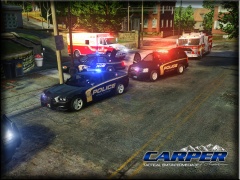 Pfftt..... When I'm really bored, I make cars just because I can. I generally never release any of them but I do it just because it's interesting.
 -
From the album: Fartknockr(FacePalm Studios)
What you get when you're bored. Make skins and vehicles then just hide them in a box :p -
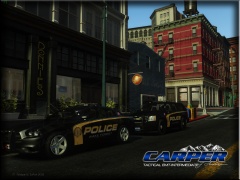
From the album: Fartknockr(FacePalm Studios)
Just got bored. -
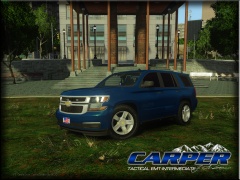
From the album: Fartknockr(FacePalm Studios)
Vehicle by VooDoo. Private Model. This Vehicle is NOT for Release. -
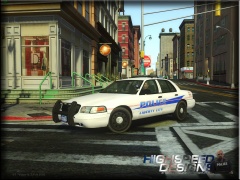
From the album: Fartknockr(FacePalm Studios)
-
 Looks good
 -
Looks like Hell.......On Planet Bullshit. Haha. I'm kidding.......(No, I'm not). Man that is some ancient joojoo right there though.
-
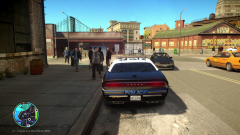 Dem Graphics Doe!.
 -
 Very nice!
 -
 No. Two completely different places. I'm with OBCDPS now.
 -
Sadly to say, they were created only for Oak Beach County Department of Public Safety. I have released other Chargers here and on GPM. Check them out
-
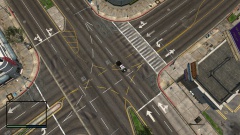 WOW! You're on the GTAV Map? If so, link please?
 -
From the album: Fartknockr(FacePalm Studios)
Blah

![[REL] 2012 Tahoe PPV and 2010 Charger FCSO/LCSO](http://s3-gallery.int-cdn.lcpdfrusercontent.com/gallery/album_378/sml_gallery_472_378_270913.jpg)

![[REL] 2010 Charger v3.2I](http://s3-gallery.int-cdn.lcpdfrusercontent.com/gallery/album_378/sml_gallery_472_378_957707.jpg)
![[WIP] 2014 Dodge Charger PPV LCPD V2.0](http://s3-gallery.int-cdn.lcpdfrusercontent.com/gallery/album_722/sml_gallery_3386_722_489336.jpg)
