



Code Master
Members
-
Joined
-
Last visited
Everything posted by Code Master
-
-
 Correct, the standalone AdvancedHookV.dll does not work with the current game version. As a side note, if anyone runs into an ELS issue where only the rear brake lights are flashing and no other emergency lights are working, try reinstalling Script Hook V and RageNativeUI. This is a common cause and typically fixes the issue. ELS and DLS are not designed to run together, as stated on the DLS mod page. Running both simultaneously can lead to conflicts, unexpected behaviour, or lighting issues. If you're using DLS, make sure ELS is completely removed or disabled before testing. Likewise, if you prefer to use ELS, DLS should not be installed alongside it. Incorrect It works perfectly fine. The last update date doesn't really matter in this case, as the mod was designed to work across game versions without requiring frequent updates. In my experience, those are often the best kinds of mods, if they're built well and don't rely on game-version-specific features, they can remain fully functional for years without needing any changes. Make sure you have Script Hook V, RageNativeUI and the AdvancedHookV.dll within ELS V1.05 not the separate dll.
- 2,692 comments
- 236 reviews
-
-

- 1
-
-
.thumb.png.656f907bc2febc81911b0b821cb502c8.png) Hello, I’ve got a custom script I developed a while ago called UniversalPlateFormatter, along with a UK-style plate setup configured in carcols.ymt. Everything works correctly in-game and integrates properly with PR and CalloutInterface. However, I’ve noticed an issue with ReportPlus. It appears to be using the default GTA V license plate system instead of my formatted plate data. Because of this, when I search for a plate like MY63 WTA, it correctly appears on the vehicle itself and within PR and CalloutInterface, but ReportPlus doesn’t return any results at all.
Hello, I’ve got a custom script I developed a while ago called UniversalPlateFormatter, along with a UK-style plate setup configured in carcols.ymt. Everything works correctly in-game and integrates properly with PR and CalloutInterface. However, I’ve noticed an issue with ReportPlus. It appears to be using the default GTA V license plate system instead of my formatted plate data. Because of this, when I search for a plate like MY63 WTA, it correctly appears on the vehicle itself and within PR and CalloutInterface, but ReportPlus doesn’t return any results at all.- 351 comments
- 44 reviews
-
-
ELS does not work for AI (It's not meant to) reduces CPU, all it does it put the sirens on for them and make a random flash pattern. Same issue, someone said they updated windows but mine is all up to date, the rear lights flash its just the extra's don't
- 2,692 comments
- 236 reviews
-
You need to change your siren sounds yourself, ELS does not do that. Change colour of the extras in the xml.
- 2,692 comments
- 236 reviews
-
Its missing a sound file, that's the error its giving you, however reading along it don't make sense what you sre trying to say
-
 [10/31/2025 6:18:36 AM.828] DamageTrackingFramework: WARNING: 350597077 Hash is unknown. Please notify DamageTracker Developer at: https://www.lcpdfr.com/downloads/gta5mods/scripts/42767-damage-tracker-framework/
- 30 comments
- 4 reviews
-
-

- 1
-
-
-
 The error is almost always one of these: 1. Installed Desktop TTS instead of Speech Platform TTS. 2. 32-bit/64-bit mismatch.
- 1,361 comments
- 85 reviews
-
My game has been loading for 10mins and still not got in, however non RPH works fine! RagePluginHook.log
-
No worries, Glad that helped!
-
A file or files are corrupt somewhere, most likely mods folder... Try 1. Verify Integrity of Game Files 2. Rename the Mods Folder Again (if naming it back to _mods works, then delete your mods folder and start fresh again)
-
Have you tried loading the game without using RPH/LSPDFR? if so and still the same issue, try removing scripts and plugins - again if it crashes again then it looks like files are corrupt, So verify the game files, if after doing that it crashes again. I would say reinstall GTA
-
Based on the provided log snippet, it does not indicate any critical errors that would typically cause a crash when the game reaches the "populating game world" phase. The log appears to be from the early stages of loading, where it initializes various systems and modules without showing signs of failure or exception messages.
-
Hello, can you post the RagePluginHook.log please as this isn't the RPH log
-
Since you suspect the issue lies in your update.rpf, common.rpf, or their modified files, focus on identifying specific culprits. Use the vanilla files outside of the mods folder, then add them to mods folde, and see if this does anything, if not try disable your addon dlcpacks and these can causes issues also
-
The error ERR_GEN_MAPSTORE_2 in GTA V usually indicates a memory or file corruption issue related to the game's map or object storage system. It commonly occurs when the game cannot load certain map assets or exceeds memory limits for the game's resources... The log indicates a failure to retrieve a Direct3D call in a reasonable time ([12/1/2024 4:39:11 PM.270] Failed to retrieve D3D call in reasonable time, changing hooking mode). This could point to an issue related to the DirectX or GPU compatibility with RAGE Plugin Hook or the game itself. But it could be RPH and if so then Switching option "Main.DisableMultiplayerMap" to true in lspdfr.ini may solve the problem.
-
-
 I use NVR with my custom ReShade and ENB configuration, and it runs smoothly without any issues or weird graphic glitches. However, using NVR alone does lead to some instability with certain weather conditions.
- 27 comments
- 4 reviews
-
-
- 1
-
-
-
It appears that renaming your mods folder to "_mods" has allowed you to run the game without issues, indicating that the problem lies within the contents of your mods folder. To resolve this, you have a couple of options: Isolate Problematic Mods: You can systematically move individual mods out of the folder and launch the game each time to identify which mod is causing the conflict. Fresh Start: Alternatively, consider starting with a clean mods folder. This approach may help eliminate any lingering issues from previous installations. Additionally, your crash log does not indicate any errors from the RPH side, further suggesting that the conflict stems from the mods folder itself. If you have any further questions or need assistance with specific mods, feel free to ask!
-
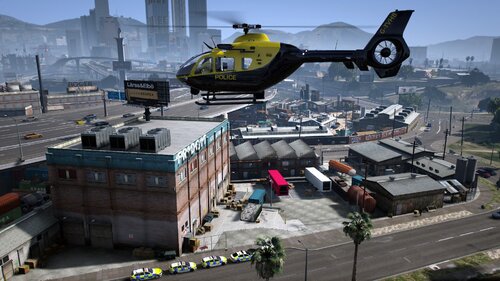 I’ve spent several hours testing this in GTA, alongside other developers in our Discord, and we’ve been unable to replicate the issue you’re describing. Given that our script only locks the helicopter in place without altering its speed or any other variables, it’s likely there’s a conflicting script causing this behavior on your end.
 -
-
Of course the game wont load "mods" because it's now named "_mods" this is how everyone finds out if mods or the game itself that's causing the issue. If renaming your "mods" folder to "_mods" stops the game from crashing, it indicates there's likely an issue within the contents of your "mods" folder. Something recently added may be causing the crash. To troubleshoot, try renaming "_mods" back to "mods." If the game crashes again, you'll know the issue is indeed within the "mods" folder.


.thumb.png.656f907bc2febc81911b0b821cb502c8.png)


