




Lennyy
Community Team
-
Joined
-
Last visited
Everything posted by Lennyy
-
-
-
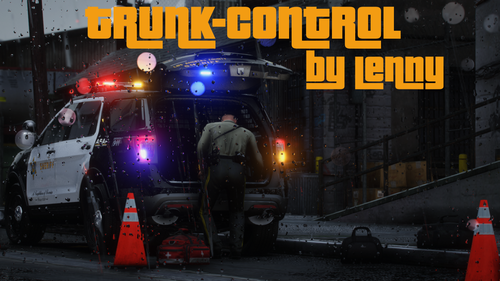 TrunkControl is a RPH plugin which let's you open your trunk via one simple button click. It’s mainly for RP purposes although some sort of menu functionality will be added in the future. How to install TrunkControl Download the .rar and extract it via WinRAR or 7-Zip. Drag and drop the Plugins folder into your GTA-V main directory. Drag and drop the RageNativeUI.dll into your GTA-V main directory. How to load TrunkControl There are two ways of how you can load the plugin: Use "LoadPlugin TrunkControl" in the RPH console. Load the plugin on startup (RPH settings) Requirements A legal copy of Grand Theft Auto V. RagePluginHook 1.90 or higher which you can download here (You most likely already have it as it's a prerequisite for LSPDFR). RageNativeUI 1.9.1 (included in this download). Features TrunkControl let's you open your latest vehicles trunk with one click (default T). You have to be within range of your trunk to be able to open it. The key is fully customisable and also supports controllers. RageNativeUI menu to retrieve additional equipment (default F5). Integrated version checker which always tells you if you are on the latest version or if you need to update the plugin. You can still play on an outdated version though I wouldn't recommend it (Massive thanks to @sEbi3 for open sourcing UnitedCallouts). [NEW] Integrated dependency checker which tells you if you are running the latest required version of RAGENativeUI. Thanks to @Rich for helping with that. [NEW] Enhanced logging to pinpoint issues more precisely. [NEW] Edit the range your trunk is detected by the plugin. How to customise the key You can simply change the key to open your trunk via the plugins .ini file (Plugins/TrunkControl/TrunkControl.ini). After changing the key (or button), you don't need to reload the entire plugin to use the new key. Entering the command "ReloadTrunkControlConfig" in the RagePluginHook reloads the config file. Future development With gaining more and more knowledge about RAGE's API and C# I will always give my best to implement more features and update the plugin. If you have any sort of suggestion, idea or improvement that helps the plugin and user experience please let me know via the comment section or send a DM my way. Visual Installation Guides Some awesome people have decided to create installation tutorials for my plugin. You can find a an up-to-date one below. Support If you encounter any issue with my plugin, post a comment further down below or send me a direct message.
- 47 comments
- 14 reviews
-
-

-

- 29
-
-
Was hast du zuletzt geändert? Versuch das mal rückgängig zu machen und check ob das hilft.
-
As long as this crash isn't happening all the time it's fine. Simple re-try and see if it happens again when spawning an ambulance.
-
Please attach your latest RagePluginHook.log found in your main directory.
-
Delete PoliceSmartRadio and AlboCommon (Main directory) and retry please.
-
Have you verified your game files before already?
-
Are you trying to launch GTA via Rage with ENB installed?
-
Got a screenshot of that?
-
Delete TrafficPolicer, ArrestManager and AlboCommon (main directory).
-
Kann trotzdem deshalb sein. Ist immer schwer herauszufinden.
-
Mods Ordner zu _mods und nochmal versuchen.
-
Mit der Rage Konsole (F4) kannst du jeden bleiben callout starten. Desktop crash? Oder was stimmt nicht?
-
Please attach your latest RagePluginHook.log found in your mann directory.
-
Force a callout würde ich noch löschen sonst alles top!
-
Klar. Schick einfach ein Screenshot deines Plugins\LSPDFR Ordners
-
You’re welcome!
-
Does your game start working when you rename your mods folder to _mods?
-
Please attach your latest RagePluginHook.log found in your main directory.
-
Please attach your latest RagePluginHook.log found in your main directory.
-
Please attach your latest RagePluginHook.log found in your main directory.
-
Try to load GTA without rage and see if that helps. If not rename your mods folder to _ and try again with rage.
-
Are you able to attach a screenshot of the error?
-
The normal backup (base LSPDFR backup menu?) fails to follow the selected pursuit tactics? You might want to try and reinstall LSPDFR (manually).

