




Lennyy
Community Team
-
Joined
-
Last visited
Everything posted by Lennyy
-
You're welcome!
-
They may/may not cause crashes. ChillCallouts and AssortedCallouts will crash. AirportCallouts I'm not sure about since it's a bit more "updated" than the other two but still considered out of date. Here is the fixed xml SpecialUnits.xml You had two </VehicleSet> tags missing
-
You're welcome!
-
You have an error in your SpecialUnits.xml file from UltimateBackup (Grand Theft Auto V\plugins\LSPDFR\UltimateBackup) in line 456 position 5. You can either use a xml validator to fix it or upload your CustomRegions file and I will take a look. Also I'd suggest removing the highlighted plugins due to them being out of date. Also update UltimateBackup to 1.8.7.0 (http://www.bejoijo.com/)

-
Please upload your RagePluginHook.log
-
Two things you need to do: -Set your plugin timeout threshold to 60000 in your rage plugin hook settings. You can do so by clicking on the gear ⚙️ icon when starting rage and changing the number you see to the value I stated above. -Update rage native ui to the latest version (1.8.1 as of right now) via downloading it here: https://github.com/alexguirre/RAGENativeUI/releases/download/1.8.1/RAGENativeUI.zip
-
The mod I linked has a bright option for day as well which works just fine on my system
-
Did you install the very bright option from RadianceV? If so try the less bright one or install this:
-
Did you install the wardrobe.ini config forEUP menu as well?
-
Right click the GTAV folder and go to properties > security and check if your user has the required permissions. Tick the box that says full control and hit apply + ok. That should fix the access is denied issue.
-
What you're seeing there is called "texture loss". In order to fix that you can try one or more of these steps: -Go to your lspdfr.ini (which can be found in your lowercase lspdfr folder within the GTA V main directory) and set Main.PreloadAllModels to false. -Remove any very high poly vehicles you installed into your game (Use openIV to open a cars .yft file for example sheriff2. You can see the amount of polys the cars has in the top left corner. Anything above 200,000 may cause issues) -Downgrade 4k textures (Open the cars .ytd file through openIV e.g police3.ytd and drag the file that contains the texture to your desktop. Use a picture editing software of your choice to change the resolution from 4096*4096 to 2048*2048. Save it to your desktop and drag them back into the OpenIV texture editor. Hit "save" afterwards. -Simply lower your graphic settings a bit and see if that already helps
-
To my knowledge there aren't any British up to date EUP 8.2 packs at the moment. I'd use peds
-
Check out 11John11 on GTA 5 mods. His packs are super detailed and high quality https://www.gta5-mods.com/users/11john11
-
Might be worth trying out this: https://de.gta5-mods.com/vehicles/declasse-burrito-mapped-add-on-liveries-template
-
Since the latest public EUP version is 8.2 this pack you linked above is out of date and won't work. To my knowledge there is no up to date EUP pack for British stuff so I'd recommend using peds instead.
-
A few good packs I can think of atm: -RegularCallouts -UnitedCallouts -ForestryCallouts -DeLuca's county callouts -SuperCallouts -SimpleCallouts
-
There is no way to disable the default LSPDFR callouts I think. However I think you can add Ambient.DisableEscapedSuspectEncounter = true to your lspdfr.ini to disable at least the ambient pursuits that happen. Setting the callouts multiplier to 0 would effect all installed callouts.
-
This would be what you're looking for!
-
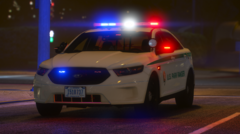
From the album: My GTA V screenshots
-
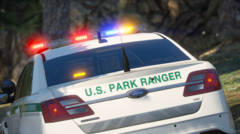
From the album: My GTA V screenshots
-
From the album: My GTA V screenshots
-
Schick mir mal bitte ein screenshot von deinem Plugins/LSPDFR Ordner.
-
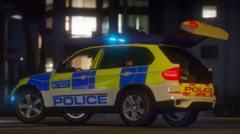
From the album: My GTA V screenshots
-
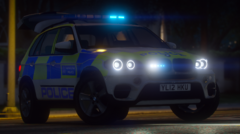
From the album: My GTA V screenshots
-
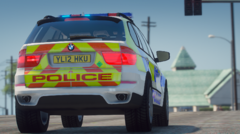
From the album: My GTA V screenshots



