




Lennyy
Community Team
-
Joined
-
Last visited
Everything posted by Lennyy
-
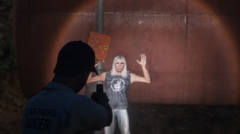
From the album: Lore Patrol
State Parks Ranger apprehending a possibly arsonist in Paleto Forest -
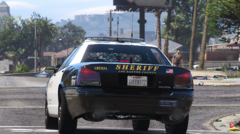
From the album: Lore Patrol
LSSD unit patrolling in Mirror Park, East Vinewood, Los Santos -
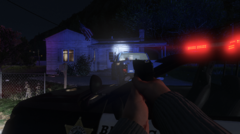
From the album: Lore Patrol
BCSO involved shooting with a wanted suspect, Paleto Bay -
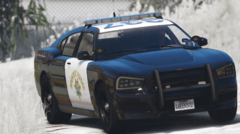
From the album: Lore Patrol
A SAHP unit shooting radar on Senora Freeway. -
-
I made a very basic layout for your request. The peds will need to be changed as I unfortunately don't know what officers in a bomb squad wear. Right now, they will have plain clothes and a vest.
-
OpenIV sollte normalerweise keinen Administrator-Modus benötigen. Ein gelb-oranges Popup-Fenster sollte dir einen Hinweis dazu liefern sobald du im Edit-Modus bist. Versuche das mal zu öffnen und die Berechtigungen für deinen GTA Ordner setzen zu lassen. Ich habe übrigens auf deinen Wunsch hin ein aktualisierten Post zur Fahrzeug-Installation erstellt.
-
Auf wiederholte Nachfrage auf ein aktualisiertes Tutorial zur Installation von Fahrzeugen in GTA, wollte ich dem heute nachkommen und einen Beitrag dazu posten. Vorab benötigst du: Eine legal erworbene Kopie von GTA V (Steam, Rockstar oder Epic Games). OpenIV. WinRAR oder 7Zip zum entpacken von heruntergeladenen Fahrzeugen. Informationen Grundsätzlich gibt es zwei verschiedene Arten von Fahrzeugen die du installieren kannst. Zuerst einmal schauen wir uns die "Replace"-Fahrzeuge an. Später erfährst du wie du "Addon"-Fahrzeuge zu GTA hinzufügst. "Replace"-Fahrzeuge Um Replace Fahrzeuge zu installieren musst du den folgenden Pfad in OpenIV öffnen und den edit mode aktivieren. GTAV\mods\update\x64\dlcpacks\patch2025_02\dlc.rpf\x64\levels\gta5\vehicles.rpf\ Nun markierst du die Installationsdateien von dem Fahrzeug welches du installieren möchtest und ziehst diese in OpenIV. Falls dein Fahrzeug ELS kompatibel ist musst du die ELS xml Dateien noch in GTAV/ELS/pack_default packen. ELS findest du hier. Zudem benötigst du für ELS noch ScriptHookV. Dies kannst du hier herunterladen. Ich habe keinen Mods Ordner: Spoiler "Addon"-Fahrzeuge Das Installieren von Addon-Fahrzeugen ist ein wenig anders als bei Replace-Fahrzeugen. Um Addon Fahrzeuge zu installieren musst du den folgenden Pfad in OpenIV öffnen und den edit mode aktivieren. GTAV\mods\update\x64\dlcpacks\ Nun ziehst du den Installationsordner deines Addon packs in OpenIV (Den Ordner erkennst du daran, dass sich eine Datei namens dlc.rpf in ihm befindet). Folge dem folgendem Pfad in OpenIV und öffne die Datei dlclist.xml via rechts Klick -> edit. GTAV/mods/update/update.rpf/common/data Scrolle bis zum Ende der Datei und füge einen neuen Absatz mithilfe von Enter vor dem </Paths> Eintrag hinzu. In der ReadMe-Datei des Fahrzeuges sollte sich ein vorgefertigter Eintrag für dein Addon Ordner befinden. Z.B. <Item>dlcpacks:\BCSOAddon\</Item>. BCSOAddon steht dabei für den Namen deines Addon-Ordners. Drücke nun auf "save" und schließe OpenIV. Falls dein Fahrzeug ELS kompatibel ist musst du die ELS xml Dateien noch in GTAV/ELS/pack_default packen. Wichtig! Falls du planst Addon-Fahrzeuge zu installieren, benötigst du die folgenden Dateien da dein Spiel andernfalls abstürzen könnte. https://www.lcpdfr.com/downloads/gta5mods/misc/24718-gameconfigxml-for-lml-or-manual-install-by-rde-team/ https://de.gta5-mods.com/tools/heapadjuster https://www.gta5-mods.com/tools/packfile-limit-adjuster Ich hoffe dich konnte dir weiterhelfen. Bei Fragen poste einfach einen Beitrag in das Support-Forum!
-
Versuche die nachher selber mal. Danke fürs schicken!
-
Das ELS-Panel kann man meines Wissens nach nicht verschieben. Die Koordinaten sind wohl hardcoded.
-
Es wäre hilfreich, wenn du die Autos die nicht funktionieren hier verlinken könntest. Schaue mir die gerne mal an.
-
Würde ich nicht sagen. Es liegt halt an den Usern neue Posts zu erstellen welche aktuelle Anweisungen enthalten. Generell gilt: Replace Fahrzeuge in den letzten Patchday installieren. Da kann man nicht so viel falsch machen.
-
I really like the new dashboard so far. Gives you a good overview of the most important information. The file update notification page is even better. Going through all followed files to unsubscribe to certain files individually was a pain 😂. Well done!
-
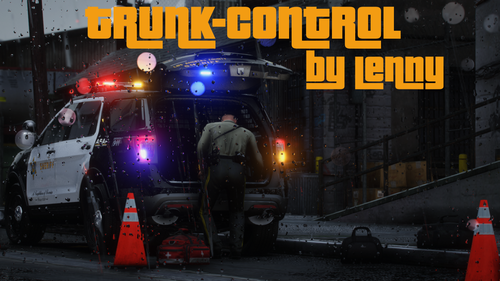 I’ll pick up development in the near future. What would you like to see added?
- 47 comments
- 14 reviews
-
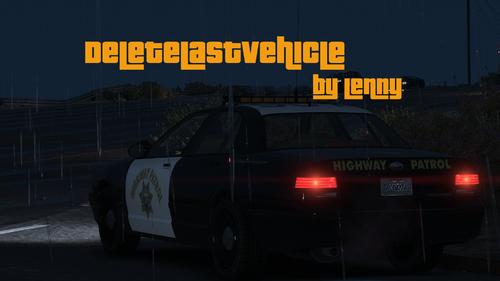 First of all thanks for commenting. Originally the plugin used a Hotkey but I didn’t really like that as I already have too many keybinds set. A console command is way easier in my opinion. Could not have explained it better myself. Thank you
 -
DeleteLastVehicle DeleteLastVehicle is a Plugin for RagePluginHook which adds a command to RPH's console that lets you delete your last vehicle by typing dv into the RPH console. Whilst installing and testing new vehicles I always found it very annoying to use Menyoos spooner to delete them. How to install DeleteLastVehicle Download the Plugin and extract it via WinRAR or 7-Zip. Drag and drop the Plugins folder into your GTA-V main directory. How to load DeleteLastVehicle There are two ways of how you can load the plugin: Type "LoadPlugin DeleteLastVehicle" into the RPH console (F4). Load the plugin on startup via the RPH settings. How to use DeleteLastVehicle Using the plugin is very easy. All you need to do is open the RPH console via F4 and type in dv. Hit enter and your last vehicle should be gone! Requirements A legal copy of Grand Theft Auto V. RagePluginHook (included in the manual install of LSPDFR). Suggestions & Ideas If you somehow have an idea for the plugin which you want me to add please let me know via the comments section. Support If you encounter any issues with the plugin, either report them in the comments section or send me a direct message.
-
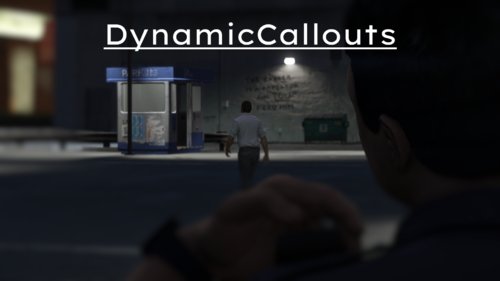 Looks extremely promising so far. Really enjoyed the different approaches with the "Individual shouting at people callout".
- 46 comments
- 3 reviews
-
-

- 1
-
-
You're most welcome!
-
Maybe have a look at this mod by @Echooo:
-
Do you have NVR installed? If so, delete the NVR_Emissives folder from your dlcpacks.
-
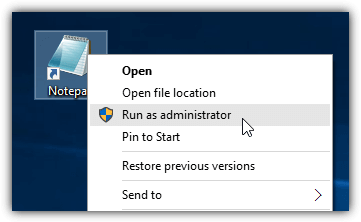
Right click the file > run as administrator
-
It is really up to you which patchday you want to use. Even lower ones would still work however remember newer ones override the older ones. However 27 is just fine.
-
Hey, sieht so aus als müsstest du LSPDFR mit der manuellen Installation nochmal neu installieren. RagePluginHook wurde geupdated um mit der neusten Version von GTA zu funktionieren. Dein Post wäre übrigens im deutschen Forum besser aufgehoben :D, mach dir aber nichts daraus!
-
Sehr cool; Dafür nicht!
-
Momentan gibt es keinen Grund ein Downgrade auf einer der Versionen durchzuführen. Lösche einfach mal deine GTAV.exe aus deinem Hauptverzeichnis, verifiziere deine Spielintegrität und installiere die manuelle Version von LSPDFR hier. Falls du nicht weißt, wie man die Integrität überprüft, schaue dir mal diesen Link an: https://www.epicgames.com/help/en-US/technical-support-c5719357686683/general-support-c5719341627163/how-do-i-verify-game-files-in-the-epic-games-launcher-a5720337301659



