




Charlie686
Members
-
Joined
Everything posted by Charlie686
-
Not a great start 😕
-
No problem!
-
It is but it is also still crashing your game. Let's remove it and see if it makes a difference.
-
Install the following: https://www.gta5-mods.com/tools/packfile-limit-adjuster https://www.gta5-mods.com/tools/heapadjuster https://www.gta5-mods.com/misc/gta-5-gameconfig-300-cars
-
Remove Regular Callouts and increase your plugin timeout threshold to 60,000 -> this can be done in the RAGE settings.
-
Okay then do the other thing I suggested 🙂
-
Likely so. Do you have a gameconfig +heap/packfile adjuster?
-
Some things you may want to try: Removing high poly vehicles. Higher poly count = more resources needed Lower any 4K vehicles to 2K Install a custom game config if you don't have one already (https://www.gta5-mods.com/misc/gta-5-gameconfig-300-cars)
-
Perfect.
-
Do you have a mods folder? If so, rename it to _mods and see if the issue persists.
-
What do you mean temporarily? Is that set in your ini file currently?
-
In your lspdfr.ini set Main.PreloadAllModels = false
-
Yes - that is when it was last updated.
-
Can you do what I suggested initally please?
-
1. Navigate to mods/update/update.rpf/common/data/levels/gta5 2. Right click vehicles.meta and select Edit. Is that not working? Make sure you have Edit mode enabled (Look at the top right of OpenIV) 3. Find the sheriff model 4. Find <diffusetint> for that vehicle and replace that with "0x00FFFFFF".
-
Lovely! Glad to hear. Any more issues let me know 😜
-
Could you play with LSPDFR again and when it crashes attach a new log? Thanks.
-
Try playing GTAV without RAGE. Do you get a crash?
-
Rename your mods folder to _mods Does it still crash?
-
Increase your Plugin Timeout Threshold to 60,000
-
This is from your logs folder. Instead, upload your RagePluginHook log found in your main directory.
-
Update RageNativeUI. Link: https://github.com/alexguirre/RAGENativeUI/releases
-
Nice to hear! Have fun 😜
-
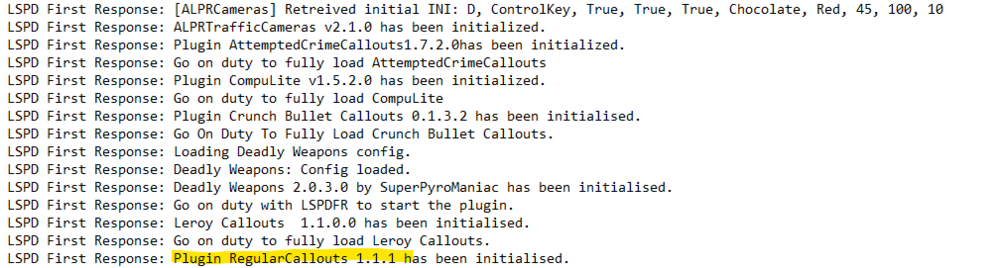
His/her version is up to date. Take a look here: But the crash did come from Regular Callouts though it may be random.
-
Which LSPDFR folder? The one in your main directory or the one in the plugins folder?



