


Jeffdadawg
Members
-
Joined
Everything posted by Jeffdadawg
-
-
Thanks for clarifying Cyan.
-
Sorry for the topic bump, but the issue's still there. Not really a big issue, but I'd prefer if it was fixed. And yes, I don't follow those forums. Haven't followed them for a while.

-
Hihi, You'll need this and its prerequisites (found in file desc) : https://www.gta5-mods.com/misc/gta-5-gameconfig-300-cars
-
All your F keys are full? I would recommend you try it. Other than that, I don't know what else to say.
-
Hey, Some people have reported that The F keys work (F1, F2...) Perhaps you may want to try that?
-
Hey, If you don't know already, RPH updated, along with SHV. LSPDFR doesn't need an update, and gameconfig works fine. Hope this helps! 🙂
-
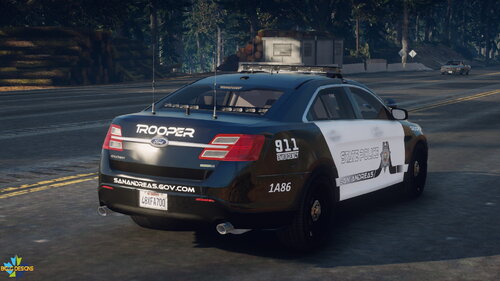
.png.9052bddc909a54490b993d248f0a353a.png) *Sips Coffee*
*Sips Coffee* -
Just so you're aware, STP released a new update (a while back, actually) that makes it easier to PIT. You may want to check it out.
-
Hello! Nice to see that you're enjoying LSPDFR. As for your list, inhales : More events. I assume you mean callouts? Here are some good ones : You can find more on the site 🙂 You can call backup to assist you in the callouts. You can use Ultimate Backup here : https://www.bejoijo.com/post/ultimate-backup Bejo's plugins are the best out there. LSPDFR has 2/3 built-in callouts. This includes a Robbery callout, which has a timer. AFAIK, there is no way to get rid of the timer, but you can immerse yourself with other callouts instead. For using your microphone to communicate with Dispatch, you can use GrammarPolice. To talk to peds, you can use StopThePed. No other plugin like it. Made by Bejo. I highly, highly recommend it. https://www.bejoijo.com/post/stop-the-ped Hope this helps! 🙂
-
In case you don't know where to get it, Bejo's stuff are here : https://www.bejoijo.com/
-
Maybe there could possibly be an option to revoke the report? I don't see why they would grant us permission to change our own report statuses but revoking our own reports makes sense. I've been in a situation where I wanted to take back my report as well. (Also, even if they 'DMed the wrong person for support' they're still trying to DM for support)
-
Yes.
-
Unless someone wants to lend you their wardrobe.ini with all the clothes in, you'll have to find them yourself.
-
The crime report button is used to report crime. When you spot a crime happening you hold down the button until the bar on the bottom right is full.
-
If you want Hanako's clothing, download them yourself. They can be accessed in the EUP wardrobe.
-
I see you already have Bejo's stuff. They greatly enhance the game so download more while you're at it. As for callouts, you can pick any that you like. I recommend these :
-
Have you tried Google?
-
That was a notification I got as well. I'll get another one:
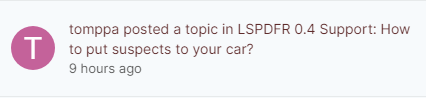

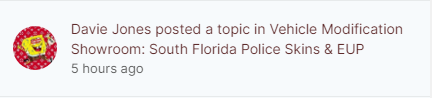
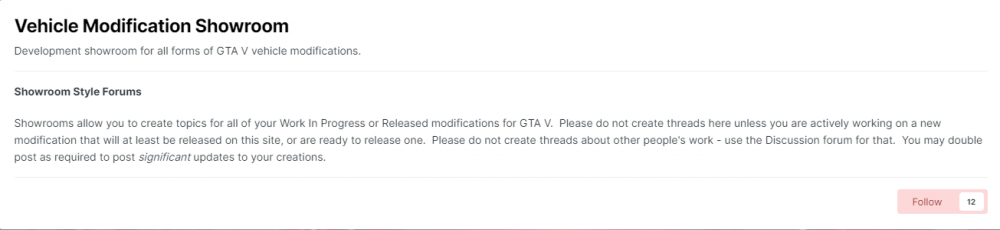
-
Hello everyone, I've recently experienced an issue where I get notifications from forums I don't even follow anymore. I've recently gotten notifications from LSPDFR 0.4 Support even when I don't follow the forum. Any help is appreciated Jeff
-
You don't need OpenIV to install LSPDFR, but you need OpenIV to install vehicles etc. OpenIV is essential for modding so I recommend you download it.
-
 A five from me. This takes immersion to the next level. This is something that is absolutely necessary for LSPDFR. Can't wait to see this plugin grow and progress. Amazing work.
- 346 comments
- 43 reviews
-
-

- 2
-
-
This has been popular recently. I'll drop an honest review after I've tested it out. The concept seems amazing. Definitely something that's needed in LSPDFR.
- 346 comments
- 43 reviews
-
-
- 2
-
-
unknownbastipn (One letter off!)
-
You are welcome 🙂


.png.9052bddc909a54490b993d248f0a353a.png)



