


Jeffdadawg
Members
-
Joined
Everything posted by Jeffdadawg
-
That means ELS isn't loading at all. With Non-ELS, you may need to install files such as the carvariations.meta for it to work properly. With ELS, can you do this : Open the OpenIV ASI managers (found on the ribbon of OpenIV) and uninstall them. Close OpenIV Restart your PC Open OpenIV Reinstall ASI loaders Let me know if it works.
-
The game folder must be called 'Grand Theft Auto V'. The Launcher will always try to boot that folder up. You will have to rename your vanilla folder to something else and rename your mods folder to 'Grand Theft Auto V'.
-
Can you go in game and press Ctrl+P for me? If a menu shows up on the bottom right, let me know.
-
Log says "Exception message: Processing cache while it's still in use - one or more subcalls may have caused the thread to yield" which usually isn't a big deal. A simple game restart should do. I'd also recommend removing Albo's plugins (Computer+, PoliceSmartRadio etc. ) and other outdated plugins which can help improve game stability.
-
The only way I know of to make the suspect surrender while in a shootout is to get close to them and hold E, which initiates a takedown. That is, if you can prevent your fellow officers from killing the suspect first.
-
As far as I'm aware of, there is no translation capability for LSPDFR yet.
-
Looks like an issue with the police vehicle. If you've recently replaced it, I'd recommend reverting those changes.
-
Make sure you've installed Compulite correctly. Could not find a part of the path 'D:\Program Files (x86)\Steam\steamapps\common\Grand Theft Auto V\Plugins\LSPDFR\CompuLite\CourtCases.db'. I would also recommend removing Albo's plugins (Traffic Policer, LSPDFR+ etc.) and since you already have Bejo's stuff, you're good to go.
-
Assorted Callouts is outdated and will no longer work with the latest version of LSPDFR. I would recommend downloading other callout packs from the site. A few I personally recommend:
-
 Lukas... Great callout pack! I do notice there are a few typos here and there though. I look forward to seeing what becomes of this pack and keep up the good work!
- 109 comments
- 12 reviews
-
-

- 1
-
-
Hello, Unfortunately, Assorted Callouts does not work with the latest version of LSPDFR, and AM and PR are also outdated. I would highly recommend Bejo's plugins, which are a good replacement : https://www.bejoijo.com/
-
I see. Can you link the two CVPI and the Charger for me? If you are using RadianceV, you have to turn Shaders and Post FX to high or very high in the graphics settings for it to work.
-
Make sure you installed it correctly through the manual install. [6/22/2021 1:46:02 PM.527] LSPD First Response: [FATAL] Failed to load backup data: System.IO.FileNotFoundException: Failed to find file:lspdfr/data/agency.xml
-
Looks like something with County Callouts. Have you edited the County Callouts xml recently? If so, revert those changes.
-
Mind sending a picture?
-
There is no 'helicopter' mod that I know of. It's just LSPDFR, with Spotlight.
-
You have a police vehicle that's ELS and you want to disable the lights just remove the .xml. Or, you could just not activate the lights?
-
Evil smile Unfortunately, we don't know what's causing the crash. You'll need to find that for yourself. What's the most recent thing you added to your mods folder? You might want to try removing that.
-
As Seb said, the addon method works fine. I use this for more slots : You may want to check it out.
-
Ah. Good to hear. Happy patrolling!
-
.png.03b890f9ef160c0191dabcf6cce85ddf.png) Do I see a Vic and LORE SASP cars?
Do I see a Vic and LORE SASP cars? -
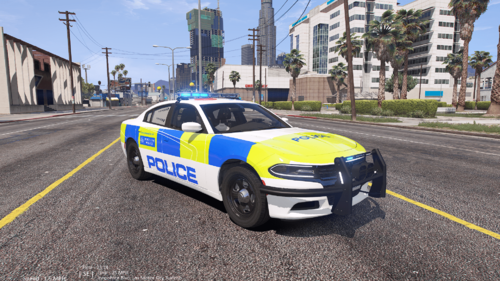 @Charlie686Finally a good car to put in your game and not some Volvo XC682486203.😂 Also, childish I know, but...
 -
Attach your RPH log.
-
Make sure you've got this installed : https://github.com/alexguirre/RAGENativeUI/releases Yeah...Not everything is solved by setting the PTT to 60000.
-
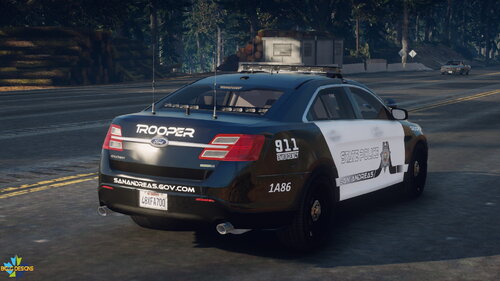 Latest patchday. I recommend a tutorial to help get you started. Check out some of Benzo's tutorials : https://www.youtube.com/channel/UCCAfshFkLmgQwke6ga202Xw
- 30 comments
- 4 reviews


.png.03b890f9ef160c0191dabcf6cce85ddf.png)
