


OfficerArchie
Members
-
Joined
-
Last visited
Everything posted by OfficerArchie
-
Followed your very detailed instructions, however now I don't have any sirens (even for the police vehicles). My vehicles awc was already modified with a new police siren and walter's train sounds mod, would this clash with any of these?
- 8 comments
- 2 reviews
-
I rolled back to the previous launcher, however the constant crashes from low memory are still there... whatever they did in that update has nerfed my game. Thumbs down to you Rockstar.
-
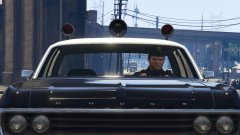 "...I'm throbbin' like a steam train down there....".
 -
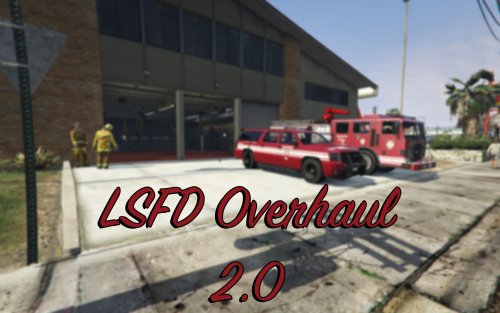 Just added these in game, absolutely beautiful, quality is outstanding, well done.
- 6 comments
- 4 reviews
-
-

- 1
-
-
Yerp, same here, low performance and constant out of memory crashes (which I never had before this update). I'm rolling back to the previous launcher now...
-
 Each to their own I guess, but personally I much prefer for mods to stay lore friendly, unless of course you are doing a total overhaul of EVERYTHING in game to make it real world like, which in itself would be a near impossible task. I love this, a great addition to my immersion in the San Andreas world, thank you!
- 30 comments
- 4 reviews
-
 Love your work man, but I do prefer the non-starburst corona you had in the pre 3.5 hotfix version, any way to get the previous less defined corona from that one and add it in? Thanks.
- 246 comments
- 40 reviews
-
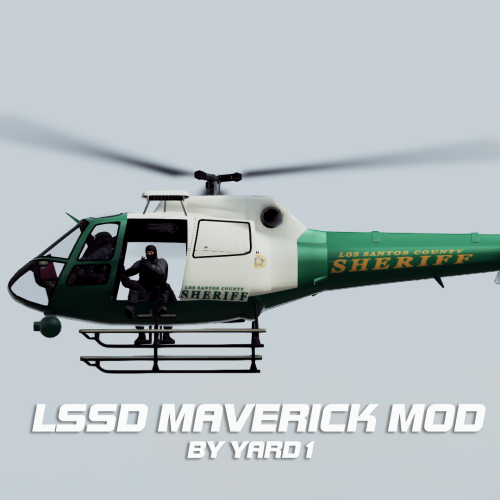 Working perfectly, thanks Yard!
 -
Hi Yard, I'll try again, but I installed the bits of the latest Crime and Police Rebalance & Enhancement that I wanted, then i installed your mod and overwrote the dispatch and vehicles meta with the ones you provided, game freezes on start up every time. I went back (after a lot of trial and error) and reinstalled the dispatch and vehicles files from the CPRE pack and it works fine again. Scratching head now!
-
Seems to be a problem with the vehicles and dispatch meta included with this in the options for use with Crime and Police Rebalance & Enhancement 1.4.01, I reverted to the ones included in that mod and game started up fine again.
-
 Great shot! The lightning storms in V are something to behold, that's for sure.
 -
I entered this topic with a little trepidation, given the title.... the CERN 'Hardon' Collider....
-
"Feckless, lazy bast@rd... good riddance" Enrique Pena Nieto President of Mexico.
-
That is just f&@king awesome, kudos to you man, great work!
-
Well, I'm going to let the cat out of the bag here, I'm 51 this year and have been gaming since the inception of personal computers and basic code. I am a full time academic, am into my second marriage, have 4 children and 2 grand-children and when I get the time I still play (in fact when my three year old grandkids come over to visit the first thing they want to do is sit on my knee and watch me drive the 'eee-aaww' car around in GTAIV, no shooting of course lol). As was said earlier, it is now just entertainment, if I can grab a half hour or so here and there I am happy, and I actually spend more of that time modding and retexturing than actually playing. So I guess that it will continue into my twilight years!
-
At the end of the day, how much more indication of a 'clear and present danger' does the Western world need? "A good plan violently executed now is better than a perfect plan executed next week." - George S. Patton
-
Why the ELS hate Lund, share the love man, do both!
-
 Good point, will do.
 -
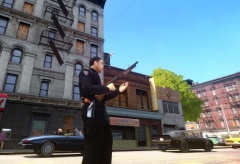 Just a simple retexture over the top of the existing holster, seems to work ok at the moment.
 -
-
From the album: OfficerArchie's Old Style Gun Belt WIP
Still a primitive WIP, but I wanted to try and work around the model restrictions and retexture an older style revolver holster and weapon butt. Here are the initial results. -
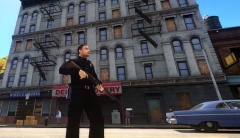
From the album: OfficerArchie's Old Style Gun Belt WIP
Still a primitive WIP, but I wanted to try and work around the model restrictions and retexture an older style revolver holster and weapon butt. Here are the initial results. -
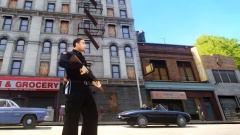
From the album: OfficerArchie's Old Style Gun Belt WIP
Still a primitive WIP, but I wanted to try and work around the model restrictions and retexture an older style revolver holster and weapon butt. Here are the initial results. -
From the album: OfficerArchie's Old Style Gun Belt WIP
Still a primitive WIP, but I wanted to try and work around the model restrictions and retexture an older style revolver holster and weapon butt. Here are the initial results. -
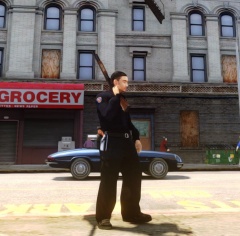
From the album: OfficerArchie's Old Style Gun Belt WIP
Still a primitive WIP, but I wanted to try and work around the model restrictions and retexture an older style revolver holster and weapon butt. Here are the initial results.

