


OfficerArchie
Members
-
Joined
-
Last visited
Everything posted by OfficerArchie
-
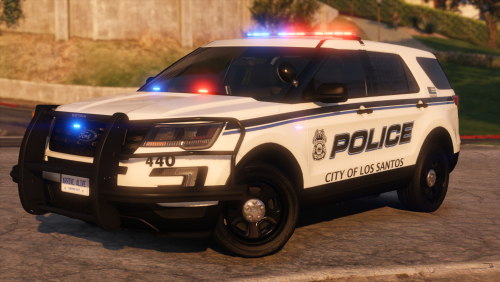 This pack is splendiferous, I forgive you for some non-breaking windows (which is usually a deal-breaker for me - see what I did there?). 5/5
- 47 comments
- 16 reviews
-
-
-
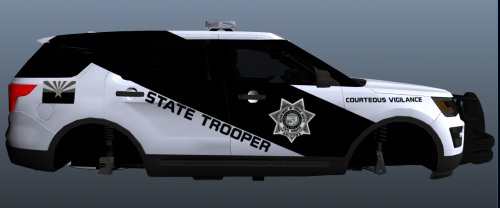 Nice work. Check BradM's SA version, maybe he has the correct font:
 -
 Hi Beren, Hope your studies are going well! When you get back into the updating, can you please add Hurks new Forza CVPI to your list for this pack, pretty please? Thanks!
- 111 comments
- 23 reviews
-
 No it shows the original file, but when you click on the download it takes you to Crosire's external site, it was updated 17 days ago (that is the direct link I provided).
- 2,689 comments
- 236 reviews
-
Fixed it. Did not realise there was an update of ScriptHookV.NET, updated and all fine now. https://github.com/crosire/scripthookvdotnet/releases
- 2,689 comments
- 236 reviews
-
-
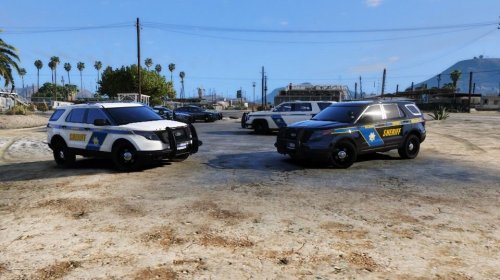 Yes, the first one is Bugs, the second is the general DSF one that everyone else uses.
- 6 comments
- 6 reviews
-
-

- 1
-
-
-
Great skins, but would it be possible for you to add a CVPI skin as well (for both CVPI templates)?
- 6 comments
- 6 reviews
-
-
- 1
-
-
 Is it intentional that the front and rear windows are unbreakable? Has the Department sprung for bulletproof glass (but only if being fired upon from front or rear)?
- 39 comments
- 27 reviews
-
-
-
-
-
 Have always loved your work Hah, I would use this in a flash, but the windows not breaking are a real immersion killer for me, will follow and download as soon as you can get it fixed.
- 85 comments
- 28 reviews
-
-
- 3
-
-
 If you replace the rde vehicles you want with ELS enabled ones and set up ELS properly, it should be absolutely fine. I'm in the process of replacing now but have not finished yet so can't report back.
- 1,521 comments
- 85 reviews
-
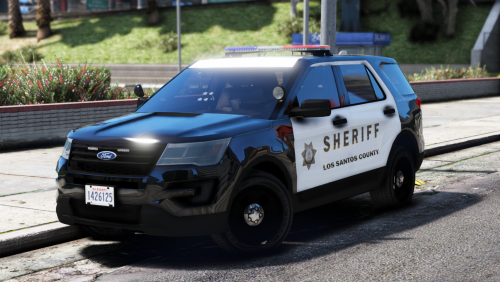
Only issue I have found (so far) is that I only ever get the Los Santos County Sheriff responding in the countryside, never Blaine County. Even in front of the Blaine County Sheriffs office in Sandy Shores, all I get is LS Sheriff responders. The peds are correct (they are Blaine County Sheriff peds). Very strange. In the rdesheriff dlc pack, in vehicles there are 'lssheriff' vehicles as well as 'sheriff' vehicles (Blaine County Sheriff), why is that? EDIT UPDATE: - Okay, went into the 'build' file and had a look at the 'ResponseLocations' xml file under the Balanced - No Army option I selected and it only referred to LSSD in the countryside, took the file from the Sheriff folder in scripts and replaced the one in game and it has fixed the issue. It seems that although I selected the Blaine County option in the build, it did not update the appropriate script files for whatever reason. Anyway, all good now, only have to try and solve the random game memory crashes RDE causes!
- 1,521 comments
- 85 reviews
-
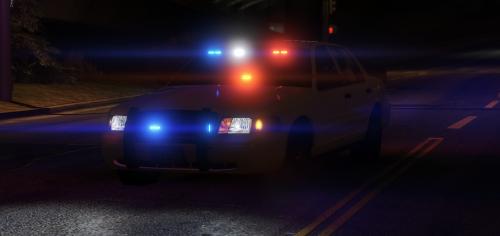 Can I ask what you have changed in the visualsettings? I use VisualV with Bugs Radiance Mod option, it would be easier for me just to alter whatever you have changed in my current file if that is possible ;-) Belay that! Figured it out, I just copied the emissive section of yours into my current visualsettings file, all works as advertised again. Thank you thegreathah! Oh, and to minimise Satan's burning bright butthole, just add a very dark transparency layer over your Taxi_Signs texture file in your taxi ytd, like this:
- 35 comments
- 21 reviews
-
-
- 1
-
-
.thumb.jpg.bfad1c193dd40b9d539eefd7c5187a5a.jpg) Assuming you have everything set up correctly, this can happen when you have another carvariations entry for this slot, ie. you created a new one in mpchristmas2 for example, but had an old one for the same slot sitting in the RDE carvariations (assuming you use RDE). You need to go through each of the dlc carvariation files and search for a duplicate Police, or police2 or whatever slot you have the car in, and delete the entry for the old one.
Assuming you have everything set up correctly, this can happen when you have another carvariations entry for this slot, ie. you created a new one in mpchristmas2 for example, but had an old one for the same slot sitting in the RDE carvariations (assuming you use RDE). You need to go through each of the dlc carvariation files and search for a duplicate Police, or police2 or whatever slot you have the car in, and delete the entry for the old one.- 157 comments
- 46 reviews
-
Everything working as advertised, however the leds on the liberty are no longer visible when you move only a short distance from the vehicle, is this a visualsettings issue or lods issue with the car?
- 157 comments
- 46 reviews
-
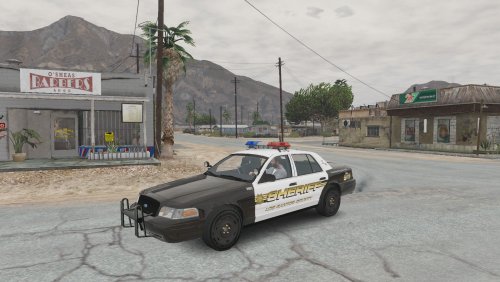 I want to love this car, the 2003 base with bare wheels and an MX7000 is a Sheriff's wet dream. Killers for me are the non-breakable windows and no corona's in headlights (but I don't think that is an issue from your end), and the non functioning (tiny?) spotlights. I even managed to get the interior tan colored for Sheriff use. 4/5 man I'll follow this one for sure.
- 29 comments
- 6 reviews
-
-
- 1
-
-
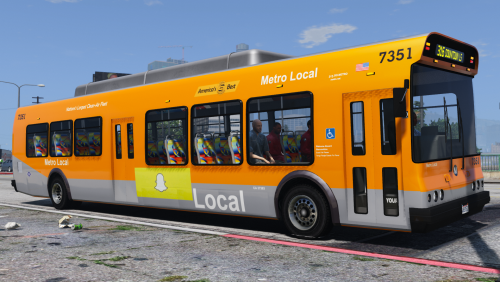 My mistake, it is the same model, so no breaking glass I am afraid. One other issue, I can't get it to spawn with any other livery than the first one, even with a trainer. Do I Need to create a new carvariations for the bus? Figured it out, just needed to add FLAG_HAS_LIVERY to the bus flags in vehicles meta.
- 18 comments
- 5 reviews
-
Yes. I'll try the newer model he released in his big multi-vehicle pack and see if that makes a difference.
- 18 comments
- 5 reviews



.thumb.jpg.bfad1c193dd40b9d539eefd7c5187a5a.jpg)
