
HankVoight
Members
-
Joined
-
Last visited
Everything posted by HankVoight
-
Great work! Only complaints are there aren't enough lights on the front like Foward said and that it needs a template. Other than that 5/5!
- 29 comments
- 5 reviews
-
Well I renamed the config files to match up with these new vehicles and everything worked great and in the right position. I was pretty happy about it too. On the Christmas tree Charger? I believe it's one of Bxbuggs K9 vehicles
-
Is there a way to use these vehicles with ELS V8 because I really don't want to go back to V7 but I also don't want to stop using these vehicles.. Anyone have any ideas for a fix to the problem? I know there a people that are using vehicles that are ELS V6/7 enabled with V8. Links to the vehicles; '?do=embed' frameborder='0' data-embedContent>> http://gtapolicemods.com/downloads.php?do=file&id=31 And that is it. Someone please help.
-
I'm pretty sure one of he vehicles has a limit of 10, FBI slot has 4 and the rest are 8 however I could be wrong.
-
One of the best looking trees I have seen
-
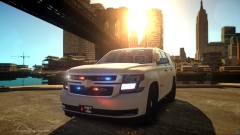 This model is a beast! Is it already being uploaded or is it still being finshed?
 -
Let me be the first to say yes ****ing please! This is one of the best Chargers I have seen!
-
It's a very nice setup hey! Oh you are a legend, thank you! I thought so at first as well. Thanks anyway!
-
So I am trying to find the crown vic that is shown is this video (below), I think it is a Bxbuggs model but I couldn't find it at all. I probably missed it in his download sections. If you know of it or where it is please comment a link below. Cheers
-
Hey guys, I'm writing this request for someone to make one of the GTA V Buffalo's as a lighting demo vehicle, if it could have the default GTA V light bar (thin one) and if possible a wrap around push bar, a lot of other lights and all of the other police equipment like radios, antennas, prisoner partition and consoles. I have attached pictures of what I would like and if someone has the spare time/ability to do it please comment. The picture with the lights activated is what I would like with the back being made to match the front lights if you get what I mean. The second picture just shows the lights deactivated. And the third is of the push bar I'd like. So like I said if someone could do this it would be a massive help. So please comment if you can or know someone that will.
-
Thanks for all the info!
-
Thanks for the info!
-
That is true
-
It sure does, I am extremely keen to try it but I'm not willing to risk it unless I know more info about it!
-
Have any of you fellow officers used this map mod yet? If so can you tell me if it has peds or vehicles walking/driving around. I have watched two videos but both seemed to be taken while in the development stage so there is nobody around. Also does it completely replace Liberty City or is it an extra?
-
Okay thank you.
-
Sorry to high jack this thread, but will this work in reverse if I wanted to remove the fat cops and have only the thin cops spawn everywhere?
-
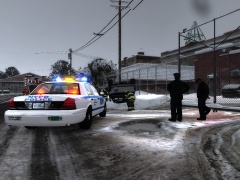 Ah thanks guys, I didn't even think of that!
 -
This looks awesome! Which snow mod is that if you don't mind me asking?
-
As the title suggests I am curious if vehicles could be ripped and converted over to GTA IV. If so could somebody convert a police hunter and adapt it to use ELS V8?
-
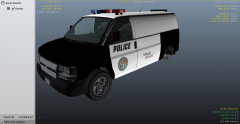 Looks good but I think it needs one of the GTA V lightbars to be complete!
 -
Ah dammit! I really hope it's converted soon :(
-
-
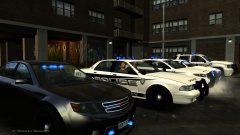
From the album: ELS V8 Vehicles
Two detectives from the LCPD Intelligence Unit test out some new vehicles that are on display for the public. -
Thank you very much! Hey do you mind if I ask you if you are planning on making one of the police vans from GTA V? I mean we have all of the other police vehicles just no vans :( If not its cool, just curious aha