



HankVoight
Members
-
Joined
-
Last visited
Everything posted by HankVoight
-
Alright well thanks anyway.
-
And what program do I merge it with? I can't do it in Zmodeler because it doesn't show up and I can't do it on the desktop folder because it doesn't give me the option. Remember I have never done any of this before so I have no idea what I'm doing, hence why I asked if there were any video tutorials. Or to save all of this time are there any other vector light bars other than this one '?do=embed' frameborder='0' data-embedContent>>
-
I don't even get the options like in your photo, I try to import the file but it doesn't even show up that it is there so I can't change it. But when I open it from my desktop it is in there?
-
How do I switch it over to PNG format. The lightbar model in the folder says its in .z3d whatever that means.. Thanks, but there isn't anything in there for non els vehicles only ELS
-
Like a step by step video on how to do it, like the ELS ones on youtube. I'm trying to make a marked patrol version of the 2013 Ford Explorer that was released earlier today with the arma console, vector lightbar, rambar, antennas and a body partition but I loaded in all the vehshare, vehicle, lightbar and extras textures. Imported the models but nothing wants to work properly, and it really doesn't help that I don't know what I actually doing Edit - I attached a photo of what I mean. It has an entire log at the bottom full of it telling me it can't find anything yet I just imported all of the textures, It also can't find the model for the lightbar in the folder. The console spawns in the middle of the backseat and the push bar is too far away from the front of the vehicle (I have no idea how to move either) I just don't have a clue what I'm doing wrong or what else to do.
-
Are there any tutorials out there for non els vehicle making in zmodeler rather than just els cars. I had a crack at it today but nothing was working :/
-
Anyone able to do it?
-
So I was scrolling through the download section just before when I saw that a 2013 Ford Explorer had been released unlocked. Can someone please make a non els version of this with the vector lightbar and some grill lights. It would be a huge step up for the non els community as we really don't get any other cars made for us, except for the gta v cars from Yard1 who is doing excellent work. But in all honesty I want to have real cars in my game, and have been waiting for the day something like this would be released and to have a non els version of the explorer would be amazing. So please comment or pm me if you can do it. I will attach links of the lightbar, the model and some extra equipment. '?do=embed' frameborder='0' data-embedContent>> '?do=embed' frameborder='0' data-embedContent>> '?do=embed' frameborder='0' data-embedContent>> '?do=embed' frameborder='0' data-embedContent>>
-
 Well I for one like the ram bar on it quite a bit! Makes it look mean and scary. Perfect for gang unit work.
- 17 comments
- 2 reviews
-
-

- 1
-
-
Step 1 - Open up your preferred web browser. Step 2 - Open up a Google page. Step 3 - Type in what you are searching for, don't forget to add GTA IV at the front. Then click search. Step 4 - Go through results and pick an answer you like. Step 5 - Download and install the vehicles you were after. Or instead you could just go to the downloads section ( http://www.lcpdfr.com/files/category/10-vehicle-modifications/ ) and have a look as there are plenty of vehicles in there that have the Valor lightbar. Remember Google is your friend.
-
Something that makes ELS look amazing but doesn't give you the frame drop would be wonderful!
-
So I was rolling through the interwebs when I came across a picture of an Albuquerque Police Charger and thought they would look pretty nice in Liberty City. So I spent all night last night hunting down pictures, templates, looking for the right cars and so on till I settled for a few of Cj24's cars including his CVPI, Charger and Tahoe pack, as well as one of his Slicktop CVPI's. I have made 4 skins for each car in his vehicle pack, and one supervisor skin for his slicktop CVPI. I am trying to find a template for an Albuquerque Charger pack that was released on here so I can create a Liberty City texture for the DWI slicktop charger in that pack. Is anyone able to take some really awesome photos for me showing them off at their best potential, I will include photos I have taken but they don't look too enticing as I don't have any Enb's installed. If you could leave comments and feedback on the textures and whether or not I should release them that would much appreciated. Oh and I also have a custom lightbar setup for the vehicles based off the NY State Trooper's vehicles.
-
It is a very beautiful photo :D
-
Beautiful, thanks! +1 to you good sir.
-
Does anyone know if there is a Tahoe out there somewhere with this same New Mexico lighting setup? I don't care about the light colour just the placing.
-
-
-
-
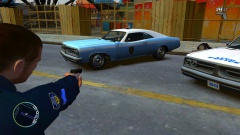
From the album: Treats
-
-
I ended up doing just that.
-
Does anyone know if there has been a Blue Bloods theme music released for the loading music when you start the game or not? This one
-
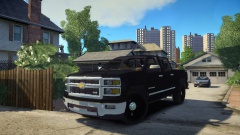 Throw some NON ELS lights on it and it would be perfect! :D
 -
 I say let them go for it, then whoever wins gets a ticket and the other a trip to the hospital! :D
 -
They'd all be great if they were non els! I don't particularly care if it's a Silverado or something like an F150 so long as it's non els. I thought that link I posted was an unlocked model and was going to see if someone could add some non els lights to it and hand it back but since it's not that idea is out the window


