



bjackson1991
Members
-
Joined
-
Last visited
Everything posted by bjackson1991
-
 Thanks for your input and info on .bat files. My fps runs high while my CPU stays pretty low so I don't think this would be a mod that would benefit me. All I needed to know lol🍻
- 13 comments
- 2 reviews
-
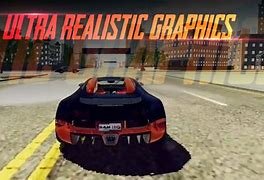
Speaking for all of the Community you need to describe this feature in a little more detail and how a .bat file works. Your picture for the mod has a description of Realistic graphics rather than a pic of what this does... We're going to need some details on a install and what this does for the LSPDFR community and a FPS file? I'm all for a file that makes my GTA more efficient and adds FPS... Just confused and not educated enough on .bat files to know wtf is going on lol?
- 13 comments
- 2 reviews
-
-

- 3
-
-
 does the advisor work?
 -
 Loaded your plugin ingame and LOVE IT! Left a review and how well it works for SinglePlayer as a Cruise Control. It's nice that the script will take over at any speed and not go crazy driving wise. I noticed somebody mentioned this plugin taking away from their experience and I feel the total opposite. This Plugin is quick and easy to turn off and on so it just makes patrolling that much cooler when you can take the time to look around your interior view of your car while you drive or to do a task around your desk like taking a drink or bite of food without having to pull over due to all the controls if you're controller and keyboard player. In real life I can eat and drink while i drive lol so its just nice being able to use this plugin and continue my patrol without stopping. Also Cool to easily run plates now while you're in tracking mode. I patrol in first person so it's nice being able to still drive while I look over at my ingame computer and run their plates* Thanks for bringing this to the community🍻
 -
Awesome plugin that works flawlessly, STREAMERS you're going to want and love this, SINGLE PLAYER users, this plugin works not only as a Auto Patrol but also as a easy Cruise Control while you're driving down the highway or city patrols. LOVE it!
-
I also tend to do my patrols in the Pranger slot, any chance to the Creator if we can get it added to work with this plugin?
-
I'd use: CompuLite: and change your questions and ped answers to whatever fits your kind of patrol my list of plugins aside from CalloutPacks: CompuLite CalloutManager/Interface StopThePed UltimateBackup ProwlerRadar ImmersiveDispatch TrafficPolicer BodyCam SpotLight Dashcam EUPMENU RazorPoliceLightsforKeyBoard StickyWheels VehiclePush ExtendedCameraSettingsforBetterFirstPersonViewInCar
-
.thumb.png.328fa2801450b092663a1eb66f95f9f3.png) IDK guys, personally i use simple trainer and redid my keybinds to 7 for Left, 8 for Right and holding 7+8 for hazards and it runs smoothly. I can see how this plugin is nice tho if you're not using a trainer and need the plugin to keybind your indicators. For people with a Trainer always remember to change your LSPDFR INI settings so 7 and 8 are never buttons in use. In my experience they were not keys used in lspdfr or keys that needed to be used while using a controller+keyboard.
IDK guys, personally i use simple trainer and redid my keybinds to 7 for Left, 8 for Right and holding 7+8 for hazards and it runs smoothly. I can see how this plugin is nice tho if you're not using a trainer and need the plugin to keybind your indicators. For people with a Trainer always remember to change your LSPDFR INI settings so 7 and 8 are never buttons in use. In my experience they were not keys used in lspdfr or keys that needed to be used while using a controller+keyboard. -
-
-
 I have a Razer RZ03-0274 CYNOSA LITE keyboard... When I load in your plugin via F4 and get into my car, my keyboard lights are off and wont come on until I start stage 3 ELS and my keyboard ONLY has red lights? My whole keyboard flashes in a red light pattern instead of a split red and blue pattern? HOWEVER I kinda like it, my keyboard lights WILL stay lit up red on patrol so i can see them on my desk top and they will only start ACTUALLY flashing when I engage stage 3 ELS... I'm looking for the red and blue split pattern though lol?. I tried other cars with different ELS files for red and blue in case my ELS FILES for my own dev pack was casing the issue... but that doesn't change the color on my keyboard so I knowwww I'm screwing something up lol?... Before installing this plugin I did have a preset to just a simple red emissive for my Razer keyboard, but like I said with your plugin my colors only want stay red after your installation so its probably a screw up on my end and I'm guessing I'm supposed to delete my preset to my razer keyboard app and/or delete the synapse app and then reinstall it? Just happy its working for me somewhat* Sometimes its hard to notice when you have your ELS lights on... like in a real life patrol, so it's pretty cool to have a constant keyboard REMINDER that my ELS lights are ACTIVE in a first person patrol.
- 113 comments
- 13 reviews
-
-
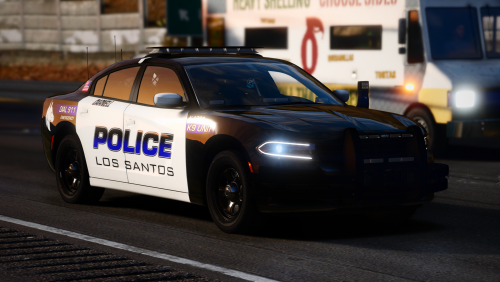 lol wellllllll, I love this charger but the running board lights still need to be fixed, @Rippleyou still have this zmod file laying around lol?
- 17 comments
- 5 reviews
-
 Just wanted to say thanks for adding my pack to your list❤️ Not sure if anybody asked you or if you just did it lol but glad I made the list. Hoping to update my pack by the end of July if I have time. New 2022 Durango/ f150/ 2013 FPIS and a new 2022 tahoe base model. All SUV's will have the split cage🍻
- 269 comments
- 17 reviews
-
-

- 1
-
-
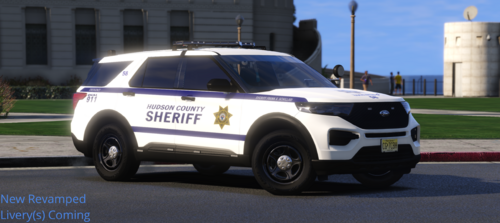 although i love the Lightning I wont be adding one to my pack, just a 4 door f150 patrol and k9.
- 11 comments
- 1 review
-
Thanks for the link to my pack🍻, I cant wait to update the 2021 tahoe PPV to Razors base model when I finally get the chance.
- 11 comments
- 1 review
-
 hey guys I'm new to MM callouts, I know this callout and the midnights callout pack are legit but are they still good to go with the latest gta updates?
 -
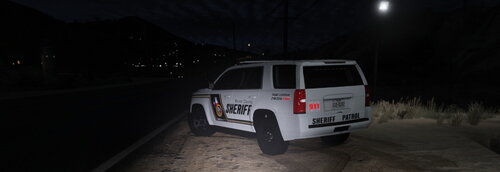 Not sure if you're on a Epic, Social Club or Stream Release but Epic and Social both have to wait for a scripthookv unlike steam users who can revert their game version.
- 16 comments
- 2 reviews
-
Hey guys, this is my 2021 Tahoe PPV and yes in OpenIV it has some visual issues that don't reflect the actual IN-GAME model like the hood turning black*. I'm happy to say this Tahoe is still one of the best k-9 models using a custom split k-9 cage for a new SUV. I have a new 2022 Tahoe base model and need to update my pack with it along with others, hopefully soon if life lets me. This Pack works with both k-9 Partner and Ultimate BackeUp k-9 script. Thanks for the link🍻
- 16 comments
- 2 reviews
-
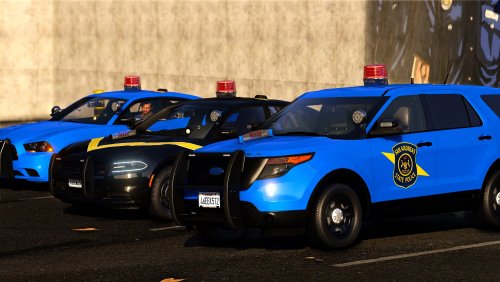 As much as its tradition, I hate this light lol, even the new LED one. I'm from Kansas and our Highway patrol used to run them also, always cracked me up seeing it when there was newer/better lightbars. Now our troopers are spoiled af and always get new fleet units. Nicely detailed pack for somebody looking for this style.
- 34 comments
- 3 reviews
-
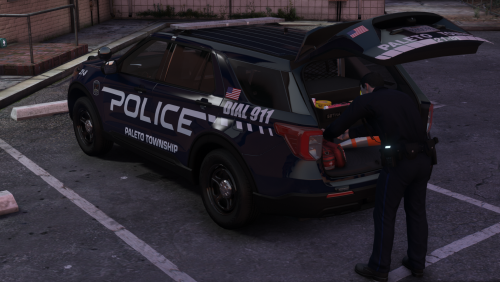 love the attention to detail and you doing, you lol
 -
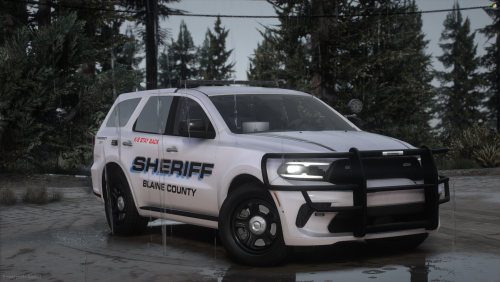 Congrats my man for the 1k, looks like a well rounded Durango, I'm about to dev one to my fleet.
 -
 Aside from the Crown Vic Integrity light bar, this fleet uses the same liberty light bar and the same texture files? so it might be a meta file issue on your part? ... (NOTE) the liberty textures I used are a light blue so during the day it may look light rather than a dark, but there isn't any light issues*
- 264 comments
- 15 reviews
-
 Well, I thought i was using the Officer Status Menu, but after bringing it up to you and going back through my plugins I realized I'm not using that plugin anymore. I'm using the grammar police status menu, but still when i use it, and click on a status, it doesn't update the status screen on my HUD* but if I use my mic and go on a traffic stop or 10-8 it updates the status hud. Also should i just delete Immersive Dispatch? Thanks for answering me, sorry I messed up what my issue was at first. Crap lol, figured it out, My immersive dispatch status key was still enabled so I disabled it and replaced it with the Grammer Police bind key... my status updates fine now on my HUD*. Still curious if i should just delete immersive?
- 1,360 comments
- 85 reviews
-

.thumb.png.328fa2801450b092663a1eb66f95f9f3.png)
