


medmark
Members
-
Joined
-
Last visited
Everything posted by medmark
-
why are the grille lights offset and their is no interior lightbar? Also I strongly dislike the HG2 side runners. Good job on an early model for you though!
- 13 comments
- 8 reviews
-
needs rear wig wag brake and reverse lights, otherwise its a fantastic light setup!
-
Tahoe looks good, needs different rims and better handling line, looked like a low rider in one of the pictures! Dual spotlights would be sweet as well! Will this be released?
-
It is my understanding that FBI, Metropolitan police, secret service, and other fire and ems responders have been effected by the government shut down and will continue to get paid. Seems like the news needs to fact check a little.
-
-
This is a Boise Police Department LCPD themed pack for the 2012 Charger and Explorer. Skins are made from scratch by myself. https://www.youtube.com/watch?v=Tas4GEs8Xrs
- 3 comments
- 5 reviews
-
-
Let me know what you think of my black and white LCPD skins! Getting them all set up for CVPI, Bxbugs Tahoe, Impala-Old and New body style, Old body style charger and Harley Police Bike. I will also do this for CJ's 12 Charger and Tahoe and EVI's CVPI.
-
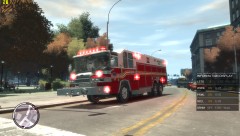
From the album: FDLC Quantum
-
New Quantum made possible by the guys at diamond plate modding group!
-
You need to put all the ELS files in the main eflc directory, the TBoGT directory and TLAD directory. I had the same issue, took me like 6 hours to finally get it to work, now it works like a champ. Also make sure you go into the els default confing and turn ELS on for the new units that eflc adds.
-
You are awesome! Thanks a lot
-
I tried that one.... totally different rear light set up
-
The slicktop is private but he said the one with the liberty is public
-
-
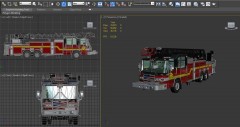
From the album: FDLC Quantum
Prior to conversion -
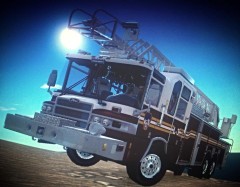
From the album: FDLC Quantum
Private mod only -
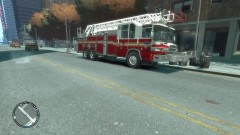
From the album: FDLC Quantum
Private mod only -
Guys I am looking for the 2nd CVPI with the liberty featured in this video. Before you slam me for putting this up here I went through ten pages of cvpi's with liberties using the search function and could not locate this one. Again, the first one is private but the second one should be out on the web somewhere, thanks for the help! Starts at roughly the 1:40 mark
-
-
Its EVI's Eagle County Sheriff Office ECSO Charger. No longer available for download, are you the one who also commented on the video?
-
You need to add small things that almost all departments have on their rigs like American flag stickers, yellow support ribbons, different unit numbers, DARE bumper stickers, etc...
-
they do not offer blue prints like pierce does, Seagrave kind of does but pierce is by far the best.
-
You need to reinstall ELS and also make sure that in the els file all vehicles are set to on.
-
He means in your els settings, pull up the els menu and try adjusting the pattern. There is one pattern in particular that is an "all on" setting instead of a flashing pattern

