


medmark
Members
-
Joined
-
Last visited
Everything posted by medmark
-
![[WIP] 2013 FDNY Seagrave Aerialscope II (Tower Ladder)](//s3-gallery.int-cdn.lcpdfrusercontent.com/gallery/album_547/sml_gallery_2101_547_503067.png) Cant wait to see the new fdny slr in action!
Cant wait to see the new fdny slr in action! -
 Yes you should. This car is so cool!
 -
 Looks kind of like a Federal Signal’s IVP SLR dual rotating beacon? Or is it a retro Fed-Sig light?
 -
 I like the mountains in the texture
 -
 The model looks good
 -
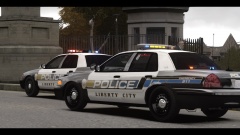 That texture looks amaing!!!!! I hope you make a pack
 -
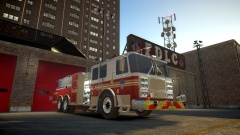 Is it a tender with the dual rear wheels?.... I just noticed L1 on the side so I take it you are going to throw a stick on it?
 -
I know you said you are holding off but I would really like to see a Pierce County Sheriff themed Liberty County Sheriff pack. They skins are pretty simple but the graphics part is tricky. The models don't matter but bugz Tahoe, DSF CVPI, any Caprice would be great. Thanks!
-
You can change the ELS settings in the .ini files for each car to make sure the lights work correctly.
-
![[WIP] 2013 FDNY Seagrave Aerialscope II (Tower Ladder)](//s3-gallery.int-cdn.lcpdfrusercontent.com/gallery/album_547/sml_gallery_2101_547_276978.png) The modeling on that tower ladder looks intense and really good!
The modeling on that tower ladder looks intense and really good! -
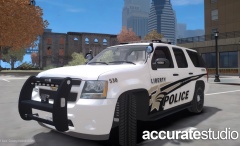 I like those spotlights!
 -
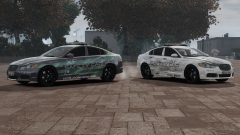 Carbon Fiber hood is sick!
 -
Just search mod status "open" in the downloads section there are tons
-
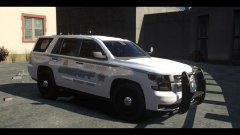 Rambar version?
 -
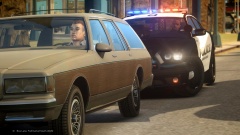 It says in the description
 -
You can buy the 3d model on humster3d and convert it.
-
You can check out a badass video of it here.
-
![[WIP] Pierce Arrow XT BFRS Edition](//s3-gallery.int-cdn.lcpdfrusercontent.com/gallery/album_2718/sml_gallery_138650_2718_844590.png) Well it looks badass! Did you ever consider doing regular compartment doors instead of roll up doors to make it easier to texture and paint?
Well it looks badass! Did you ever consider doing regular compartment doors instead of roll up doors to make it easier to texture and paint? -
Any progress on your Pierce vertex?
-
-
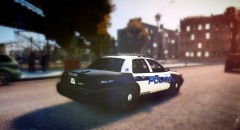 Good looking texture! Are they released?
 -
-
You need to work on getting your text lined up straight. The police logo and burbank are at two different angles.
-
-

![[WIP] 2013 FDNY Seagrave Aerialscope II (Tower Ladder)](http://s3-gallery.int-cdn.lcpdfrusercontent.com/gallery/album_547/sml_gallery_2101_547_503067.png)
![[WIP] 2013 FDNY Seagrave Aerialscope II (Tower Ladder)](http://s3-gallery.int-cdn.lcpdfrusercontent.com/gallery/album_547/sml_gallery_2101_547_276978.png)

![[WIP] Pierce Arrow XT BFRS Edition](http://s3-gallery.int-cdn.lcpdfrusercontent.com/gallery/album_2718/sml_gallery_138650_2718_844590.png)
