


trewq34
Members
-
Joined
-
Last visited
Everything posted by trewq34
-
Will this suffice? '?do=embed' frameborder='0' data-embedContent>> You can easily remove the emblem with a quick 5 minute texture edit.
-
Try this: http://gtapolicemods.com/downloads.php?do=file&id=986
-
There's nothing bad about "mesh" of the rims. The problem is that the material is messed up. I suggest you remap the tires and rims on new materials and delete the old ones.
-
That doesn't change the fact that they're Chevy rims... '?do=embed' frameborder='0' data-embedContent>> '?do=embed' frameborder='0' data-embedContent>>
-
Do you have a bigger pic? It's quite hard to see small details in it...
-
Are those Chevy rims? If so, you do realize that's a Ford, right?
-
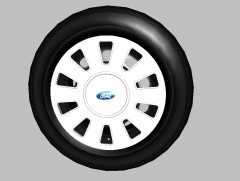
From the album: trewq34's Scratch-Made Parts
This is my recently created hubcap for the CVPI. It was also my first part made in 3DS Max! -
-
http://www.gta-mod-center.com/forum/index.php?/files/file/85-2013-ford-police-interceptor-utility-non-els-beta/
-
I'm utterly speechless. I pretty much told you exactly what to do...and you still don't know what to do.... Perhaps you should consider taking a look at some of the tutorials here: http://www.lcpdfr.com/page/tutorials/index.action/_/vehicle-modification-tutorial/
-
Suface > Normals > Calculate and click in a viewport *Make sure the wheel is selected and that selected mode is on*
-
A simple Google search reveals many links. The Se7enSins one is the one you want!
-
You right click in your GTA IV root directory, go down to "New" and click "Folder". The folder will not be used unless you have ScriptHook .NET in your root directory.
-
If you want lights to move with the handle bars like whoever made the bike on the left did, then you'd put them under the moving part. But you can't have more than one dummy named "extra_1" for example.
-
You hierarchy is a tad wrong. It should be: -extra_1 --extra_1_L0 --extra_1_L1 -extra_2 --extra_2_L0 --extra_2_L1 -extra_3 --extra_3_L0 --extra_3_L1 -extra_4 --extra_4_L0 --extra_4_L1 -extra_5 --extra5 ---extra5_L0 ---extra5_L1 -extra_6 --extra6 ---extra6_L0 ---extra6_L1 -extra_7 --extra_7_L0 --extra_7_L1 -extra_8 --extra_8_L0 --extra_8_L1 -extra_9 --extra9 ---extra9_L0 ---extra9_L1
-
I can hear it just fine. You should consider putting your volume higher.
-
Since you don't know how to remove them, I'm assuming you didn't make the car. Basically you can't unless you made the car model. You could ask the author to do it for you, but there is no certainty to whether or not they will.
-
Why don't you learn to map? There is simply no excuse for not knowing when the knowledge is presented to you on a plate in the Tutorials section...
-
That is why people are developing MDT software. There's a few in the downloads section, one that was uploaded recently, and another that was uploaded recently, developed by the founder of another website. The good thing about these MDTs is that they don't include Samware
-
![[WIP] LCSO Caprice](//s3-gallery.int-cdn.lcpdfrusercontent.com/gallery/album_2409/sml_gallery_56737_2409_323297.png) Hoffers says he'll give you that grill :)
Hoffers says he'll give you that grill :) -
Made by Hoffers
-
ELS doesn't use ScriptHook.NET - that log isn't relevant. How often do you crash? Are you running the game as an administrator? Which other (if any) mods do you use?
-
Do you have ELS enabled vehicles?
-
Do you hear a beep?
-
Do you have a link to the car? Most likely, you can just make a texture transparent and then the pushbar will disappear, but sometimes modders map the pushbars to commonly used textures like "black.png" etc, in which case it isn't possible.

![[WIP] LCSO Caprice](http://s3-gallery.int-cdn.lcpdfrusercontent.com/gallery/album_2409/sml_gallery_56737_2409_323297.png)