Creators: Due to background reprocessing of files, approvals and file security checks may be delayed. Thanks for your patience.

Leonov
Members
-
Joined
-
Last visited
Everything posted by Leonov
-
Chances are, this might not be related with the mod. Have you removed the mod (by going into the root GTA directory, and then taking the LCPDFR stuff from the scripts folder?) If it continues, chances are highly unlikely that the mod caused this. Also, if you installed any new mods lately, or are running something like xliveless and dsound simultaneously? It is known to cause issues with loading the game. Back on any new mods, try to put things back to how they were before the last mod(s) you installed, if it loads well then, chances could be it is a recent mod you installed (also why it's a good idea to check each mod one at a time, slow process, I know, but it helps.)
-
I haven't had this world even since the beta version (and after some time, the game kept crashing when one happened). Since then, all the random events I get are the on foot, mostly someone running from an officer, but rarely, a drunk person too. I don't get too many chases in cars, mostly pull someone over for running a red, or have a look at someone acting strange. Things should change by the next release though, as I'm sure the more major bugs would be worked out (like certain call outs not starting when you accept to respond to them.) Would be nice to see other ones come back, like the fleeing robbers one (My "patrol area" right now in Suffolk/Exchange has 2 Bank of Liberty Branches, in addition to various other financial institutions, so it's a shame it's not too common to see.)
-
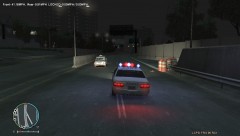 Yeah, nice little thing too! I do understand that the dashcam mod also has something similar (though the speed radar mod, you can actually "lock" the speed, just like a real officer when they use a radar gun (and can be used outside the car)). As said the lower left is a fuel status mod, I posted 2 of these types, one is more realistic with varying fuel prices for the different stations, as well as other goodies and a really nice speedometer. It also gives you the chance to "steal" fuel from a fuel truck. This one is a lot more simple (I also had the car run out of gas right after the chase.) In addition, this one also gives you the chance to repair your car.
 -
From the album: Random shots of my patrols
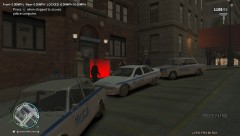
Interesting, but fun lineup of cruisers! :D -
From the album: Random shots of my patrols
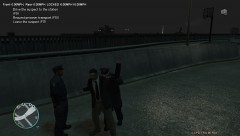
He finally crashed it up enough, finally stopped him in the Acter Industrial Park area on the Plumbers Skyway. -
From the album: Random shots of my patrols
Alderney Cops joining in now. -
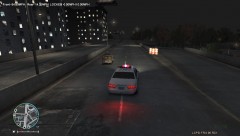
From the album: Random shots of my patrols
He is going strong. -
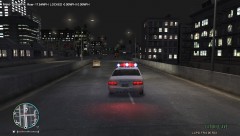
From the album: Random shots of my patrols
Trying to get up to him. -
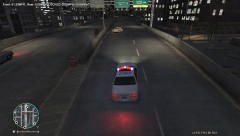
From the album: Random shots of my patrols
He hit a wall, but still, refused to slow down. -
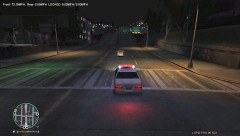
From the album: Random shots of my patrols
Chased this Fiat126p from the Castle Gardens area. He ran a red light, so I was going to pull him over, and he started speeding off. He is now in Alderney after going on a chased through Union Drive West. So far, my longest chase in LCPDFR! -
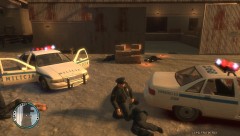
From the album: Random shots of my patrols
Helping out downed officers after shootout, Fishmarket North. -
I do have some cars that do have them turn on while the car is running (sadly, not able to toggle them on or off). One of such cars I know off the top of my head is the non rusted out ZAZ-968M. If you're interested in that Zapo: http://gtamania.ru/load/cars_for_gta_4/zaz/zaz_968m/195-1-0-1442 Not sure though if it is treated as a separate light source though.
-
And that is exactly where it is, and it isn't working. Maybe I misunderstood, not sure.
-
Sorry for pulling this one up, but is anyone else having trouble getting SpeedoIV to work? I have been for months trying to get it to work, but with no luck. I tried replacing the Scripthook.dll that came with LCPDFR with his (old) scripthook.dll, but to no avail (GTA refused to start then). Here is what the asilog said about SpeedoIV, which I think might be showing it is not working: Loading ASI c:program files (x86)steamsteamappscommongrand theft auto ivGTAIVSpeedoIV.asi ASI loaded : c:program files (x86)steamsteamappscommongrand theft auto ivGTAIVSpeedoIV.asi, Address 0x00000000 I'm using the most up to date version of the game, so I should be fine.
-
One thing I don't like about GPM though, is that a lot of the cars there are reliant on ELS to have their lights, even their headlamps to function properly. While it does a crapload of realism, it does disable the LCPDFR lighting modes on the non-ELS vehicles I have (and yes, I did set the needed parameter to zero in the ELS.ini). I usually try different sites, some places I go are like gtainside.com (I think they have a non-ELS crown VIc in there) and gtagaming.com.
-
The thing I feel it is, from my experience is that you often have to revive them ASAP. If you wait, they'll simply die from lack of care.
-
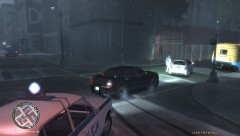
From the album: Random shots of my patrols
Chased a Fiat 500, he seemed to have hit a curb or something really hard. -
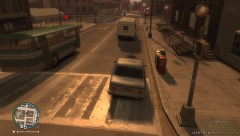
From the album: Random shots of my patrols
In pursuit of a School Bus. She didn't go very far. -
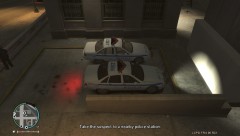
From the album: Random shots of my patrols
Another view of the Caprices -
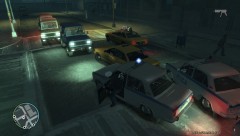
From the album: Random shots of my patrols
Boxed him in -
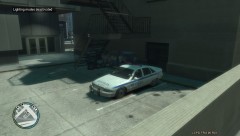
From the album: Random shots of my patrols
New Caprices for the LCMO! -
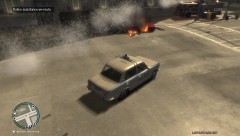
From the album: Random shots of my patrols
Terrorist attack in Suffolk next to Bank of liberty branch. -
With me, it works, but I have to spam the key like crazy, though chances are higher of it working after I've arrested a ped.
-
Actually, GTA: San Andreas has one very similar to what you are looking for in the files, but it wasn't used in the game, but could be spawned via other methods: http://gta.wikia.com/FBI_Truck
-
I do know there are some issues with the Statistics, there was a discussion somewhere around the forum about it, like right now, I think only the testing team (as they seem to be working with versions that have various bugs fixed) seems to be able to get their pursuits registered (this will be fixed in later releases), Not sure why the kills are not going up though, maybe it could be the same issue as the Pursuit issues. For now, just try to live with it, at least the other stats are going up, so that's something to be happy about. Should say, I personally like to Taze (Use normal Pistol, and Press T instead of Mouse Click) people with guns and arrest them ASAP afterwards. The Taser is one of the best tools in the game, and one that usually resolves most issues with usually no death! :D