Yasd
Community Team
-
Joined
-
Last visited
Everything posted by Yasd
-
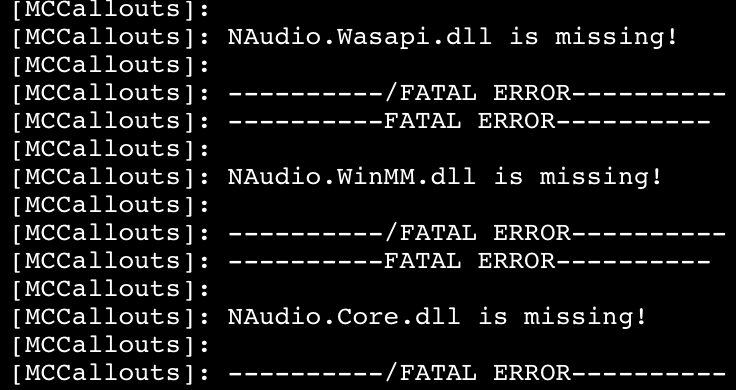
install those required files from MCCallouts in the main gta folder
-
Scanner has a bug when reloading causing a crash. Section136 caused crashes, if persists remove it or report it to the author
-
Rename your mods folder to _mods
-
Command line option -nodx is specified. 1. Go to the RPH settings and remove the hook from: disable direct x hook 2. Install RageNativeUI in the main gta folder.
-
1. Disable ambient events, by adding those lines to your lspdfr.ini: Main.DisableGameBlipHiding = true 2. Install ScripthookVDotNet nightly.
-
Hello! 1. Disable ambient events, by adding those lines to your lspdfr.ini: Main.DisableGameBlipHiding = true 2. Update MCCallouts by replacing all files
-
Update AdvancedHook from the els download.
-
This topic has been moved to the appropriate forum. Please post in the correct location in the future. Just to be clear, lspdfr is for gta 4 and lspdfr is for gta 5. Try to rename the mods folder to _mods
-
Updat ScripthookVDotNet nightly.
-
A little more detail would help, anyways, rename the mods folder to _mods
-
Ransom Ambients is missing Newtonsoft.JSON in the main gta folder.
-
If the above doesnt help, rename the mods folder to _mods
-
-
The third one is grammarpolice.
-
With other words renaming the mods folder means disabling it from loading. If your game works then, something in the folder is causing the crash.
-
The sheriff2 vehicle is invalid.
-
Post the Ragepluginhook.log from the main gta folder
-
Make sure you have the newest AdvancedHook
-
Open the Ragepluginhook settings window and remove the hook from disable directx
-
-
Your topic has been moved to LSPDFR 0.4 Support. Please post in the correct location in the future.
-
Update ScripthookVDotNet.
-
Your pc specs are good, you can refer to the default gta requirements. i suggest you open another thread for gta support in the right forum 👍
-
Rename mods folder to _mods
-