




Yasd
Community Team
-
Joined
-
Last visited
Everything posted by Yasd
-
LemonUI.Ragepluginhook does not belong in the scripts folder. Only the SHVDN version does.
-
Looks like an issue with the player Inventory from LSPDFR rename the gtav/lspdfr folder to _lspdfr and install the folder from the lspdfr download.
-
Armoury requires LemonUI.RagePluginHook, install that. Remove due to being outdated: ArrestManager Assorted CAllouts LSPDFR+ TrafficPolicer Update: MCCallouts
-
rename the mods folder to _mods
-
Rename the mods folder to _mods
-
Update AdvancedHook.dll from the ELS download in the main gta folder
-
 You can either use StopThePed, then you can do field sobriety tests. Or you dont have StopThePed, then you can ask for the ID via LSPDFR (hold E for a few seconds) and check for legal age.
- 251 comments
- 21 reviews
-
Retry this link -> link
-
-
StopThePed doesn’t need scritphookv. i cannot see the StopThePed.dll in your screenshot.
-
-
-
I understand, basically you had a random crash and this can happen randomly, so you don't need to do anything / can't do anything. Have fun patrolling!
-
Hello, you played for 4 hours and then your game crashed. What do you want to change?
-
Whats the difference between the first and second sentence?
-
Try to rename the mods folder to _mods
-
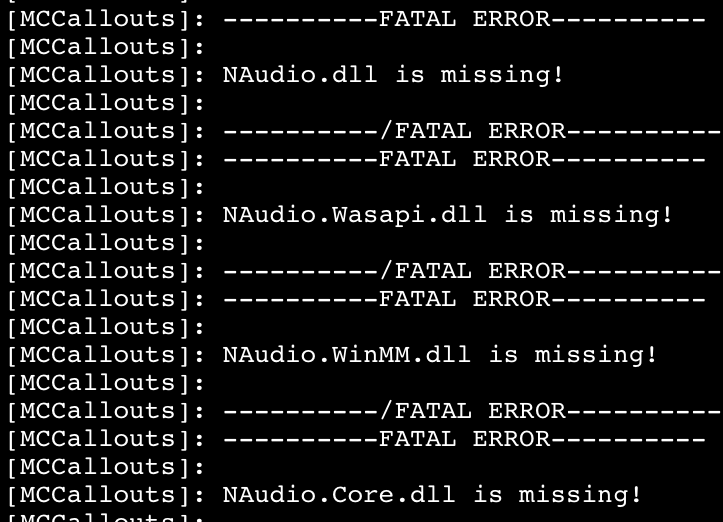
install those files from the MCCallouts download in the main gta folder.
-
First thing you have to do is make sure gta on its own works. if that doesn’t work, rph and lspdfr won’t work either. rename he mods folder to _mods and try again.
-
This topic has been moved to the appropriate forum. Please post in the correct location in the future.
-
Update RageNativeUI in the main gta folder.
-
The first crash was caused by simplehud. The second crash was caused by lspdfr trying to sync with discord.
-
Update RageNativeUI in the main gta folder.
-
Hello Dodo! I saw your video where you used my callout pack, nice one btw! Right now I have no option to remove it, but I can send you a version where it is toggleable/ disabled. May I ask what problem you have with this being enabled?
- 251 comments
- 21 reviews
-
Hello! I am willing to help, to keep things cleaner pls open a new topic in https://www.lcpdfr.com/forums/?forumId=920 Thx!
- 251 comments
- 21 reviews
-
It crashed cause MoreRadioChatter threw a file not found exception, its missing NAudio, Version=1.8.4.0 Make sure to have NAudio in the main gta folder Be aware that MCCallouts also requires NAudio, but comes with a newer version 2.2.1.0. You can try to install this version, and hopefully its backwards compatible. otherwise you can only use either one of them.



