Yasd
Community Team
-
Joined
-
Last visited
Everything posted by Yasd
-
Stelle sicher, dass Du eine gameconfig, Heap Adjuster & Packfile Limit Adjuster installiert hast. Wenn ja, liegt es an éinem korrupten Mods Ordner, benenne dazu den mods Ordner zu _mods um und starte das Spiel erneut.
-
-
Install a custom gameconfig, heapadjuster and the packfile limit adjuster, then you should be good to go!
-
Check out the FAQ at page 3: https://docs.google.com/document/d/1Hp2Qco0qsgKfohkhjYWUxTr2OF7NSCkp8uSZwWz6rRQ/edit?tab=t.0 make sure you have disabled battleye anticheat in the rockstar launcher settings.
-
Post the Ragepluginhook.log from the main gta folder after the crash occurs. Tell us at what point it crashed and if its a lspdfr or compelte gta crash.
-
You're welcome!
-
Your question doesn’t make sense. Your game is not supposed to stop when going on duty, I assume you just meant your game is stopping/ crashing when attempting to go on duty. please post the Ragepluginhook.log from the main GTA folder after the assumed crash/ problem occurs.
-
This might be a shortcut from a trainer. Temporarily remove scripthookv and see if the error is gone.
-
The crash is caused by DeputyRyansPursuitCallouts @DEPUTYRyan3
-
This topic has been moved to the appropriate forum. Please post in the correct location in the future. Update: GTA V Ragepluginhook LSPDFR I recommend to remove Airport Callouts & Traffic Policer, they are outdated and may cause crashes.
-
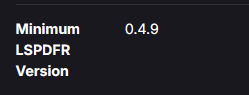
1. For solving the crash remove Cheap Callouts, its uncompatible with lspdfr 0.4. 2. I recommend to remove all those callouts, since they are outdated or unstable: Assorted Callouts ComputerPlus RoadIncident Callouts Safer Chases RPH Tacco Highway Callouts Traffic Policer When downloading callouts, make sure that they are compatible with lspdfr 0.4.9 shown on the right side of the website.
-
Make sure to have scripthookv.dll and dinput8.dll in the main GTA folder
-
Use the original file from the lspdfr download.
-
This step prevents the mods folder from loading. since your game works now, there is an issue in the mods folder. make sure to have a gameconfig, heapadjuster and packfile limit adjuster. try to revert the latest changes in the mods folder
-
-
you have a mods folder issue. rename the mods folder to _mods
-
post the ragepluginhook.log from the main gta folder have you loaded lspdfr and went on duty?
-
Your log shows that you went not on duty.
-
This topic has been moved to the appropriate forum. Please post in the correct location in the future.
-
Rename the mods folder to _mods
-
looks good to me @SuperPyroManiac
-
Update: Damage Tracker Framework You still have the key error, post the supercallouts.ini
-
The crash is likely caused by not updating your mods folder. First you can try to rename your mods folder to _mods and see if your game works. If it does, you need to update the update.rpf from the game files to the mods folder, delete update2.rpf in mods folder you need to reinstall all mods youve previously installed there.
-
post the ragepluginhook.log from the main gta folder
-
In super callouts or deadly weapons you ve set an invalid keybind. Lspdfr crashed because it couldn’t find a set key.