




Yasd
Community Team
-
Joined
-
Last visited
Everything posted by Yasd
-
Normalerweise musst du nur das gedownloadede Pugin mit z.b. winrar öffnen, alle Dateien makieren und per Drag and Drop in deinen GTA 5 Ordner hinüberziehen. VOrher aber die Readme.txt lesen, da ist meistens unter Installation eine Anleitung (meistens auf ENglisch) dabei.
-
Am besten Mods-Ordner löschen und Dateien neu installieren. Hoffe du hattest nicht allzuviel installiert. In solchen Fällen vor jeder Neunstallation ein Backup, entweder komplett den GTA 5 Ordner oder z. B. nur den Mods-Ordner an einem wiederauffindbarem Ort kopieren.
-
Probier mal, sämtliche ANti Virus Optionen zu deaktivieren. Ebenso deine Firewall! Nach dem Testen wieder einschalten!!
-
Du gehst in deinen GTA 5 Ordner, bei mir ist das D:\Program Files\Rockstar Games\Grand Theft Auto V. Dann einige Dateien löschen, sodass es aussieht wie in dem Video:
-
Requirements ELS requires the following elements (in addition to the files provided in the download) in order to operate: • A working PC-platform copy of the game Grand Theft Auto V. • The Visual C++ Redistributable for Visual Studio 2015, found here. • The GTA V C++ ScriptHook loader by Alexander Blade found here. • A good “visualsettings.xml” file modification to ensure ELS lights don’t appear dim or dull. • The presence of pro-ELS vehicle models. Installation Installing ELS may be done in a few easy steps: • Place the ELS.asi, ELS.ini, and ELS folder into your main GTA V game directory (this is the same folder that houses the gtav.exe file) overwriting any older ELS versions. • Unless you already possess the following file and it is more recent than the one provided, place the AdvancedHookV.dll file into your GTA V game directory. • If you do not already have any, download and install pro-ELS vehicle models to use with ELS. • Launch your game.
-
Schlechte Fehlerbeschreibung... Hast du den Edit Mode bei OpenIV angemacht? Bist du im Mods Ordner? Sicher das GTA nicht währenddessen läuft? Bitte Rückmeldung obs jetzt funktioniert.
-
Probier doch mal: Firewall deaktivieren sicher gehen, das alles bei Antivirus deaktiviert ist. evtl. bei antivirus auf die whitelist/ anti blockliste setzen Nach dem Testen aber wieder Firewall und Antivirus einschalten! Rückmeldung obs funktioniert hat
-
My Solution: CRIME_REPORT_Key: B (default) BACKUP_MENU: B (default) If you're using Ultimate Backup, change this key (for example to Z) and not the LSPD BACKUP_MENU or CRIME_REPORT_Key. Chris
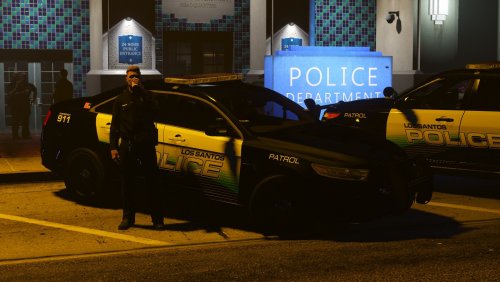 The vehicles are awesome, but: vehicle "police" and "police2" and police3 are flipping at high speed in curves. Solution or fix please? 🙂 Then 5 Stars
- 97 comments
- 28 reviews

Account
Navigation
Search
Configure browser push notifications
Chrome (Android)
- Tap the lock icon next to the address bar.
- Tap Permissions → Notifications.
- Adjust your preference.
Chrome (Desktop)
- Click the padlock icon in the address bar.
- Select Site settings.
- Find Notifications and adjust your preference.
Safari (iOS 16.4+)
- Ensure the site is installed via Add to Home Screen.
- Open Settings App → Notifications.
- Find your app name and adjust your preference.
Safari (macOS)
- Go to Safari → Preferences.
- Click the Websites tab.
- Select Notifications in the sidebar.
- Find this website and adjust your preference.
Edge (Android)
- Tap the lock icon next to the address bar.
- Tap Permissions.
- Find Notifications and adjust your preference.
Edge (Desktop)
- Click the padlock icon in the address bar.
- Click Permissions for this site.
- Find Notifications and adjust your preference.
Firefox (Android)
- Go to Settings → Site permissions.
- Tap Notifications.
- Find this site in the list and adjust your preference.
Firefox (Desktop)
- Open Firefox Settings.
- Search for Notifications.
- Find this site in the list and adjust your preference.