




Yasd
Community Team
-
Joined
-
Last visited
Everything posted by Yasd
-
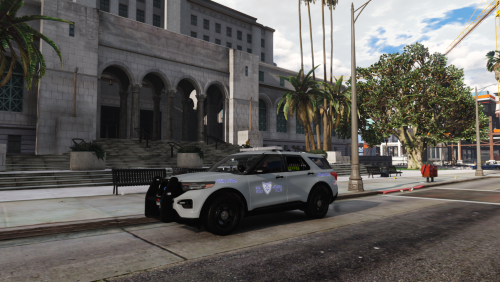 Would be awesome to make it replaceable in addition to addon. Also your backslashes in the readme are the wrong way xD <item>dlcpacks:\saspfpiu21\</item> right would be <item>dlcpacks:/saspfpiu21/</item>
- 8 comments
- 4 reviews
-
remove the callout trafficpolicer, its outdated and may be the cause for your crash.
-
1. Install RageNativeUI in the main directory, download from here: https://github.com/alexguirre/RAGENativeUI/releases 2. Install Albo.common in the main directory, download from here: https://www.lcpdfr.com/downloads/gta5mods/misc/10294-albo1125common/
-
pls post your ragepluginhook.log from the main gta folder.👍🏽→ alright:) _Looks like section136callouts caused your game to freeze and crashPost your ragepluginhook.log from the main gta folderThis are the vanilla lspdfr functions These are functions of the plugin stoptheped. post your ragepluginhook.log from the main gta folderdu musst dein gta auf die neueste version updaten (version 2699).There is no crash in your log can you post it again right after it’s crashed?Np 😉can you post your ragepluginhook.log and your asiloader.log from the main gta folder?
 Hi, a good plugin with much air upward. I like the variation of callouts that comes with it. But I often get crashes, callout crashes or sometimes lspdfr crashes. After all, still recommended!
- 422 comments
- 25 reviews
-
-

-

- 2
-
could it be another mod that causes it? or a callout or plugin? in vanilla gta there is no slow mo available.Can you run gta on its own? Do you have a mods folder? have you deleted the update folder / the update.rpf ?Failed to parse value for Callouts.Multiplier: System.InvalidCastException: Attempt to change type of Callouts.Multiplier check your lspdfr.ini to fix thatSimply update RageNativeUI https://github.com/alexguirre/RAGENativeUI/releasesRename your mods folder to _mods As you already said you installed some vehicles, sth is probably wrong installed.Seems like a slow mo function of a trainer which you activate via shortcut unintentionally ‘remove your trainers temporarilyrenaming your mods folder means disabling it from loading... -> logic, that the installed outfits from eup do not load... that means sth you installed in the mods folder is wrong installed start with a new one or think of the latest changes you made and revert them

