




Yasd
Community Team
-
Joined
-
Last visited
Everything posted by Yasd
-
do you have a lspdfr or game crash? When is it crashing? What have you done before it started crashing? Without information we cant help
-
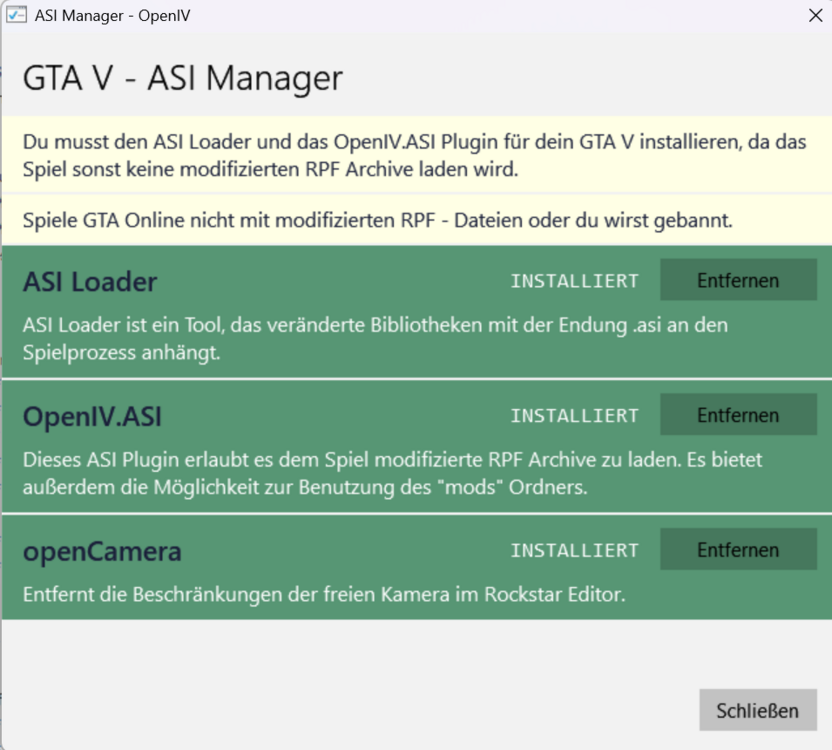
Have you installed a custom gameconfig in your mods folder? Reinstall the ASI-Loader in OpenIV, then important: you have to restart your pc.
-
Can you post a screenshot of a vehicle which lights do not work? Do the glasses look black by chance?
-
Have you installed the vehicle.xml's in the pack_default folder?
-
add this line: Main.DisableGameBlipHiding = true
-
Disable AmbientGameBlips in the lspdfr.ini under gtav/lspdfr CalloutInterface threw multiple errors because you are missing files. Please reinstall CalloutInterface completely. Finally LSPDFR crashed because of error 2.
-
With Policing Redefined (and StopThePed) you can press Backspace to tackle a suspect. I'm sure the keybind is changeable in the ini.
-
Your topic has been moved to LSPDFR 0.4 Support. Please post in the correct location in the future.
-
A few questions: - The vehicle you are using is it a ELS comaptible vehicle and what vehicle is it? Can you post a link? - Have you installed the vehicle.xml for ELS in the pack_default folder? - Can you post a short video of the error?
-
Again your log doesnt contain a crash nor is any plugin loaded. Do the following: start gta with rph and load lspdfr, then go on duty. If a crash is happening, exit the game and immediately post the Ragepluginhook.log from the main gta folder, NOT from the logs folder.
-
That doesnt make it easier. You properly installed custom maps.
-
This is usually a mods folder issue. Please rename the mods folder to _mods and see if it works
-
Update or remove ScripthookVDotNet nightly: https://github.com/scripthookvdotnet/scripthookvdotnet-nightly/releases/latest
-
Its called RPH, not RGH. Do you have multiple versions of gta installed?
-
I guess nobody can tell that, might be a broken file. Just recreate your character and you will be happy.
-
Publiez la ragepluginhook.log depuis le dossier principal de GTA. Mise à jour ragenativeui : www.github.com/alexguirre/RAGENativeUI/releases
-
Which sounds exactly do not work?
-
Failed to parse value for WorldEvents.IntervalMultiplier: System.InvalidCastException: Attempt to change type of WorldEvents.IntervalMultiplier from System.Single to System.Object Check your lspdfr.ini, the value for WorldEvents.IntervalMultiplier is broken. Your grammar police is missing SpeechPlatformRuntime.msi: https://www.microsoft.com/en-us/download/details.aspx?id=27225 Please remove those outdated plugins: ArrestManager BetterEMS CalloutManager LSPDFR+ PoliceSmartRadio TrafficPolicer Update Interior Callouts and MegaphoneUI.
-
Hello! It looks like the file is not downloadable, may you please reupload the file? Kind regards Chris
-
This topic has been moved to the appropriate forum. Please post in the correct location in the future.
-
Reminder: Command line option -nodx is specified. DirectX will not be initialized. You have to remove the hook for Disable noDX in the RPH settings. Pls post the log and see if you can start gta on its own. You have posted here in GTA Legacy, since youre using Enhanced I will move the topic.
-
It's called RPH = Ragepluginhook. Try to start gta first, once you are ingame start RPH.
-
None of your log contains a lspdfr crash.
-
Thanks for sharing your specs, however your attached log in unavailable. Please try again.
-
Delete gta5.exe in your gta folder and reverify your game files. Lspdfr and Ragepluginhook are on the newest version already, you just need gta to update


