




Yasd
Community Team
-
Joined
-
Last visited
-
Currently
Viewing File: (ELS) Blaine County Sheriff's Office MEGA Pack (Addon)(R/B/W)
Everything posted by Yasd
-
I dont know any tutorials other than callout tutorials on youtube. You can look into open source lspdfr plugins on github
-
 Awesome vehicle, lights and liveries! 5/5 <3 Thank you very much for your work!
 -
you can install eup s&r by simple installing eup s&r, you might have to install l&o first. eup is installed as a separate addon folder in the dlcpacks
-
The error "failed zlib call" is from gta, not rage. I recommend to revert your latest changes in your mods folder, if possible. Otherwise you'll have to start a new mods folder.
-
Thank you very much! :)
-
Do you know how to code in general or in C#?
-
The crash indicates that somewhere in the code a random number is chosen, then it crashes. When you say it crashes when submitting a compulite citation i would completely reinstall CompuLite.
-
Your pc is not the best, but capable of running gta. I wouldnt say its made for heavy modding, i wouldnt recommend graphic mods for your pc. With your current setup your game should run fine.
-
Can you start gta on its own? If not, it might be a mods folder issue. Make sure you have gameconfig, heap adjuster and packfile limit adjuster. To disable the mods folder rename it to _mods and try starting gta again.
-
Hey, we don't supported pirated versions of gta. Other than that only the latest RPH & LSPDFR version is available.
-
You can do that. You can also try to remove ScripthookV and dinput8 to disable asi mods from loading, also disables ScripthookVDotNet scripts from loading. See if it works then
-
You have a System.OutOfMemoryException. The crash mentioning something with the player character
-
Go to your gta folder and rename the lspdfr folder to _lspdfr Go to your lspdfr download and install the lspdfr folder again. Maybe you have broken data in that folder
-
Rename your mods folder to _mods and try again
-
opus49/GrammarPolice-Translations: A repository dedicated to holding all translation files for GrammarPolice. Yes

-
What plugin would you like to make? Callouts? Events?
-
If you can't start gta on its own, rename mods folder to _mods and try again
-
SimpleHUD - Script Modifications & Plugins - LCPDFR.com 686 Callouts - Script Modifications & Plugins - LCPDFR.com MCCallouts - Script Modifications & Plugins - LCPDFR.com SuperCallouts - Script Modifications & Plugins - LCPDFR.com BLK Highway Callouts - Script Modifications & Plugins - LCPDFR.com Ransom Ambience - Script Modifications & Plugins - LCPDFR.com GrammarPolice - Script Modifications & Plugins - LCPDFR.com Callout Interface - Script Modifications & Plugins - LCPDFR.com
-
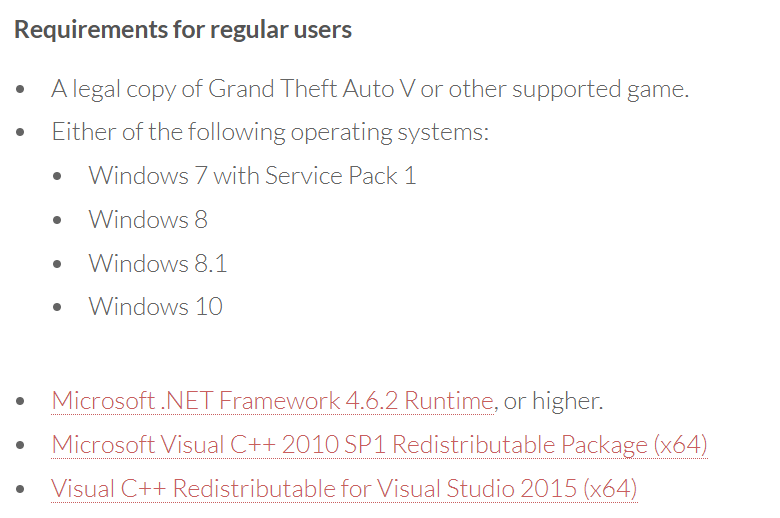
For other users searching for RPH requirements: RAGE Plugin Hook
-
No. That is not even compatible if you play LSPDFR, since it uses a MP Character. The whole story mode features are all disabled.
-
How big is your Ragepluginhook.log then?
-
When you go to a police station and press E, you'll always get that menu where you can go on duty.
-
-
In your callout you call STP.DrunkSTP(ped, true); Or easier: ped.DrunkSTP();
-
You have to bundle the PolicingRedefined.dll in your project, then you can call: PolicingRedefined.API.PedAPI.SetPedDrunk(ped, mappedLevel, setWalkstyle); For StopThePed the same process, but call: StopThePed.API.Functions.setPedAlcoholOverLimit(ped, drunk); Be aware that if you call the API function directly and a user hasn't installed the dll, LSPDFR will crash. To prevent that, you have to check in your plugin if STP or PR is installed and working. Only then you are allowed to call the API functions. You have to create a seperate class, it can look something like this: internal static class STP { internal static void DrunkSTP(this Ped ped) { if (Config.STPinstalled) { ped.DrunkSTP2(true); } } private static void DrunkSTP2(this Ped ped, bool drunk = true) { if (Config.STPinstalled) { StopThePed.API.Functions.setPedAlcoholOverLimit(ped, drunk); } } } As you can see there are two funtions for each function. This is required so LSPDFR doesn't crash when the required dll is not installed by the user. In your Main class you have to check if the STP or PR dll is installed. You can do that with: File.Exists(@"plugins\LSPDFR\PolicingRedefined.dll")





