




Yasd
Community Team
-
Joined
-
Last visited
Everything posted by Yasd
-
Hello! There is no release date yet. However its in a state where its feature complete and a few youtubers have announced it.
-
Hi! You have to update LSPDFR:
-
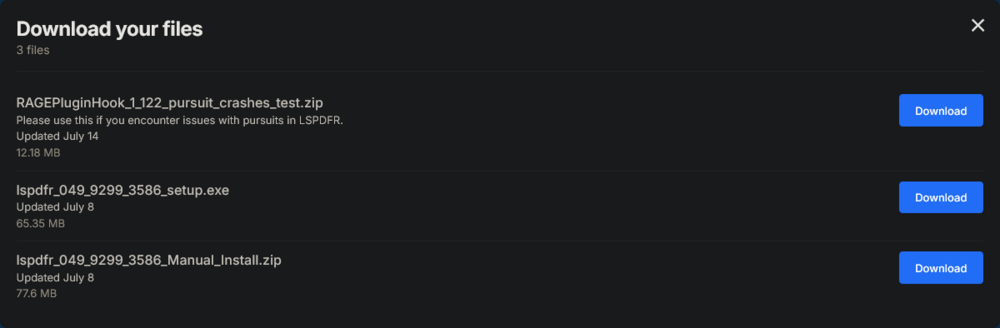
Have you installed a custom gameconfig? Please download the pursuit fix from the lspdfr download:
-
Hello! Please download the pursuit fix from the lspdfr download:
-
Post the Ragepluginhook.log from the main gta folder.
-
 [29.08.25 20:06:56.660] LSPD First Response: STP: Problem on Loading TrafficStopQuestions.xml: [29.08.25 20:06:56.680] LSPD First Response: STP: Exception on Loading PatDownItems.xml: System.Xml.XmlException: Data at the root level is invalid. Line 81, position 1. Please get rid of this error from STP. Update MegaphoneUI. Keep The F** Door Open: move it from gtav/plugins/lspdfr to gtav/plugins Please remove AutomaticSirenCutout. Unless that I can't really see an error, since my plugin only gets a active if a pursuit is starting.
- 40 comments
- 8 reviews
-
-

- 1
-
-
 Hey Vixloi, what a great idea you had with this plugin! I enjoy it and I hope to see more updates coming, can't wait to play more of it ❤️
- 76 comments
- 5 reviews
-
-

-
- 2
-
-
 Support is given on discord. If others experience crashes while in a pursuit install the lspdfr pursuit fix version.
- 251 comments
- 21 reviews
-
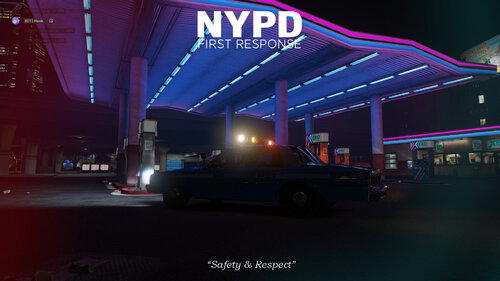 Good job Greeni, I like the New York Setting in the pictures 🙂
 -
Fell free to join my discord to post the Ragepluginhook.log for further analyze.
- 251 comments
- 21 reviews
-
Hello! Please reinstall LSPDFR completely. Make sure to drag and drop all files into the gta folder. Use the manual install.
-
This is called add-on vehicles. You add new vehicles to the game = addon vehicle you replace existing vehicles = replace vehicles Basically you add a new patchday to gta, which is recognized as a vehicle. A tutorial:
-
This topic has been moved to the appropriate forum. Please post in the correct location in the future.
-
You have the Slix.dx error, attempted fixes are in the RPH FAQ: RagePluginHook FAQ - Google Docs Search for: My LSPD:FR crashes with a “SlimDX” error. What can I do?
-
Let's start with the basics: Do you have ScripthookV & a custom gameconfig installed?
-
Post the Ragepluginhook.log from the main gta folder right after the crash occurs.
-
Please reinstall the required meta files as the site suggests.
-
Let's try to get one ELS vehicle to work at a time. What's the name of the vehicle model and can you spawn it ingame? If yes, do you have the .xml for the els vehicle installed at gtav/ELS/pack_default? The name of the .xml file needs to be exactly the same as your ingame vehicle spawn name.
-
I dont get it, you cant download it from the website? Can you screenshot the error?
-
install a gameconfig, heap adjuster & packfile limit adjuster. If you click on the underlined text you will get redirected to the download sites.
-
Do you use graphic mods and have you tried renaming the mods folder to _mods? Additionally please try to verify your game files.
-
To clarify outdated means you are not using the latest version of them, please update to the latest versions.
-
Gottcha, pls join my discord and ping me with the ragepluginhook.log attached, i will take a further look into that. Are you using modded vehicles? Then there might be a chance it is caused by it.
- 40 comments
- 8 reviews
-
This crash was related to a specific callout from UnitedCallouts this time. I cant speak for other crashes. Your topic has been moved to LSPDFR 0.4 Support. Please post in the correct location in the future.
-
@sEbi3 Looks like a UnitedCallouts crash at the end.


