


Jetski343
Members
-
Joined
-
Last visited
Everything posted by Jetski343
-
Will using a command line affect multiplayer?
-
I liked the Runners too.
-
I like it. Will it replace noose or fbi?
-
-
That's odd...keep trying.
-
Press Escape in game > Graphics Tab
-
I like the Rear inner lightbar and the tail light flashers on the Caprice. They look good. I also like the Impalas!
-
-
This is a Liberty City/County Animal Control Skin made by Jetski343 DO NOT EDIT WITHOUT PERMISSION DO NOT UPLOAD THIS FILE ANYWHERE The Speedo I used- Thank You for your download! Jetski343 http://www.youtube.com/watch?v=hqKXDPsr3So
- 3 comments
- 4 reviews
-
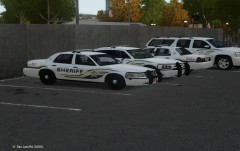 Thanks Alot! I got the file to work and it looks good. I was searching through my files and I found that I actually still have the Charger File. But anyway, thanks! -Jetski343 +1 also
 -
One more question. Did you add the wrap around pushbar with Zmodeler or is it a simple sparkIV change?
-
Ok, thanks for the reply.
-
I don't like asking these type of things but could I have the link to the Charger and CVPI?
-
CAPRICE!!!
-
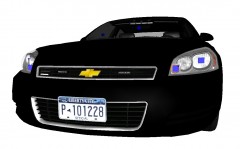 Looks really good! Any change of getting one with a Soundoff Pinnacle inner lightbar?
 -
Can we get an update on the Caprice?
-
I also downloaded it fine using Chrome.
-
PM me and I'll send it too you.
-
-
I like this one, It gives you street names also. http://www.gtaforums.com/index.php?showtopic=432128
-
Ok, and the issues is resolved.
-
This Issue has been fixed with the help of AlaskaStateTroopers224. ADMINS can close this topic.
-
-
From the album: Jetski343's Favorite Cars
-
From the album: Jetski343's Favorite Cars


