


Jetski343
Members
-
Joined
-
Last visited
Everything posted by Jetski343
-
I know what your talking about and I tried to find it and cant find it.
-
Ok Thanks!, So will the files still work? EDIT- The .wtd files opens with Windows Shell Common, How can I change the .wft file to that? I've tried but can't figure out how to.
-
The other day my brother and his friend used my computer. When I got on later that day these files were changed. They should just be .wft files but there being read as Adobe. I have no idea how this happened or how to change it back to normal. If anybody knows how to change it back to normal please provide some feedback, that would be great!
-
Thanks Loot I forgot about that!
-
-
Loveland doesn't Crown Vics any more. I've been working on a Loveland skin for along time now. I wanted to be the first to release but nice job anyway.
-
Cool Thanks for the reply. Do you know of any other lines that don't have anti- flip but still drive ok?
-
What Siren were you using?
-
Trainer- http://www.gtagaming...cript-mods/2115 If you using stock cars, the option will work. If your using modded cars try what it says in this forum post. http://www.gtaforums.com/index.php?showtopic=517710 -Jetski343
-
I cant seem to find a good handling line for this Impala.( link below) I've tried Sgt.Kanyo's Line for it but the car still slid around all of the time. If anybody knows of another line to use please respond. http://gtapolicemods...do=file&id=1942 Also It seems like all of gfxle's cars handle oddly, has anyone else noticed this?
-
Yeah I know. That's how I found the video.
-
I was just looking around on YouTube and found this video, figured I'd Share it. The Caprice is very well made! http://www.youtube.com/watch?v=yRIYLLm5zgc&feature=plcp
-
Jetski343- ELS or non-ELS what ever you have.
-
Those are GPS receivers to track the car.
-
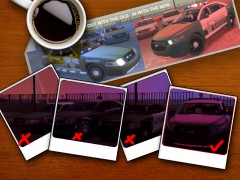 Where did you get the Caprice model? If you made it nice job!
 -
Yes I believe i do, here's a picture. "customwail" is the .wav file
-
So I'm using Scyattica's air horn mod and I'm trying to add my own custom siren. In the read me It explains how to do it. I followed those steps and it did not work. If anyone could help me out or tell me what I did wrong it would be greatly appreciated. I have included a picture of what I did.
-
Left Arrow=Left Signal Right Arrow=Right Signal U=Hazards I=Marker lights O= Headlights
-
Dang, I figured I could just move wheel textures around in IV.
-
What I want to do is put the rims/hubcaps of one car on to another.(links below) It could be possible in SparkIV? If anybody could help or knows what I can do please reply, Thank You. - Jetski343 LINKS -Car rims I want to use- http://gtapolicemods...do=file&id=1690 -Car I want rims on- Open the link in a new tab so you don't loose this page.
-
Thanks Guys That helped out a lot I gave both of you +1 Thanks!
-
Does anybody know what this siren used in the video is called or where I could Get it? http://www.youtube.com/watch?v=Sy3qoa4eldo Thanks - Jetski343
-
Fed Sig- http://gtapolicemods.com/downloads.php?do=file&id=1291 Liberty- Hope this helped
-
http://azves.weebly.com/

