


Jetski343
Members
-
Joined
-
Last visited
Everything posted by Jetski343
-
Still not working, is anyone willing to download it for me and e-mail the files to me?
-
Thanks, I posted over there too and CJ24 is helping me out.
-
Im going to make a Post there too.
-
Still won't work. Is there anyway someone could send me the files? I just need the Charger and the CVPI in the pack.
-
Yes but this pack has a changed up CVPI and the 2012 Charger in it.
-
I get this error everytime I try to download this pack. It downloads but when I open it this happens. What can I do? Link to Pack- http://www.gta-modding-chest.com/database/grand-theft-auto-iv/vehicle-models/police-vehicles/fictional-or-generic-vehicles/111-liberty-city-police-department-pack-charger-cvpi-tahoe-els/download.html
-
Yeah that's what I have now, but the AI don't pull over for the siren and the police computer doesn't work. About the video- He has really great video's on his channel check them out!
-
Ok, So is there anyway to fix that so the siren does work?
-
Nope , replaced both. It's weird that the AI won't pull over for the siren though.
-
I installed the bike from the video and it's ELS enabled.
-
Thanks guys, I replaced the Handling line and the vehicles.ide but the skin textures on the bike were plain white, the ELS lights didn't work( the reflections did though) and AI didn't pull over for the siren.
-
So you can have an unmarked/undercover look. White looked good on this model to me.
- 9 comments
- 6 reviews
-
-

- 1
-
-
-
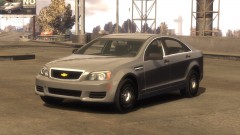
This is a white texture for EVI's 2013 Ford Police Interceptor Utility. This is a simple texture but it's good for that undercover look. If you want the window textures changed just download EVI's model and change it from there. This texture is not affiliated with Liberty Modding Studios, It was made by Jetski343.
- 9 comments
- 6 reviews
-
What Im trying to figure out is how to put a motercycle in a the Police Stockade slot. Do you juts change the handling lines? I don't know what to do but I know it's possible. This video shows it's possible. If anyone knows what to do that would be great! Thanks, Jetski343 http://www.youtube.com/watch?v=-C1Rpgnisvo
-
Oh Ok I didn't know that. Ok Thanks Ill try 5.7.
-
I'm using an Xbox 360 Wireless Controller for GTAIV and LCPDFR and it works fine. I want to Map the Shift Key and J for ELS to the Controller. I did that but it wont work in game, it's as if I did not map the keys at all. If anyone knows what to do that would be greatly appreciated. Thanks, Jetski343
-
-
-
GREAT JOB! It looks really good and I'm impressed!
-
 AMAZING!
 -
POST HERE-
-
Put them in your scripts folder. Also read the readme's in the files to find out where they go and how to use them.
-
Haha, Yeah you too! -Jetski343
-
I just tried the files still with Adobe on them and the car work fine in game. I think I'll just keep the files as they are now. Thanks for your help! I really appreciate it!

